
记录一下自己得学习 和思考结果
主要是对于step 函数的应用,使用step 函数来替代if
// Copyright (c) 2017-2020 Xiamen Yaji Software Co., Ltd.
CCEffect %{
  techniques:
  - passes:
    - vert: sprite-vs:vert
      frag: sprite-fs:frag
      depthStencilState:
        depthTest: false
        depthWrite: false
      blendState:
        targets:
        - blend: true
          blendSrc: src_alpha
          blendDst: one_minus_src_alpha
          blendDstAlpha: one_minus_src_alpha
      rasterizerState:
        cullMode: none
      properties:
        alphaThreshold: { value: 0.5 }
        borderThickness: {value: 0.01 , editor: { silde: true ,range: [0 ,1.0] ,step: 0.01}}
        borderColor: { value: [1.0, 1.0, 1.0, 1.0], editor: {type: color}}

}%

CCProgram sprite-vs %{
  precision highp float;
  #include <builtin/uniforms/cc-global>
  #if USE_LOCAL
    #include <builtin/uniforms/cc-local>
  #endif
  #if SAMPLE_FROM_RT
    #include <common/common-define>
  #endif
  in vec3 a_position;
  in vec2 a_texCoord;
  in vec4 a_color;

  out vec4 color;
  out vec2 uv0;

  vec4 vert () {
    vec4 pos = vec4(a_position, 1);

    #if USE_LOCAL
      pos = cc_matWorld * pos;
    #endif

    #if USE_PIXEL_ALIGNMENT
      pos = cc_matView * pos;
      pos.xyz = floor(pos.xyz);
      pos = cc_matProj * pos;
    #else
      pos = cc_matViewProj * pos;
    #endif

    uv0 = a_texCoord;
    #if SAMPLE_FROM_RT
      CC_HANDLE_RT_SAMPLE_FLIP(uv0);
    #endif
    color = a_color;

    return pos;
  }
}%

CCProgram sprite-fs %{
  precision highp float;
  #include <builtin/internal/embedded-alpha>
  #include <builtin/internal/alpha-test>
  #include <builtin/uniforms/cc-global>

  in vec4 color;

  uniform Constant{
    vec4 borderColor;
    float borderThickness;

  };

  #if USE_TEXTURE
    in vec2 uv0;
    #pragma builtin(local)
    layout(set = 2, binding = 12) uniform sampler2D cc_spriteTexture;
  #endif


  vec4 frag () {
    vec4 o = vec4(1, 1, 1, 1);
    vec4 fcolor = vec4(1, 1, 1, 1);

    #if USE_TEXTURE
      o *= CCSampleWithAlphaSeparated(cc_spriteTexture, uv0);
      #if IS_GRAY
        float gray  = 0.2126 * o.r + 0.7152 * o.g + 0.0722 * o.b;
        o.r = o.g = o.b = gray;
      #endif

      float flowSpeed = 2.0;

      // 这样 四个角颜色重叠
      // float bottom =   step(1.0 - borderThickness, uv0.y ); // uv0.y > 1.0 - borderThickness 取 1
      // float top = (1.0 - step(borderThickness, uv0.y )) ; // uv0.y < borderThickness,取 0 ,用1减去, 就得到uv0.y < borderThickness 得1得效果


      // 防止 四个角颜色重叠 bottom边和top边只绘制中间得那段线,重叠部分不显示
      float bottom =   step(1.0 - borderThickness, uv0.y ) * step(borderThickness ,uv0.x)  * (1.0-step(1.0-borderThickness ,uv0.x)); // uv0.y > 1.0 - borderThickness 取 1
      float top = (1.0 - step(borderThickness, uv0.y )) * step(borderThickness ,uv0.x) * (1.0-step(1.0-borderThickness ,uv0.x)); // uv0.y < borderThickness,取 0 ,用1减去, 就得到uv0.y < borderThickness 得1得效果
      float left = (1.0 - step(borderThickness, uv0.x));
      float right = step(1.0 - borderThickness, uv0.x);

      float a = bottom + top + left +  right ;
      vec4 tempColor = mix(o, borderColor, a );
      o *= tempColor;

      vec4 t = vec4( a,a,a,1);

      // 存在问题 当图片得尺寸不是1:1得时候,边框宽度不均匀

    #endif

    o *= color;
    ALPHA_TEST(o);
    return  o;
  }
}%
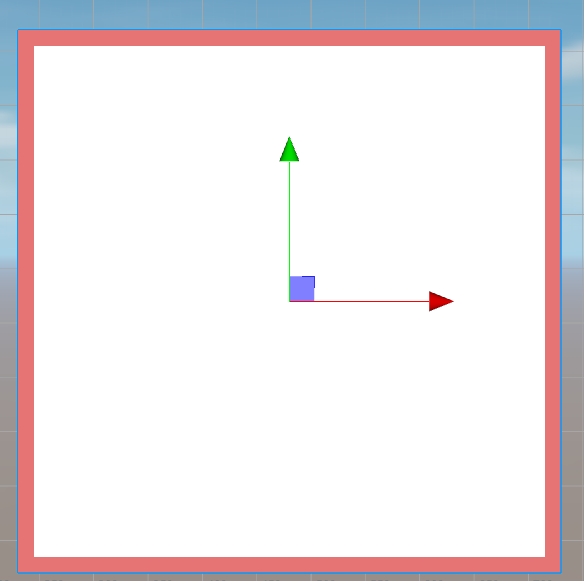
目前存在问题即图片不是1:1的化,边框的宽度不一致的情况