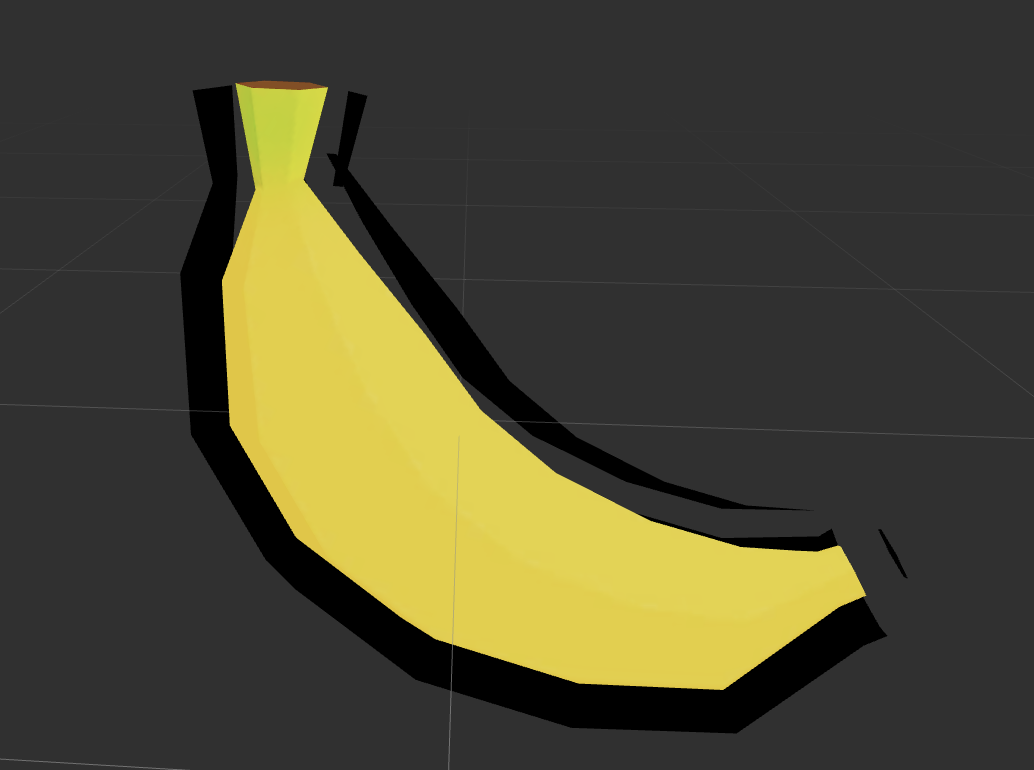
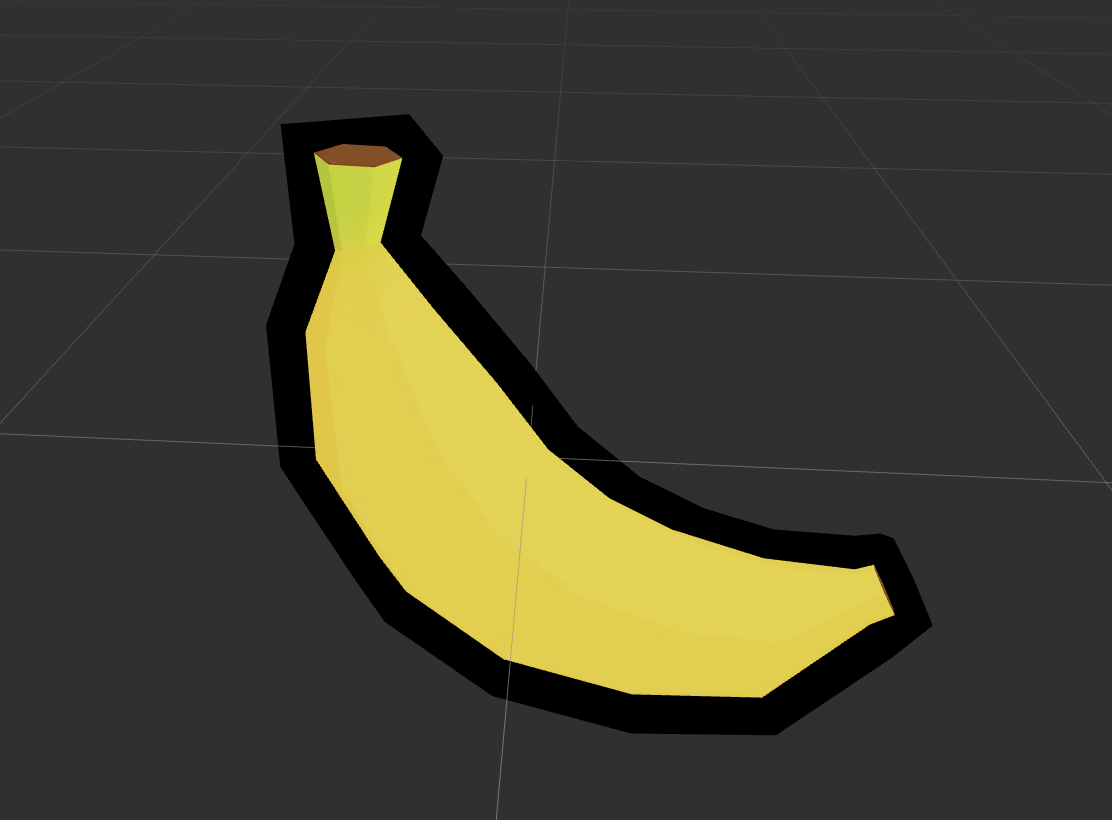
大家用builtin-toon 描边应该遇到过描边轮廓断裂的问题,这次终于不是cocos的锅了,是模型法线的问题,硬边在法线向外扩张的时候顶点分离了,让美术改成软边就可以解决问题(参考: 软硬边理解)。
如果没有美术的话,就只能靠自己了。我参考网上的代码写了段python可以把FBX模型的硬边改成软边。
from fbx import *
from FbxCommon import *
from functools import reduce
import os

def fixNormal(fbx_path):
    def GetNormal(p_Normals,p_orginPolygonIndex,p_VertexIndex, p_Normallist):
        #定义一个FbxVector4类型的列表(FBX自己储存法线值的类型)
        #定义X,Y,Z
        normalSolo = FbxVector4(0, 0, 0)
        x, y, z = 0, 0, 0

        #如果mesh的法线映射类型是eByControlPoint(就是整个一个光滑组,全软边)
        if p_Normals.GetMappingMode() == FbxLayerElement.eByControlPoint:
            if p_Normals.GetReferenceMode() == FbxLayerElement.eDirect:
                x = p_Normals.GetDirectArray().GetAt(p_orginPolygonIndex)[0]
                y = p_Normals.GetDirectArray().GetAt(p_orginPolygonIndex)[1]
                z = p_Normals.GetDirectArray().GetAt(p_orginPolygonIndex)[2]
            if p_Normals.GetReferenceMode() == FbxLayerElement.eIndexToDirect:
                index = p_Normals.GetIndexArray().GetAt(p_orginPolygonIndex)
                x = p_Normals.GetDirectArray().GetAt(index)[0]
                y = p_Normals.GetDirectArray().GetAt(index)[1]
                z = p_Normals.GetDirectArray().GetAt(index)[2]

        # 如果mesh的法线映射类型是eByPolygonVertex(就是没有光滑组,全硬边)
        if p_Normals.GetMappingMode() == FbxLayerElement.eByPolygonVertex:
            if p_Normals.GetReferenceMode() == FbxLayerElement.eDirect:
                x = p_Normals.GetDirectArray().GetAt(p_VertexIndex)[0]
                y = p_Normals.GetDirectArray().GetAt(p_VertexIndex)[1]
                z = p_Normals.GetDirectArray().GetAt(p_VertexIndex)[2]
            if p_Normals.GetReferenceMode() == FbxLayerElement.eIndexToDirect:
                index = p_Normals.GetIndexArray().GetAt(p_VertexIndex)
                x = p_Normals.GetDirectArray().GetAt(index)[0]
                y = p_Normals.GetDirectArray().GetAt(index)[1]
                z = p_Normals.GetDirectArray().GetAt(index)[2]

        #把单个的normal值设置在变量normalSolo里,然后加进列表p_Normallist中,让我们最后获得一个由法线值组成的列表
        normalSolo.Set(x,y,z)
        p_Normallist.append(normalSolo)

    manager, scene = InitializeSdkObjects()
    result = LoadScene(manager, scene, fbx_path)
    geoCount = scene.GetGeometryCount() #查看场景中包含的geometry数量
    assert geoCount == 1
    geo = scene.GetGeometry(0)
    assert geo.GetAttributeType() == FbxNodeAttribute.eMesh

    nodeCount = geo.GetNodeCount()
    assert nodeCount == 1
    node = geo.GetNode(0)
    name = node.GetName()
    mesh = node.GetMesh()

    assert mesh.GetLayerCount() == 1

    polygonVertices = mesh.GetPolygonVertices()
    normals = mesh.GetElementNormal()
    triangleCount = mesh.GetPolygonCount()
    normallist = []
    vertexCounter = 0

    assert len(polygonVertices) == 3 * triangleCount

    for i in range(len(polygonVertices)):
        GetNormal(normals, polygonVertices[i], i, normallist)
    dictv = {}
    for i, p in enumerate(polygonVertices):
        if p not in dictv:
            dictv[p] = []
        dictv[p].append(normallist[i])
    dictp = {}
    #计算每个顶点的平均法线
    for p, v in dictv.items():
        avgNormal = FbxVector4(0, 0, 0)
        avgNormal = reduce(lambda x, y: x + y, v, avgNormal)
        avgNormal /= len(v)
        dictp[p] = avgNormal

    mesh.RemoveElementNormal(normals)
    newNormal = mesh.CreateElementNormal()
    newNormal.SetMappingMode(FbxLayerElement.eByPolygonVertex)
    newNormal.SetReferenceMode(FbxLayerElement.eDirect)
    for i in range(triangleCount * 3):
        p = polygonVertices[i]
        newNormal.GetDirectArray().Add(dictp[p])
    SaveScene(manager, scene, "./output/" + fbx_path, 0)

if not os.path.exists("./output"):
    os.makedirs("./output")

fixNormal('banana.FBX')
上面的香蕉就是我自己实测的结果,基本可以完美描边了。
需要下载python fbx sdk才能跑,安装过程可以参考这里
最后,如果老铁们觉得这个帖子有帮助,可以玩一下我的小游戏