
- Creator 版本: 3.7.2
最近想实现个小工具,希望能在属性选择器中精确添加指定节点内的指定组件的指定属性,即类似于Button组件中的ClickEvents属性:
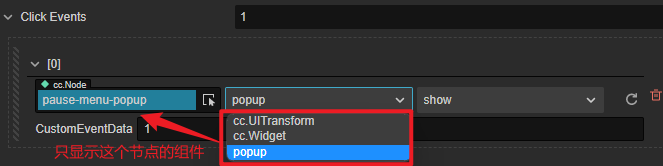

为此我编写了ComponentProperty这个类(ComponentProperty.ts):
import { Component, Node, _decorator } from "cc";
const { ccclass, property } = _decorator;

@ccclass("ComponentProperty")
export class ComponentProperty {
  @property(Node)
  public node: Node = null;
  @property(Component)
  public components: Component = null;
  @property(String)
  public property: string = "";
}
在需要设置这个属性的自定义组件中这样写:
import { _decorator, Component } from "cc";
import { ComponentProperty } from "./ComponentProperty";
const { ccclass, property } = _decorator;

@ccclass("CustomComponent")
export class CustomComponentextends Component {
  @property({ type: [ComponentProperty], serializable: true })
  public test: ComponentProperty[] = [];
}
但是也只能实现这样的效果,在选择组件时会展示所有的组件,而非指定节点下的自定义属性: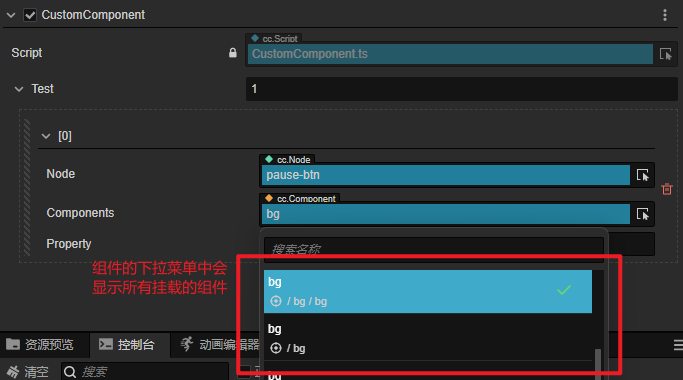
查看了button的源码,但是不太看得懂如何实现的,其中使用的一些装饰器也没找到方法导出以在自定义组件中使用