-
Creator 版本: 3.7.2
-
目标平台: Chrome浏览器
-
问题:为什么使用脚本来编辑Animation动画动画不会动,已经确认轨道track是已经被挂载在AnimationClip上了
重重复复看了好多遍官方文档中的这个 程序化编辑动画剪辑
对比了我的代码,实在是没有找到问题出在哪里。
怀疑1: 在设置path时没有正确写入路径 但是路径‘roleSK/choose/arrow’、‘choose/arrow’、'arrow’都试过了,arrow还是没有动。
层级关系:roleSK(prefab)/choose(Node)/arrow(Node)
以下为脚本代码:`
  // 设置动画位置
private _setAnimationPosition() {
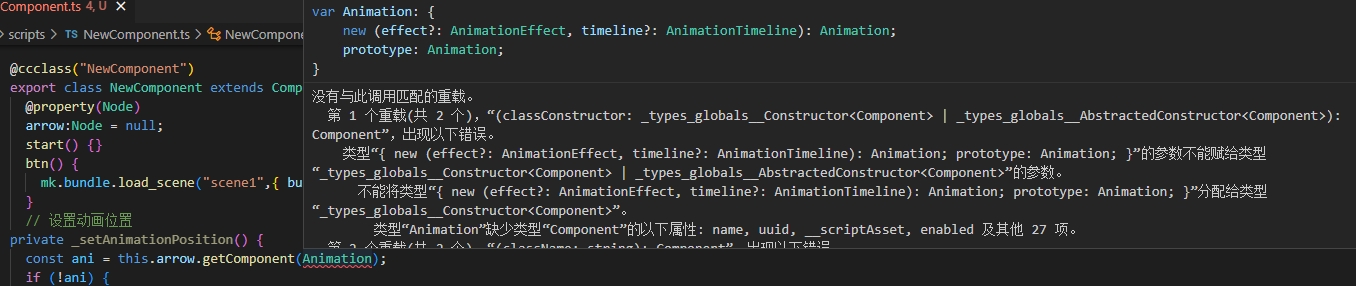
    const ani = this._arrow.getComponent(Animation);
    if (!ani) {
        console.error('Animation component not found on arrow node!');
        return;
    }

    const clip = ani.defaultClip;
    if (!clip) {
        console.error('Default AnimationClip not found on arrow node!');
        return;
    }

    console.log('Animation component:', ani);
    console.log('Default animation clip:', clip);

    clip.clearTracks();
    clip.duration = 1.0; // 整个动画剪辑的周期
    const track = new animation.VectorTrack(); // 创建一个向量轨道
    track.componentsCount = 3; // 使用向量轨道的前三条通道
    const path = new animation.TrackPath()
        .toHierarchy('arrow') // 设置层级路径
        .toProperty('position'); // 指定要控制的属性
    track.path = path

    console.log('Animation position track set:', track);

    const arrowHeight = this._arrow.position.y;
    const vec3KeyFrames = [
        [0, new Vec3(0, arrowHeight + 100, 0)],
        [0.5, new Vec3(0, arrowHeight, 0)],
        [1, new Vec3(0, arrowHeight + 100, 0)]
    ] as [number, Vec3][];

    const [x, y, z] = track.channels();
    x.curve.assignSorted(vec3KeyFrames.map(([time, vec3]) => [time, { value: vec3.x }]));
    y.curve.assignSorted(vec3KeyFrames.map(([time, vec3]) => [time, { value: vec3.y }]));
    z.curve.assignSorted(vec3KeyFrames.map(([time, vec3]) => [time, { value: vec3.z }]));

    console.log('Keyframes:', vec3KeyFrames);

    clip.addTrack(track); // 将轨道添加到动画剪辑
    clip.wrapMode = AnimationClip.WrapMode.Loop; // 设置动画循环模式

    ani.defaultClip = clip; // 重新分配修改后的 AnimationClip
    ani.play(); // 播放动画
}`