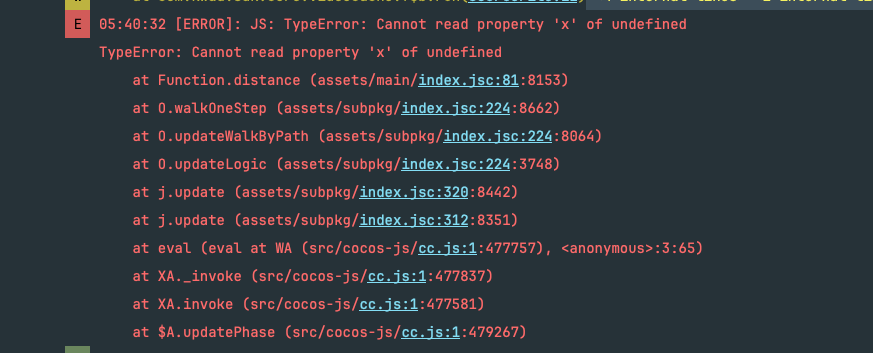
cocos3.7.4中发现一个问题,在一个UI中,一个按钮回调中的 js代码报错了,会导致其他点击事件乱套的情况。这个情况在2.4中没有。
看了下输入模块的源码,已经和2.4版本不一样了。
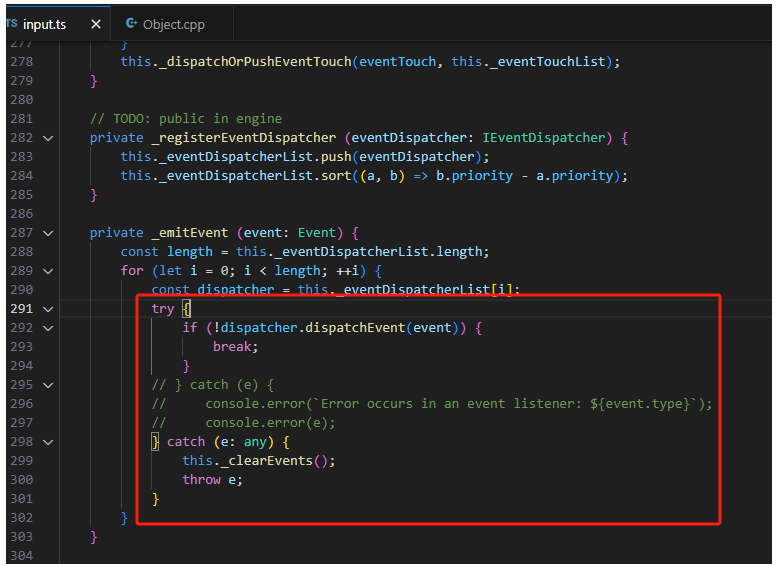
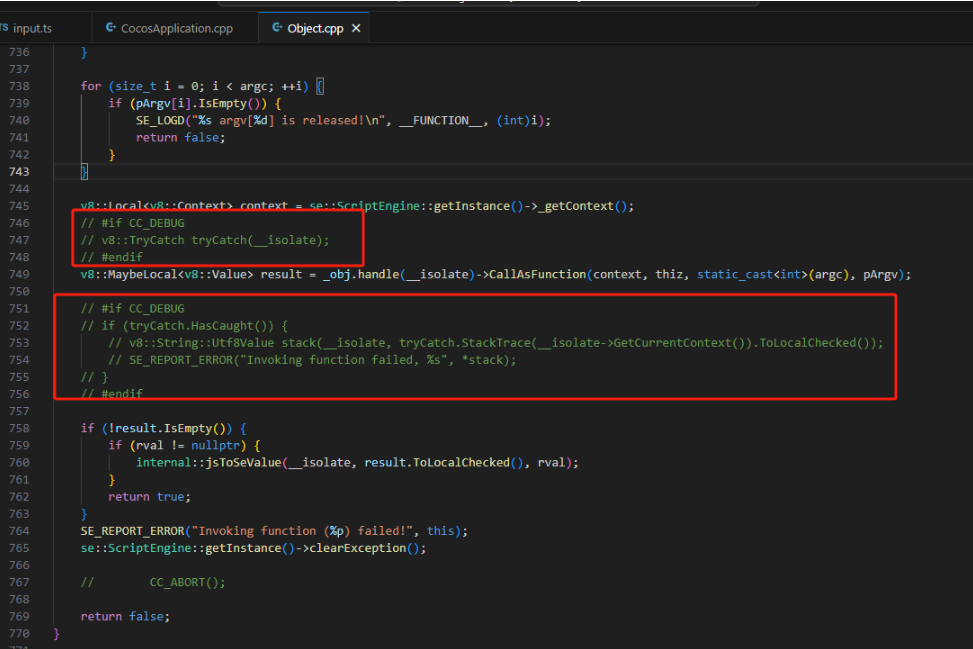
根据引擎团队的fix处理,主要是native在debug时候V8不直接捕获exception(和release环境一致),然后在派发事件的地方,捕获异常。
不多说,修改流程:
一、根据fix修改
/engine/cocos-engine-3.7.4/cocos/input/input.ts
主动抛出点击的错误
/engine/cocos-engine-3.7.4/native/cocos/bindings/jswrapper/v8/Object.cpp
根据fix的处理,native在debug的点击报错有了。
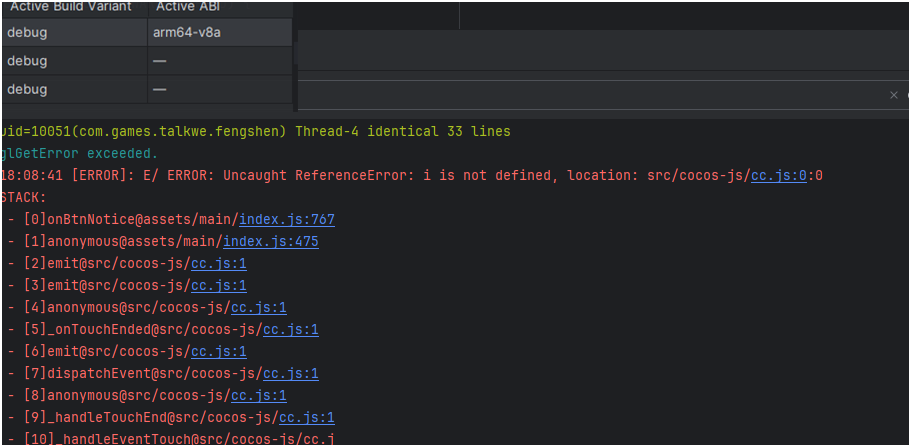
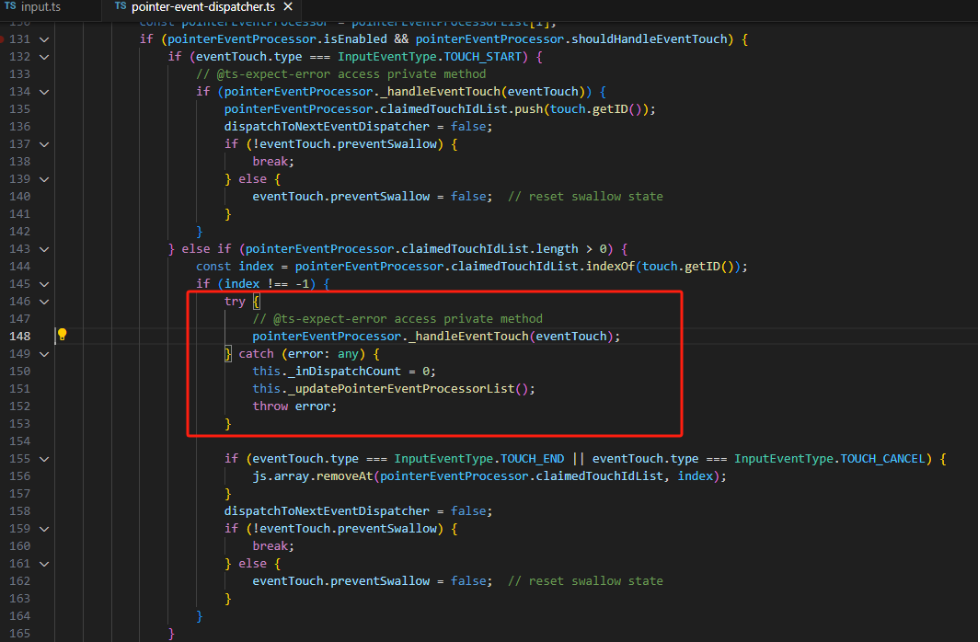
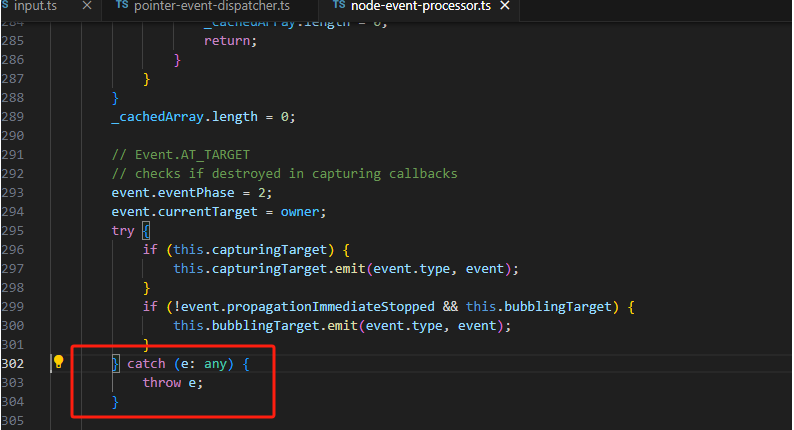
二、重置点击异常后的逻辑
/engine/cocos-engine-3.7.4/cocos/2d/event/pointer-event-dispatcher.ts
/engine/cocos-engine-3.7.4/cocos/scene-graph/node-event-processor.ts
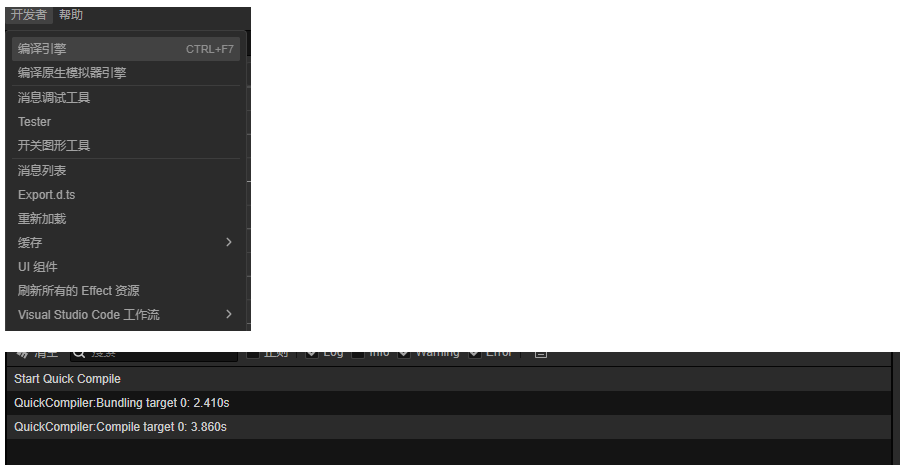
三、编译TS引擎代码
运行测试!
四、处理报错上传到bugly
本来是在native的CocosApplication.cpp处理的,现在改成了在脚本处理,这样native的上报逻辑也可以热更。
    initBuglyListener() {
        if (sys.isNative) {
            let lastStack = ``;
            // @ts-ignore
            jsb[`onError`](function (location: string, message: string, stack: string) {
                // 在这处理,那就不需要在CocosApplication.cpp处理
                // console.info("jsb.onError", location, message, stack)
                if (lastStack == stack) {
                    return;
                }

                let exception: any = {};
                exception.location = `${location}`;
                exception.message = `${message}`;
                exception.stack = `${stack}`;
                exception.map = {
                    'updateVer': "1.0.0",
                }
                native.jsbBridgeWrapper.dispatchEventToNative("doBugly", JSON.stringify(exception));
                lastStack = stack;
            });
        }

        if (HTML5) {
            // TODO
        }

        if (WECHAT) {
            // TODO
        }
    }
附上bulgy的java接入代码
package com.cocos.game.bugly;
import android.content.Context;
import android.util.Log;

import com.cocos.lib.JsbBridgeWrapper;
import com.tencent.bugly.crashreport.CrashReport;

import org.json.JSONException;
import org.json.JSONObject;

import java.util.HashMap;
import java.util.Iterator;
import java.util.Map;

public class BuglyAgent {
    static Context mContext = null;
    static final String channelName = "android";
    static final boolean isDebugMode = false;

    public static void setContext(Context context) {
        mContext = context;
    }

    public static void initSDK(String appId, String appVer) {
        Log.d("BuglyAgent","init bugly " + appId + " ver " + appVer);
        CrashReport.UserStrategy strategy = new CrashReport.UserStrategy(mContext);
        strategy.setAppPackageName(mContext.getPackageName());
        strategy.setAppChannel(channelName);
        strategy.setAppVersion(appVer);
        CrashReport.initCrashReport(mContext.getApplicationContext(), appId, isDebugMode, strategy);

        //注册js回调
        JsbBridgeWrapper jbw = JsbBridgeWrapper.getInstance();
        jbw.addScriptEventListener("doBugly", jsonString -> {
            try {
                JSONObject json = new JSONObject(jsonString);
                String location = json.optString("location");
                String message = json.optString("message");
                String stack = json.optString("stack");
                JSONObject mapJson = json.optJSONObject("map");
                if (null != mapJson) {
                    Map<String, String> extraInfo = new HashMap<>();
                    for (Iterator<String> it = mapJson.keys(); it.hasNext(); ) {
                        String key = it.next();
                        Object value = mapJson.get(key);
                        extraInfo.put(key, value.toString());
                    }
                    BuglyAgent.postException(5, location, message, stack, extraInfo);
                } else {
                    BuglyAgent.postException(5, location, message, stack);
                }

            } catch (JSONException e) {
                throw new RuntimeException(e);
            }
        });
    }

    public static void postException(int category, String name, String reason, String stack) {
        Log.d("BuglyAgent","post1: " + reason);
        postException(category, name, reason, stack, null);
    }

    public static void postException(int category, String name, String reason, String stack, Map<String, String> extraInfo) {
        Log.d("BuglyAgent","post2: " + reason + extraInfo.toString());
        CrashReport.postException(category, name, reason, stack, extraInfo);
    }
}