-
Creator 版本: 3.8.3
-
目标平台: Android
-
重现方式:必现
-
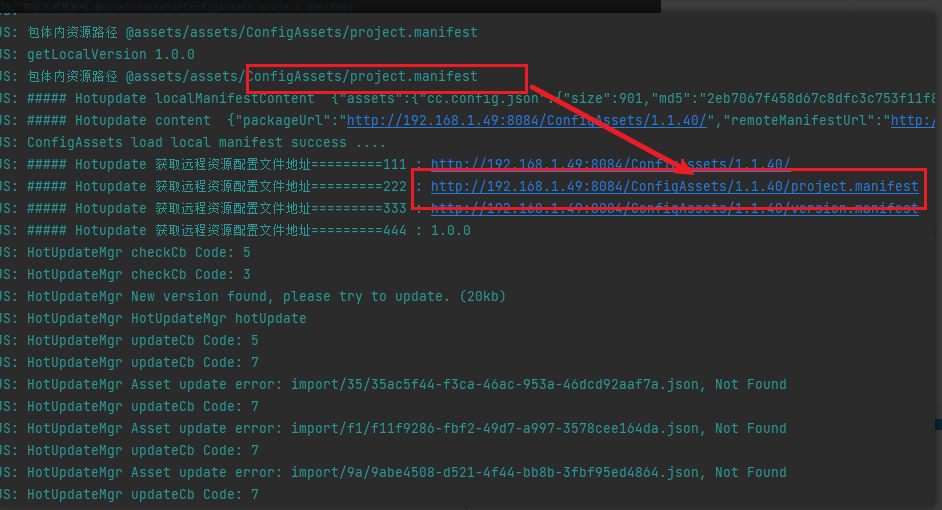
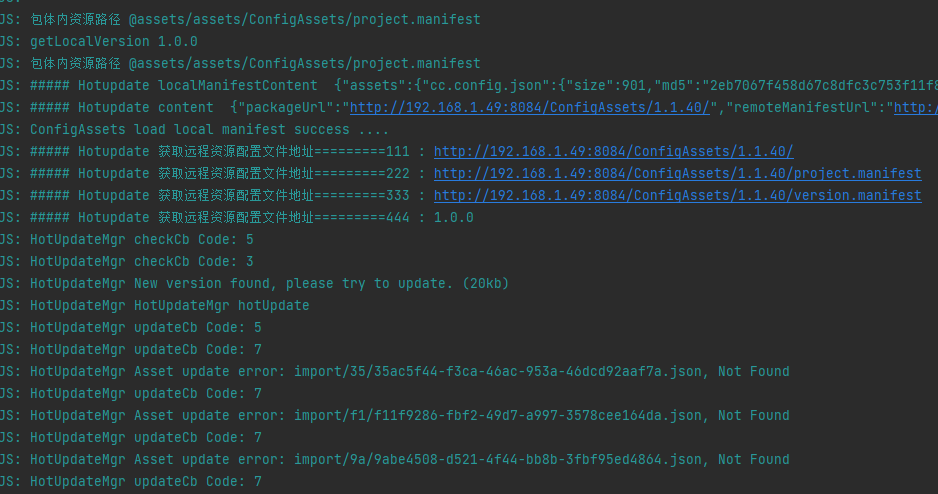
首个报错:
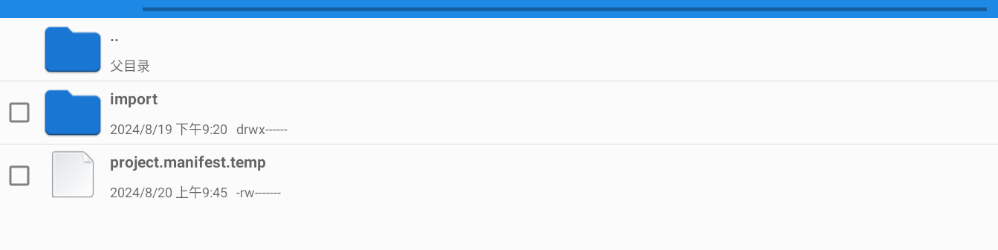
下载文件都报错找不到,但是在浏览器输入地址是可以下载的。
if (this._am.getState() === native.AssetsManager.State.UNINITED) {return; } this._am.setEventCallback(this.updateCb.bind(this)) this._am.update();
updateCb(event: any) {
    let failed = false;

    let msg = '';

    console.log('HotUpdateMgr updateCb Code: ' + event.getEventCode());

    switch (event.getEventCode()) {

        case native.EventAssetsManager.ERROR_NO_LOCAL_MANIFEST:

            msg = 'No local manifest file found, hot update skipped.';

            console.log('HotUpdateMgr No local manifest file found, hot update skipped.');

            failed = true;

            break;

        case native.EventAssetsManager.UPDATE_PROGRESSION:

            // event.getPercent();

            // event.getPercentByFile()

            // event.getDownloadedFiles()

            // event.getTotalFiles()

            // event.getMessage()

            if (this.onProgress) {

                var precent = event.getPercent()

                precent = precent < 0 ? 0 : precent;

                precent = precent > 1 ? 1 : precent;

                this.onProgress(precent, this.bundle);

            }

            break;

        case native.EventAssetsManager.ERROR_DOWNLOAD_MANIFEST:

        case native.EventAssetsManager.ERROR_PARSE_MANIFEST:

            console.log('HotUpdateMgr Fail to download manifest file, hot update skipped.');

            msg = 'HotUpdateMgr Fail to download manifest file, hot update skipped.';

            failed = true;

            break;

        case native.EventAssetsManager.ALREADY_UP_TO_DATE:

            console.log('HotUpdateMgr Already up to date with the latest remote version.');

            break;

        case native.EventAssetsManager.UPDATE_FINISHED:

            console.log('HotUpdateMgr Update finished. ' + event.getMessage());

            this.onDownloadSuccess();

            break;

        case native.EventAssetsManager.UPDATE_FAILED:

            if (this._maxRetry > 0) {

                this.retry();

            }

            else {

                failed = true;

            }

            break;

        case native.EventAssetsManager.ERROR_UPDATING:

            console.log('HotUpdateMgr Asset update error: ' + event.getAssetId() + ', ' + event.getMessage());

            break;

        case native.EventAssetsManager.ERROR_DECOMPRESS:

            console.log('HotUpdateMgr ' + event.getMessage());

            break;

        default:

            break;

    }

    if (failed) {

        this.onDownloadFailed();

    }

}