
-
Creator 版本:3.8.2+
-
目标平台: 浏览器
-
重现方式:随意就能复现,文本弄多一点
-
首个报错: 无报错。会一直弹描边组件弃用警告
-
之前哪个版本是正常的: 3.8.1
richtext描边自适应高度会超过富文本宽度范围,同时会弹outline组件弃用警告,原因,引擎组在3.8.2弃用了描边组件,而是将描边信息直接挂在了Label组件上,在rich-text上仍然使用该组件,在富文本上加入描边标签后会触发,同时超过富文本范围
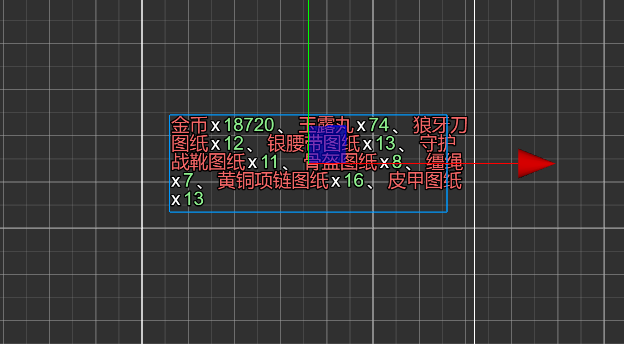 显示会超框
显示会超框
文本:
<color=#f56767>金币x<color=#8dee8d>18720、<color=#f56767>玉露丸x<color=#8dee8d>74、<color=#f56767>狼牙刀图纸x<color=#8dee8d>12、<color=#f56767>银腰带图纸x<color=#8dee8d>13、<color=#f56767>守护战靴图纸x<color=#8dee8d>11、<color=#f56767>骨盔图纸x<color=#8dee8d>8、<color=#f56767>缰绳x<color=#8dee8d>7、<color=#f56767>黄铜项链图纸x<color=#8dee8d>16、<color=#f56767>皮甲图纸x<color=#8dee8d>13
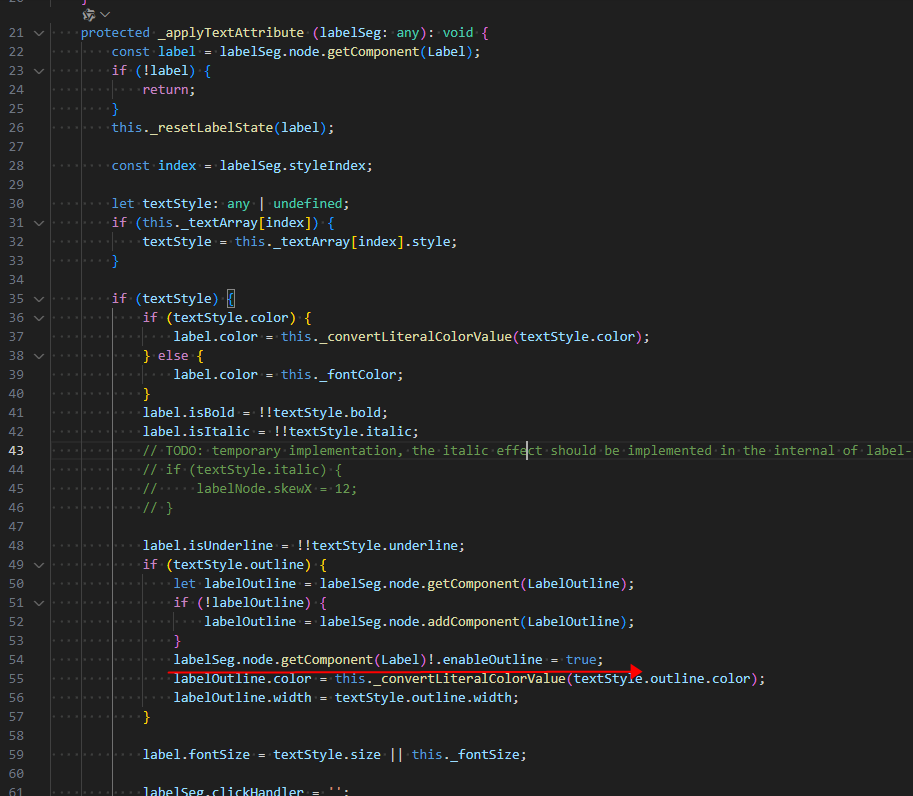
解决方案:重写richText
import { RichText,_decorator,Label } from “cc”;
import { LabelOutline } from “cc”;
import { Font } from “cc”;
const { ccclass, property, disallowMultiple, executeInEditMode } = _decorator;
@ccclass()
@disallowMultiple
@executeInEditMode
export class CustomRichText extends RichText{
protected _applyTextAttribute (labelSeg: any): void {
    const label = labelSeg.node.getComponent(Label);
    if (!label) {
        return;
    }
    this._resetLabelState(label);

    const index = labelSeg.styleIndex;

    let textStyle: any | undefined;
    if (this._textArray[index]) {
        textStyle = this._textArray[index].style;
    }

    if (textStyle) {
        if (textStyle.color) {
            label.color = this._convertLiteralColorValue(textStyle.color);
        } else {
            label.color = this._fontColor;
        }
        label.isBold = !!textStyle.bold;
        label.isItalic = !!textStyle.italic;
        // TODO: temporary implementation, the italic effect should be implemented in the internal of label-assembler.
        // if (textStyle.italic) {
        //     labelNode.skewX = 12;
        // }

        label.isUnderline = !!textStyle.underline;
        if (textStyle.outline) {
            let labelOutline = labelSeg.node.getComponent(LabelOutline);
            if (!labelOutline) {
                labelOutline = labelSeg.node.addComponent(LabelOutline);
            }
            labelSeg.node.getComponent(Label)!.enableOutline = true;
            labelOutline.color = this._convertLiteralColorValue(textStyle.outline.color);
            labelOutline.width = textStyle.outline.width;
        }

        label.fontSize = textStyle.size || this._fontSize;

        labelSeg.clickHandler = '';
        labelSeg.clickParam = '';
        const event = textStyle.event;
        if (event) {
            labelSeg.clickHandler = event.click || '';
            labelSeg.clickParam = event.param || '';
        }
    }

    label.cacheMode = this._cacheMode;

    const isAsset = this._font instanceof Font;
    if (isAsset && !this._isSystemFontUsed) {
        label.font = this._font;
    } else {
        label.fontFamily = this._fontFamily;
    }
    label.useSystemFont = this._isSystemFontUsed;
    label.lineHeight = this._lineHeight;

    label.updateRenderData(true);
}
}
主要是启用描边功能
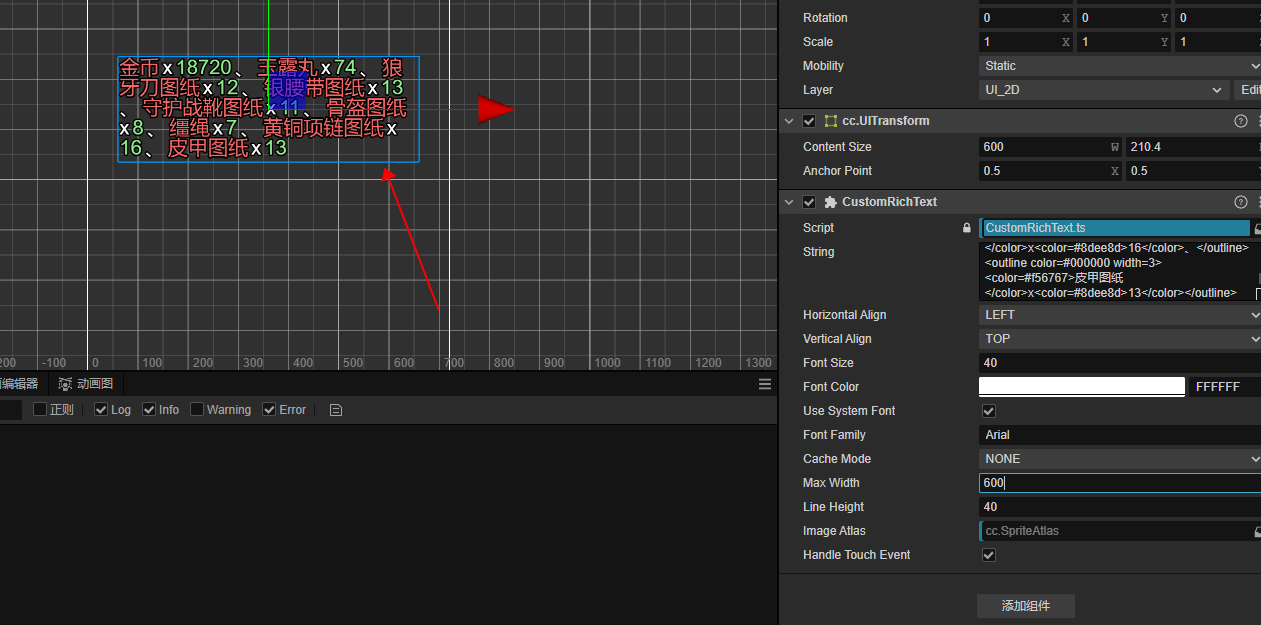
修改之后,不会超框
ps、引擎组既然标明弃用,后续应该好好测试一下引擎代码,包括LabelOutLine组件写法也应该去掉的,而不是每个版本都引入一些低级bug。。。