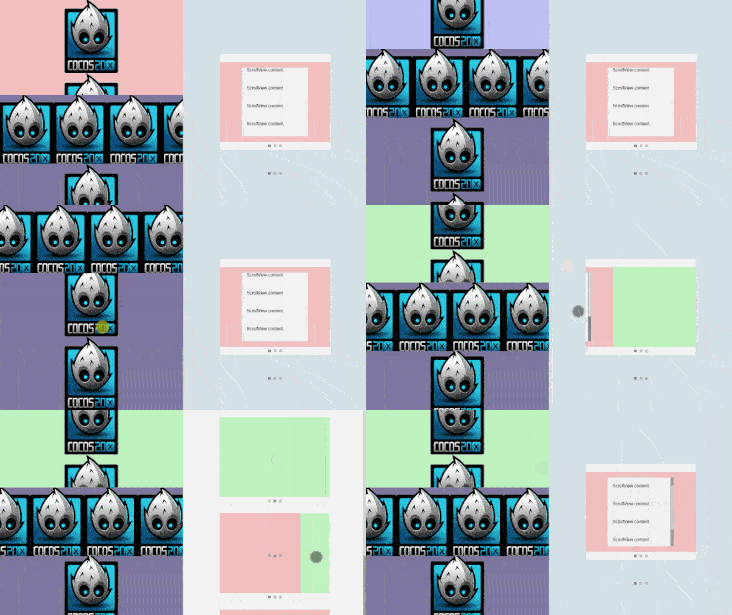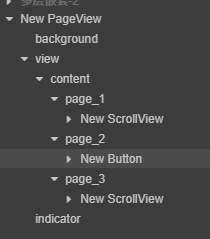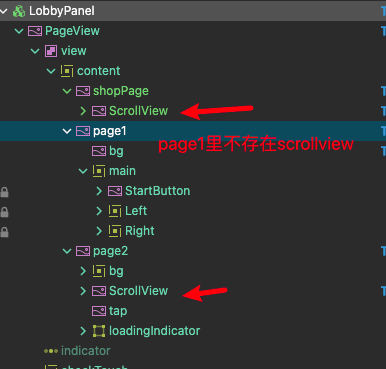
如图结构:pageview横向滚动,3个全屏页面,shopPage,page1, page2
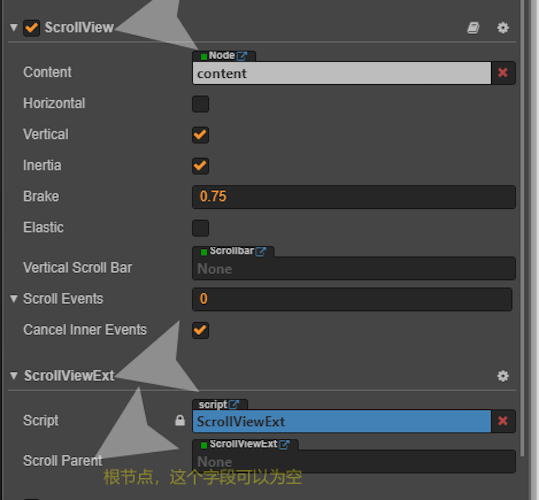
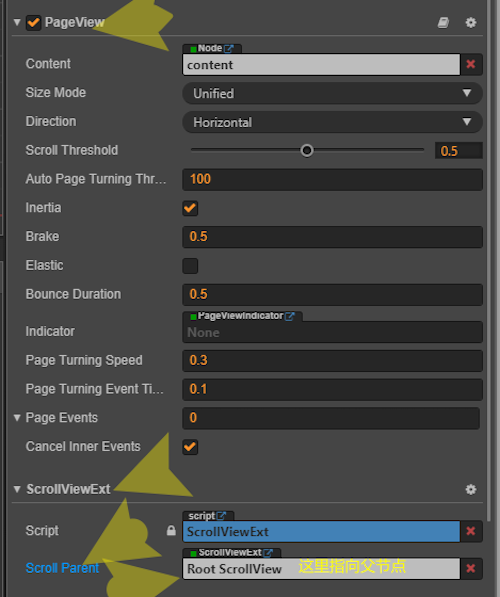
经典的皇室战争横向首页布局, shopPage 和 page2里面有纵向的 scrollview,使用直接把你插件里面的ScrollViewExt拖到 PageView,shopPage/ScrollView page2/ScrollView,子 scrollviewext 上面的挂 PageView 节点。程序运行后,页面在 shopPage 或 page2滑动在中心时,可以通过拖拽页面上面的 scrollview可以是 父 pageview 进行页面转换,以上这部分代码运转的很好。
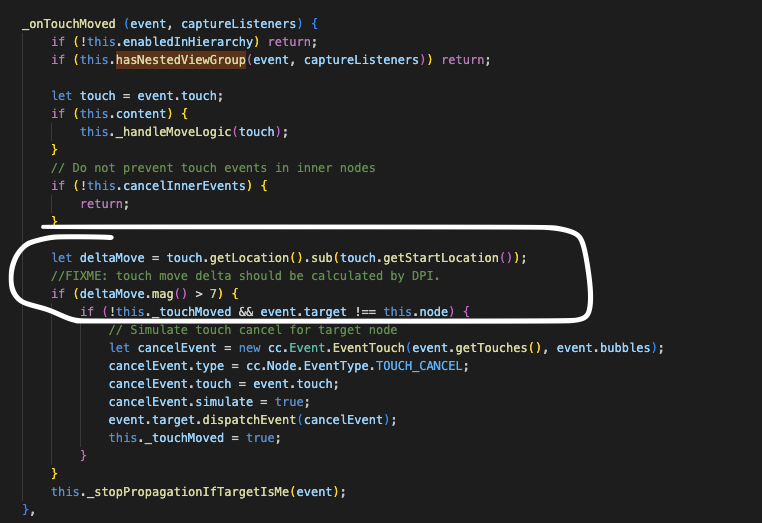
但是,我的 page1上面没有任何 scrollview,那么当页面在转换到 page1在视图里之后,就无法转动 pageview 了,不明原因,似乎是 pageview 上由于挂载了scrollviewext 被影响了。
我改了你的代码:
    protected onLoad() {
        this._scrollView = this.node.getComponent(ScrollView);
        if (this._scrollView && this.ScrollParent) {
            this._scrollView.elastic = false;
        }

        this._button = this.node.getComponent(Button);

        if (this._scrollView != null) {

            this._onScrollViewTouchStart = this._scrollView["_onTouchBegan"].bind(this._scrollView);
            this._onScrollViewTouchMove = this._scrollView["_onTouchMoved"].bind(this._scrollView);
            this._onScrollViewTouchEnd = this._scrollView["_onTouchEnded"].bind(this._scrollView);
            this._onScrollViewTouchCancelled = this._scrollView["_onTouchCancelled"].bind(this._scrollView);
            this._onScrollViewMouseWheel = this._scrollView["_onMouseWheel"].bind(this._scrollView);

            this._scrollView["_onTouchBegan"] = function (event, captureListeners) { }
            this._scrollView["_onTouchMoved"] = function (event, captureListeners) { }
            this._scrollView["_onTouchEnded"] = function (event, captureListeners) { }
            this._scrollView["_onTouchCancelled"] = function (event, captureListeners) { }
            this._scrollView["_onMouseWheel"] = function (event, captureListeners) { }

        } else if (this._button != null) {

            this._onScrollViewTouchStart = this._button["_onTouchBegan"].bind(this._button);
            this._onScrollViewTouchMove = this._button["_onTouchMove"].bind(this._button);
            this._onScrollViewTouchEnd = this._button["_onTouchEnded"].bind(this._button);
            this._onScrollViewTouchCancelled = this._button["_onTouchCancel"].bind(this._button);

            this._button["_onTouchBegan"] = function (event) { }
            this._button["_onTouchMove"] = function (event) { }
            this._button["_onTouchEnded"] = function (event) { }
            this._button["_onTouchCancel"] = function (event) { }
        }

        this.node.on(Node.EventType.TOUCH_START, this._onTouchStart, this);
        this.node.on(Node.EventType.TOUCH_MOVE, this._onTouchMove, this);
        this.node.on(Node.EventType.TOUCH_END, this._onTouchEnd, this);
        this.node.on(Node.EventType.TOUCH_CANCEL, this._onTouchCancel, this);
        this.node.on(Node.EventType.MOUSE_WHEEL, this._onMouseWheel, this);
    }
把没有 scrollview 的的子页面上面放置 Button,以此来代替 scrollview去向父 pageview 传递触摸信息。
下面还有一处touchmove,里面直接传递即可
    private _onTouchMove(event: EventTouch, captureListeners: Node[]) {
        if (!this.enabledInHierarchy) return;
        if (!this._isTouchStart) {
            return;
        }
        if (this.ScrollParent == null) {
            this._onScrollViewTouchMove(event, captureListeners);
            event.propagationStopped = true;
            return;
        }

        if (this._button != null) {
            this.ScrollParent.getComponent(ScrollViewExt)._onTouchMove(event, captureListeners);
            return;
        }
//...
}
还有一处 isBundary,不让空 scrollview报错即可
private _isBoundary(scrollView: ScrollView, boundary: ScrollBoundary): boolean {
if (scrollView == null) return true;
}
这样就伪造了一个 scrollview 的传递。
用起来一切正常了。
另外这个可以加在 button 上的修改过 的scrollviewext,也可在子页面的 scrollview 并非全屏,而在 scrollview覆盖以外的部分进行 pageview 的滑动。只需要在 pageview 的 page 节点处加 node,并放上这个 scrollviewext,当然也可以加载scrollview 前面的遮盖层上面。
当然了,如果不修改直接用也不是不能用,只不过我需要在 page1里面也放上一个 强制放上一个scrollview,虽然这个页面根本不需要上下的子层级滑动。