
- Creator: 3.8.5
- 浏览器:chrome
// Copyright (c) 2017-2020 Xiamen Yaji Software Co., Ltd.
CCEffect %{
  techniques:
  - passes:
    - vert: sprite-vs:vert
      frag: sprite-fs:frag
      depthStencilState:
        depthTest: false
        depthWrite: false
      blendState:
        targets:
        - blend: true
          blendSrc: src_alpha
          blendDst: one_minus_src_alpha
          blendDstAlpha: one_minus_src_alpha
      rasterizerState:
        cullMode: none
      properties:
        alphaThreshold: { value: 0.5 }
        startColor: { value: [1, 1, 1, 1], editor: { type: color, displayName: "Start Color" } }
        endColor: { value: [1, 1, 1, 1], editor: { type: color, displayName: "End Color" } }
}%

CCProgram sprite-vs %{
  precision highp float;
  #include <builtin/uniforms/cc-global>
  #if USE_LOCAL
    #include <builtin/uniforms/cc-local>
  #endif
  #if SAMPLE_FROM_RT
    #include <common/common-define>
  #endif

  in vec3 a_position;
  in vec2 a_texCoord;
  in vec4 a_color;

  out vec4 color;
  out vec2 uv0;

  vec4 vert () {
    vec4 pos = vec4(a_position, 1);

    #if USE_LOCAL
      pos = cc_matWorld * pos;
    #endif

    #if USE_PIXEL_ALIGNMENT
      pos = cc_matView * pos;
      pos.xyz = floor(pos.xyz);
      pos = cc_matProj * pos;
    #else
      pos = cc_matViewProj * pos;
    #endif

    uv0 = a_texCoord;
    #if SAMPLE_FROM_RT
      CC_HANDLE_RT_SAMPLE_FLIP(uv0);
    #endif
    color = a_color;

    return pos;
  }
}%

CCProgram sprite-fs %{
  precision highp float;
  #include <builtin/internal/embedded-alpha>
  #include <builtin/internal/alpha-test>

  in vec4 color;

  uniform Constants {
    vec4 startColor;
    vec4 endColor;
  };

  #if USE_TEXTURE
    in vec2 uv0;
    #pragma builtin(local)
    layout(set = 2, binding = 12) uniform sampler2D cc_spriteTexture;
  #endif

  vec4 frag () {
    vec4 o = vec4(1, 1, 1, 1);

    #if USE_TEXTURE
      o *= CCSampleWithAlphaSeparated(cc_spriteTexture, uv0);

      #if IS_GRAY
        float gray = dot(o.rgb, vec3(0.2126, 0.7152, 0.0722));
        o.rgb = vec3(gray);
      #endif

      // #if USE_HORIZONTAL
      //    o.rgb *= mix(startColor, endColor, vec4(uv0.x)).rgb;
      // #endif

      // #if USE_VERTICAL
      //    o.rgb *= mix(startColor, endColor, vec4(uv0.y)).rgb;
      // #endif


        // 10 阶段离散渐变
        #if USE_HORIZONTAL
            // 根据 uv0.x 计算阶段索引 (0-9)
            float stageHorizontal = floor(uv0.x * 10.0);
            // 转换为阶段内的插值权重 (0.0 - 1.0)
            // float weightHorizontal = fract(uv0.x * 10.0);
            // 根据阶段索引插值颜色
            vec3 stageColorHorizontal = mix(startColor.rgb, endColor.rgb, stageHorizontal / 9.0);
            // 应用插值颜色
            o.rgb *= stageColorHorizontal;
        #endif

        #if USE_VERTICAL
            // 根据 uv0.y 计算阶段索引 (0-9)
            float stageVertical = floor(uv0.y * 10.0);
            // 转换为阶段内的插值权重 (0.0 - 1.0)
            // float weightVertical = fract(uv0.y * 10.0);
            // 根据阶段索引插值颜色
            vec3 stageColorVertical = mix(startColor.rgb, endColor.rgb, stageVertical / 9.0);
            // 应用插值颜色
            o.rgb *= stageColorVertical;
        #endif
    #endif

    o *= color;
    ALPHA_TEST(o);
    return o;
  }
}%
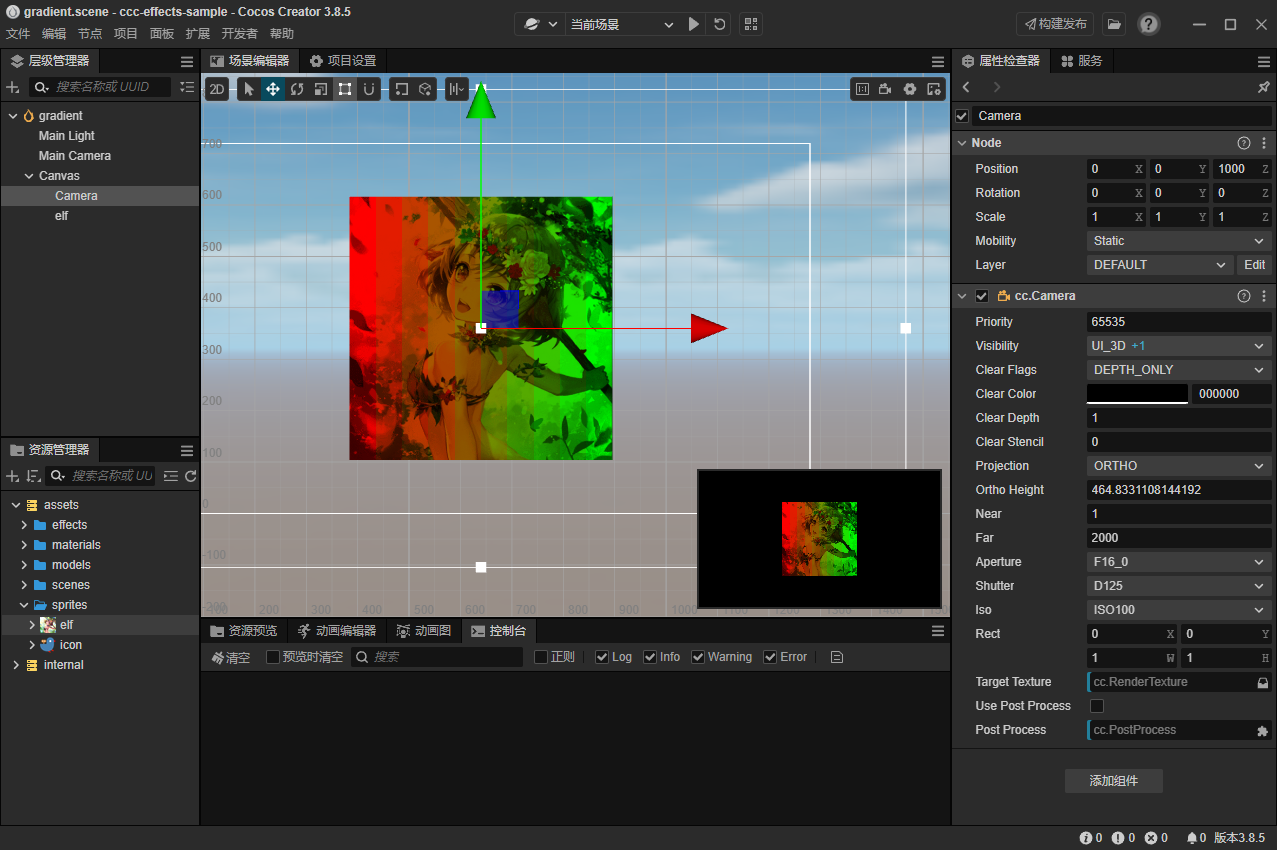
建立一个最基本的3d场景,拖入一个普通图片,应用这个effect,在编辑器里头能正常显示
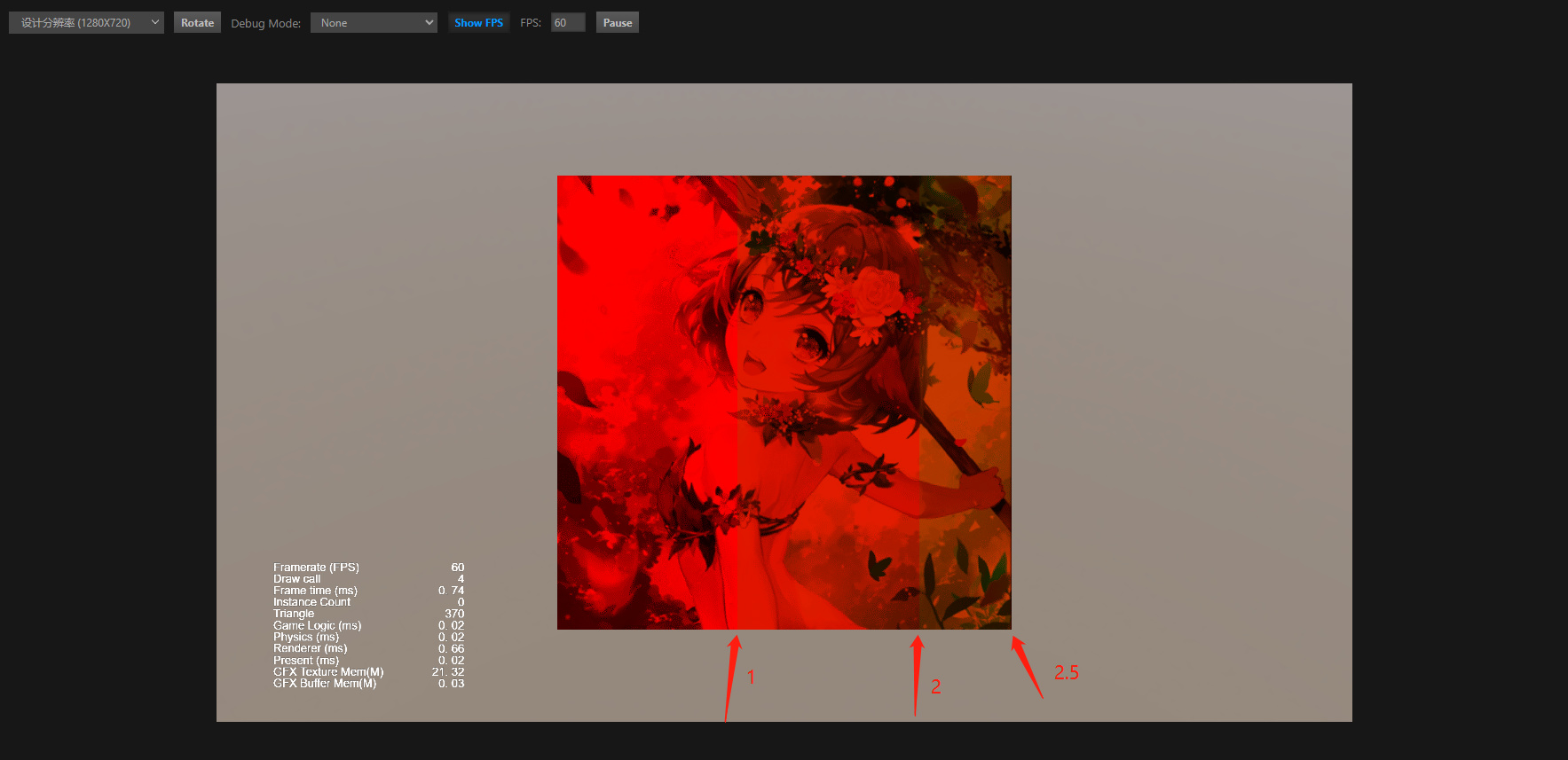
但在浏览器里预览不能正常显示
似乎uv0.x或uv0.y的最大值只到0.25的样子
代码里放大4倍后,编辑器里头不正常,浏览器里头反而正常了。请教各位是哪里的配置忘记设置了吗?

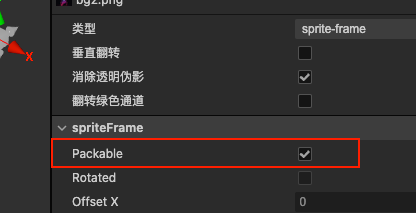 这个有取消吗