Hello everyone, currently in my 3d game I am doing impact vfx when a bullet hits a 3d model. Is there a way to make the particle always show up on the 3D model? Thank you very much
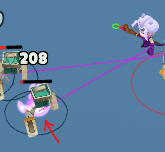
As the image I attached, the vfx is hidden in the 3d model

Hello everyone, currently in my 3d game I am doing impact vfx when a bullet hits a 3d model. Is there a way to make the particle always show up on the 3D model? Thank you very much
As the image I attached, the vfx is hidden in the 3d model
I tried that component, but it still doesn’t work 
What version of Cocos are you using?
In a normal 3D scene, particles and models should occlude each other based on depth testing, and a Sorting component is not necessary. As long as the particles are closer to the camera than the model, the particles will be drawn on top of the model.
(As long as the semi-transparent materials for effects have Depth Test enabled and DepthWrite disabled, and opaque materials like models have both enabled, the occlusion relationship should generally work fine.)
In your case, it seems like a UI occlusion issue with the particles. Are the rendered contents placed under a Canvas node, and have you added UIMeshRender to all of them? (This is the only way I can get particles to render first and then be occluded.) I only encounter particles being drawn first when I forcibly add these operations, and removing the components resolves the issue.
你的cocos 版本是多少? 正常的3D场景, 粒子和模型会按照 深度测试 产生遮挡的, 并不需要Sorting组件。只要粒子离相机比模型近,粒子就会绘制在模型上面。
(只要特效半透明材质里开Depth Test 关DepthWrite, 模型这种不透明材质 2个都开, 遮挡关系一般都没问题)你这个情况 怎么感觉像 UI遮挡粒子的问题? 渲染的内容是否 放在Canvas节点下,并且都加了UIMeshRender (我这边只有这样操作 粒子才会先渲染 然后被遮挡住了)? 我这边只有强制加了这些操作才会出现粒子先绘制, 去掉组件就行。
use duel 3D cam, different layer and priority, higher 1 for vfx
Thank you, i will try this
Thank you, I will try what you described.