
看论坛里有大神在做这个游戏的优化,我也试着做了一个
图片都是大部分都是imageFX画的,然后自己简单切下图
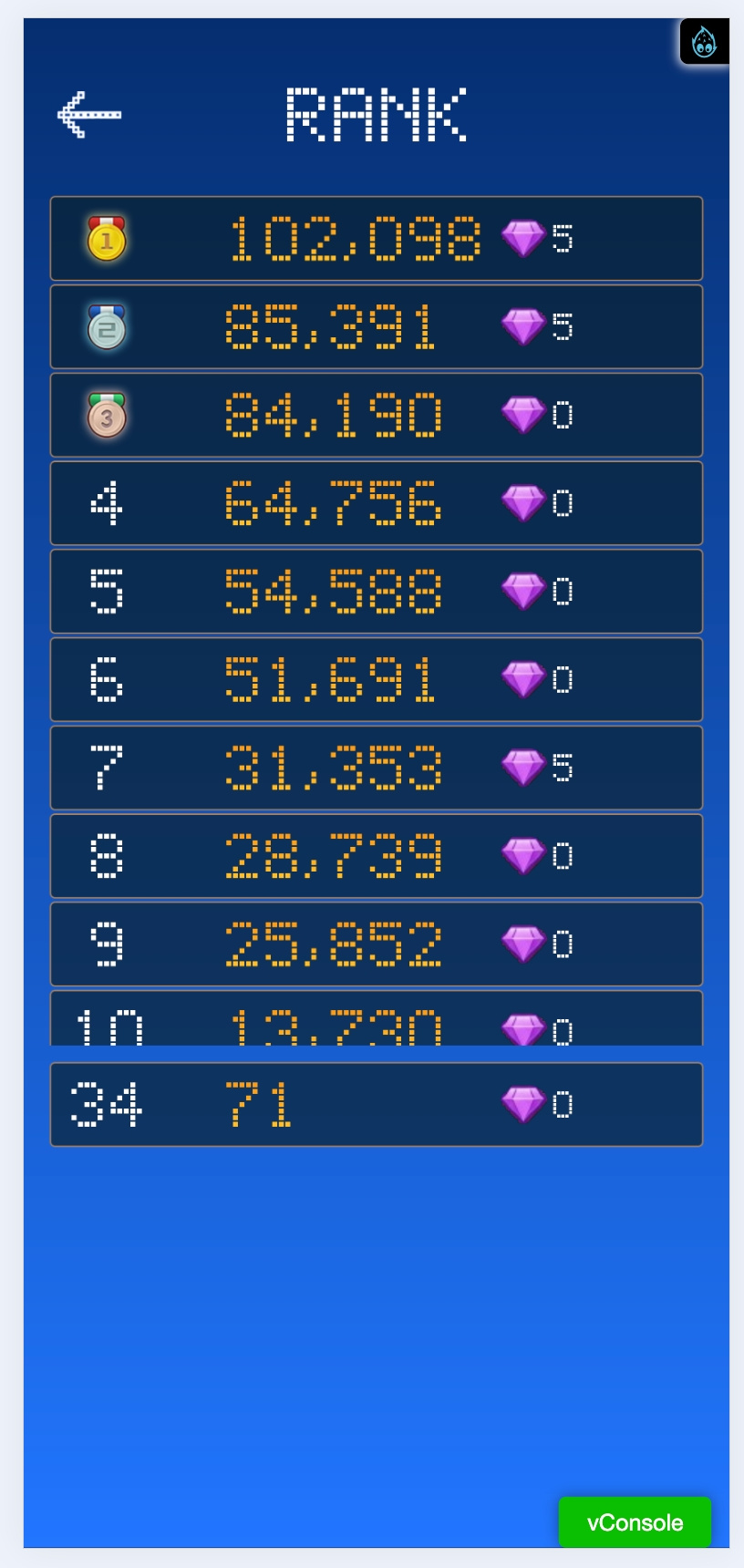
这个游戏,我用node.js做了个简单服务器,有登录,排行榜功能
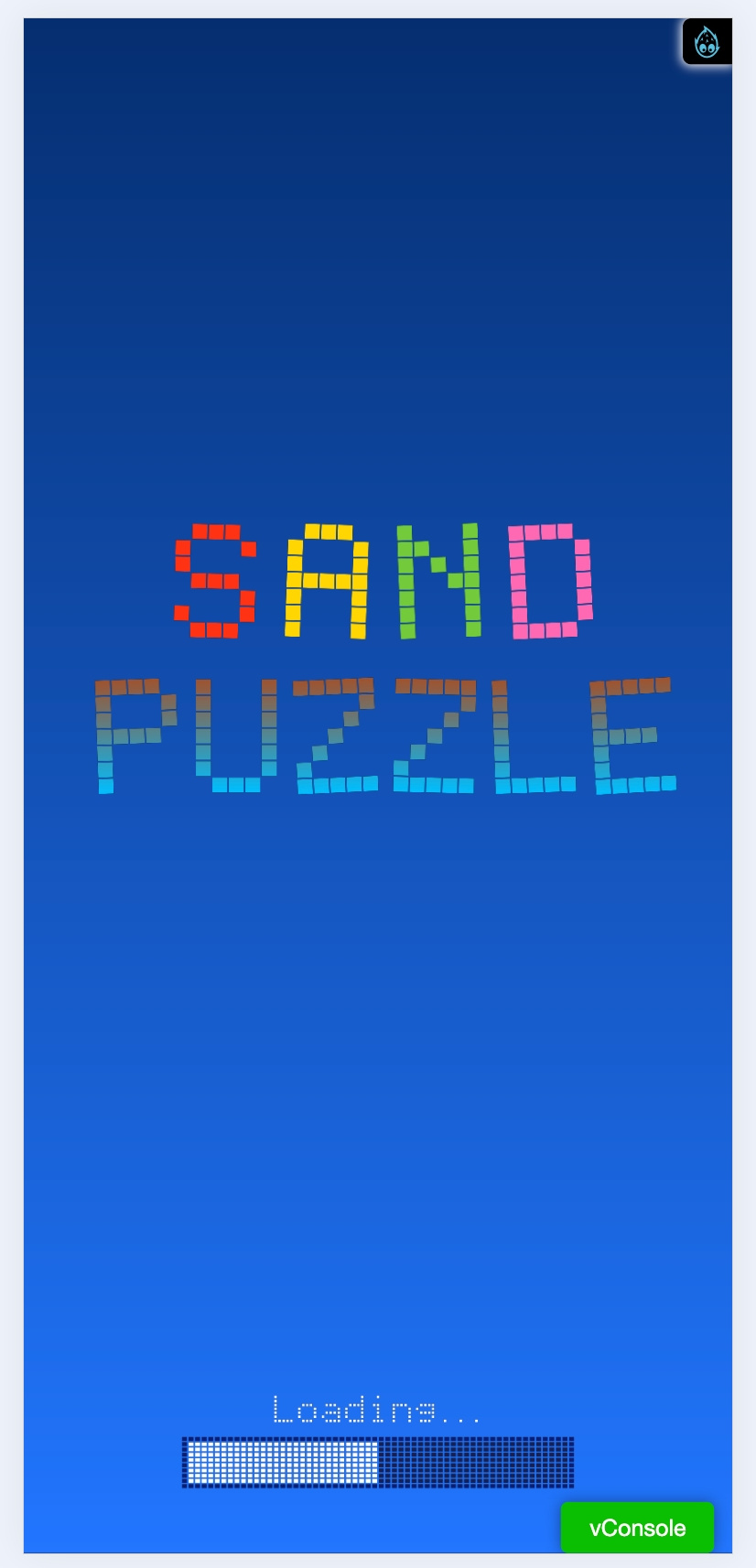
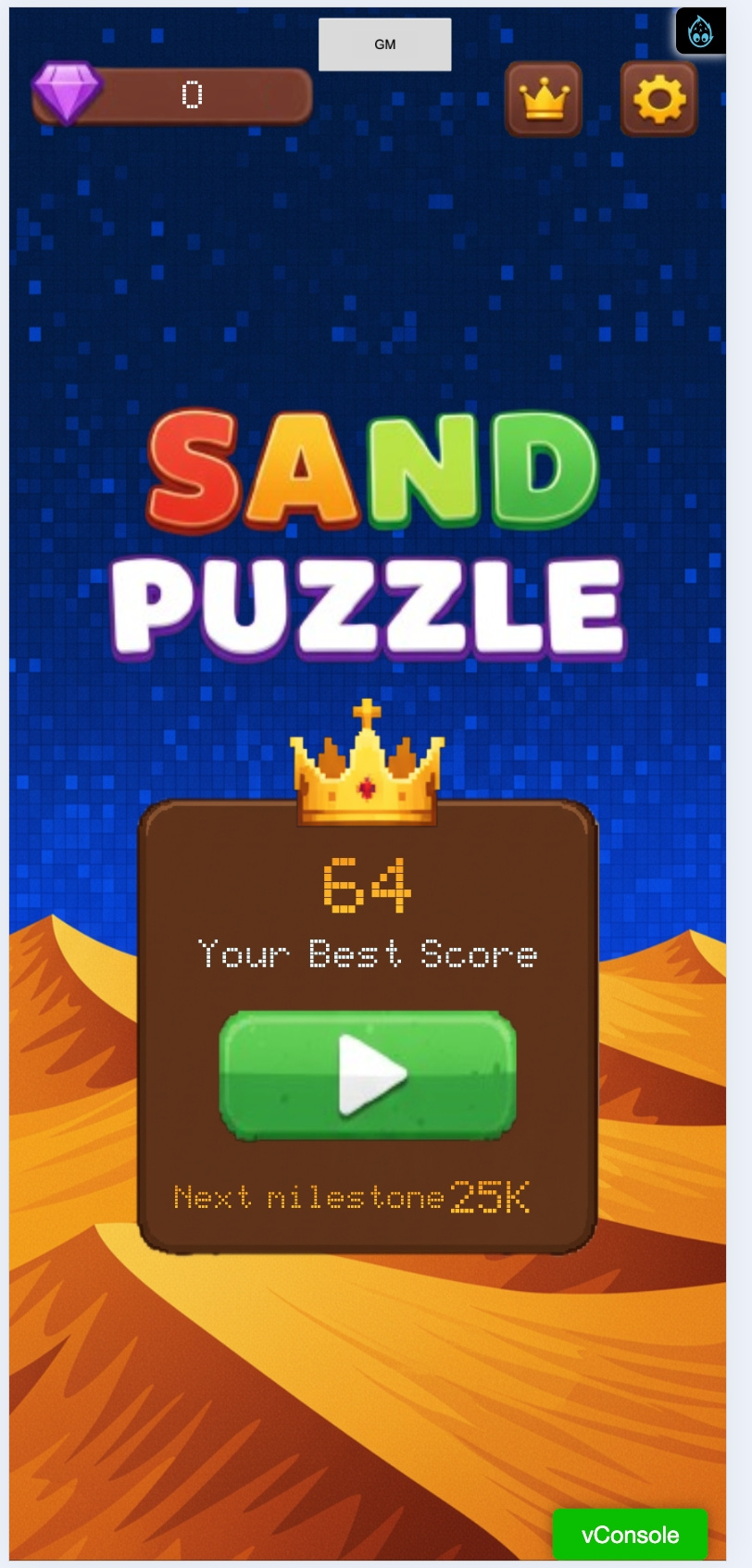
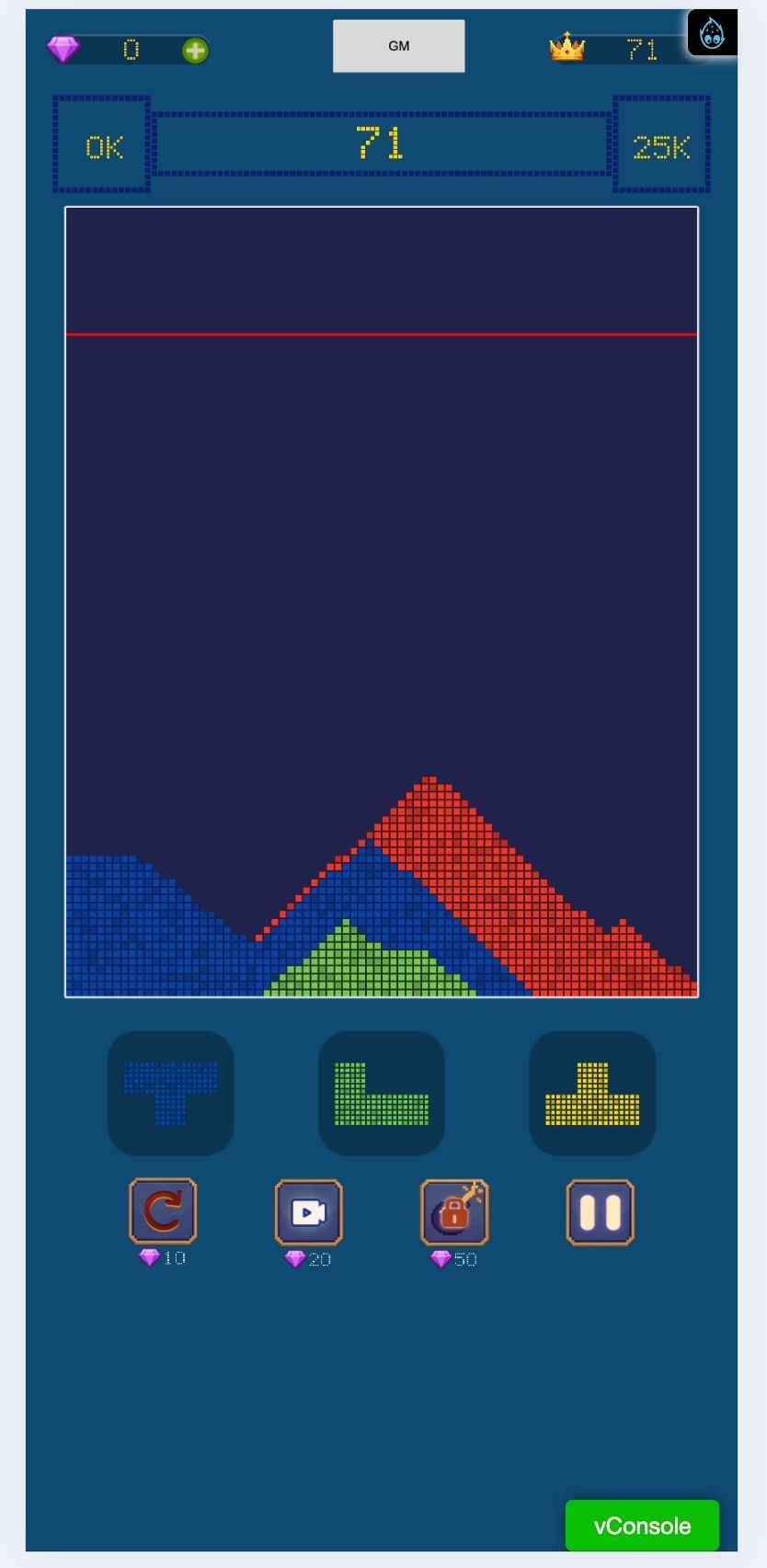
预览:
沙盘的核心代码:
import { _decorator, Color, Component, ImageAsset, Size, Sprite, SpriteFrame, Texture2D, UI, UITransform, Vec2 } from 'cc';
import { debug } from 'db://assets/framework/tool/Log';
const { ccclass, property, requireComponent } = _decorator;

/*
 * @Author: garyxuan
 * @Version: V1.0
 * @Date: 2025-09-01 16:55:49
 * @Description: 像素渲染组件
 */
@ccclass('PixelSprite')
@requireComponent(Sprite)
export class PixelSprite extends Component {

    @property(Size)
    size: Size = new Size(0, 0);

    public _texture: Texture2D = null;
    public _sprite: Sprite = null;
    private _pixelData: Uint8Array = null;
    private _autoUpdate: boolean = true;
    private _isDirty: boolean = false;

    // 设置是否下一帧自动更新
    // 默认是自动更新
    // 手动更新需要调用updateAllData
    public setAutoUpdate(bAutoUpdate: boolean) {
        this._autoUpdate = bAutoUpdate;
    }

    protected onLoad(): void {
        this.reSize()
    }

    public reSize() {
        this._texture = new Texture2D();
        this._texture.reset({
            width: this.size.width,
            height: this.size.height,
            format: Texture2D.PixelFormat.RGBA8888
        });

        let spriteFrame = new SpriteFrame();
        spriteFrame.texture = this._texture;
        spriteFrame.packable = false;

        if (!this.node.getComponent(Sprite)) {
            this.node.addComponent(Sprite);
        }
        this.node.getComponent(Sprite).spriteFrame = spriteFrame;
        this._sprite = this.node.getComponent(Sprite);
        // 初始化像素数据数组
        this._pixelData = new Uint8Array(this._texture.width * this._texture.height * 4);

        // 从纹理中读取当前的像素数据
        this.readTexturePixels();
    }

    public updateData(colors: Color[][], x: number, y: number, update: boolean = false, force: boolean = false) {
        if (!this._texture || !this._pixelData) {
            return;
        }

        let h = colors.length;
        let w = colors[0].length;

        // 边界检查
        if (x + w > this._texture.width || y + h > this._texture.height) {
            debug("updateData: 坐标超出纹理范围");
            return;
        }

        // 遍历每个像素,写入到像素缓冲区
        for (let i = 0; i < h; i++) {
            for (let j = 0; j < w; j++) {
                const pixelX = j + x;
                const pixelY = i + y;
                const idx = (pixelY * this._texture.width + pixelX) * 4;
                const color = colors[i][j];

                // 检查颜色是否有效
                if (color && (force || (color.r !== undefined && color.g !== undefined && color.b !== undefined && color.a !== undefined))) {
                    this._pixelData[idx] = color.r;
                    this._pixelData[idx + 1] = color.g;
                    this._pixelData[idx + 2] = color.b;
                    this._pixelData[idx + 3] = color.a;
                }
            }
        }

        // 标记脏数据,等待刷新
        this._isDirty = true;

        // 如果需要更新,则立即更新到GPU
        if (update) {
            this._isDirty = false;
            this._texture.uploadData(this._pixelData);
        }
    }

    public updateAllData() {
        if (!this._pixelData || !this._texture) {
            return;
        }
        this._isDirty = false;
        this._texture.uploadData(this._pixelData)
    }

    protected lateUpdate(dt: number): void {
        if (this._autoUpdate && this._isDirty) {
            this.updateAllData()
            this._isDirty = false;
        }
    }

    /**
     * 从纹理中读取当前的像素数据(跨平台兼容)
     */
    private readTexturePixels() {
        if (!this._texture || !this._pixelData) {
            return;
        }

        try {
            // 跨平台检测
            if (typeof window === 'undefined' || !window.document) {
                // 原生平台:暂时初始化为白色
                this.readTexturePixelsNative();
            } else {
                // Web平台:使用canvas方法
                this.readTexturePixelsWeb();
            }
        } catch (error) {
            debug("读取纹理像素数据失败:", error);
            // 如果读取失败,初始化为白色
            this._pixelData.fill(255);
        }
    }

    /**
     * Web平台读取纹理像素数据
     */
    private readTexturePixelsWeb() {
        if (typeof document === 'undefined') {
            this._pixelData.fill(255);
            return;
        }

        const canvas = document.createElement('canvas');
        const ctx = canvas.getContext('2d');
        if (!ctx) {
            this._pixelData.fill(255);
            return;
        }

        canvas.width = this._texture.width;
        canvas.height = this._texture.height;

        // 尝试从ImageAsset读取像素数据
        if (this._texture.image) {
            const imageAsset = this._texture.image;

            // 检查是否是ImageAsset类型
            if (imageAsset && (imageAsset as any)._nativeData) {
                const nativeImage = (imageAsset as any)._nativeData;
                if (nativeImage && typeof nativeImage === 'object' && nativeImage.tagName === 'IMG') {
                    ctx.drawImage(nativeImage, 0, 0);
                    const data = ctx.getImageData(0, 0, this._texture.width, this._texture.height).data;

                    // 将读取到的数据复制到我们的像素数据数组中
                    for (let i = 0; i < data.length; i++) {
                        this._pixelData[i] = data[i];
                    }

                    debug("成功从ImageAsset._nativeData读取像素数据");
                    return;
                }
            }

            // 如果_native不可用,尝试其他方法
            if (imageAsset && imageAsset.data) {
                // 直接使用ImageAsset的data属性
                const imageData = imageAsset.data;
                if (imageData instanceof Uint8Array || imageData instanceof ArrayBuffer) {
                    const dataArray = imageData instanceof ArrayBuffer ? new Uint8Array(imageData) : imageData;

                    // 将数据复制到我们的像素数据数组中
                    for (let i = 0; i < Math.min(this._pixelData.length, dataArray.length); i++) {
                        this._pixelData[i] = dataArray[i];
                    }

                    debug("成功从ImageAsset.data读取像素数据");
                    return;
                }
            }
        }

        // 如果所有方法都失败,初始化为白色
        // debug("无法读取纹理像素数据,初始化为白色");
        this._pixelData.fill(255);
    }

    /**
     * 原生平台读取纹理像素数据
     */
    private readTexturePixelsNative() {
        // 原生平台暂时初始化为白色
        // 如果需要真正的像素读取,需要使用原生插件或C++扩展
        debug("原生平台暂不支持像素读取,初始化为白色");
        this._pixelData.fill(255);
    }

    /**
     * 获取当前的像素数据
     * @returns Uint8Array 当前的像素数据
     */
    public getPixelData(): Uint8Array | null {
        return this._pixelData;
    }

    /**
     * 设置单个像素颜色
     * @param x 像素x坐标
     * @param y 像素y坐标
     * @param color 颜色
     * @param update 是否立即更新
     */
    setPixel(x: number, y: number, color: Color, update: boolean = false) {
        if (!this._texture || !this._pixelData) {
            return;
        }

        if (x < 0 || x >= this._texture.width || y < 0 || y >= this._texture.height) {
            return;
        }

        const idx = (y * this._texture.width + x) * 4;
        this._pixelData[idx] = color.r;
        this._pixelData[idx + 1] = color.g;
        this._pixelData[idx + 2] = color.b;
        this._pixelData[idx + 3] = color.a;

        this._isDirty = true;

        if (update) {
            this._isDirty = false;
            this._texture.uploadData(this._pixelData);
        }
    }

    /**
     * 获取单个像素颜色
     * @param x 像素x坐标
     * @param y 像素y坐标
     * @returns 颜色对象
     */
    getPixel(x: number, y: number): Color | null {
        if (!this._texture || !this._pixelData) {
            return null;
        }

        if (x < 0 || x >= this._texture.width || y < 0 || y >= this._texture.height) {
            return null;
        }

        const idx = (y * this._texture.width + x) * 4;
        return new Color(
            this._pixelData[idx],
            this._pixelData[idx + 1],
            this._pixelData[idx + 2],
            this._pixelData[idx + 3]
        );
    }

    /**
     * 清空纹理(设置为透明)
     * @param update 是否立即更新
     */
    clear(update: boolean = false) {
        if (!this._pixelData) {
            return;
        }

        this._pixelData.fill(0);
        this._isDirty = true;

        if (update) {
            this._isDirty = false;
            this._texture.uploadData(this._pixelData);
        }
    }

    /**
     * 绘制像素网格,支持放大显示
     * @param blockSize 每个小方块的像素大小
     * @param borderColor 分界线颜色
     * @param blockColors 每个小方块的颜色数组
     * @param pixelScale 像素放大倍数(例如:10x10图片放大100倍变成1000x1000)
     * @param update 是否立即更新
     */
    drawPixelGrid(blockSize: number = 1, borderColor: Color = new Color(0, 0, 0, 255), blockColors: Color[][] = null, update: boolean = true) {
        if (!this._texture || !this._pixelData) {
            return;
        }
        // 清空纹理
        this._pixelData.fill(0);

        const originalWidth = this._texture.width;
        const originalHeight = this._texture.height;


        // 计算网格参数
        const gridCols = Math.floor(originalWidth / blockSize);
        const gridRows = Math.floor(originalHeight / blockSize);

        // 绘制每个小方块
        for (let row = 0; row < gridRows; row++) {
            for (let col = 0; col < gridCols; col++) {
                // 计算方块在纹理中的位置
                const startX = col * blockSize;
                const startY = row * blockSize;

                // 获取方块颜色
                let blockColor: Color;
                if (blockColors && blockColors[row] && blockColors[row][col]) {
                    blockColor = blockColors[row][col];
                } else {
                    // 默认随机颜色
                    blockColor = new Color(
                        Math.random() * 255,
                        Math.random() * 255,
                        Math.random() * 255,
                        255
                    );
                }

                // 绘制方块内部(留出边框空间)
                for (let y = startY + 1; y < startY + blockSize - 1; y++) {
                    for (let x = startX + 1; x < startX + blockSize - 1; x++) {
                        if (x < originalWidth && y < originalHeight) {
                            const idx = (y * originalWidth + x) * 4;
                            this._pixelData[idx] = blockColor.r;
                            this._pixelData[idx + 1] = blockColor.g;
                            this._pixelData[idx + 2] = blockColor.b;
                            this._pixelData[idx + 3] = blockColor.a;
                        }
                    }
                }
            }
        }

        // 绘制网格线
        this.drawGridLines(blockSize, borderColor);

        // 标记脏数据
        this._isDirty = true;

        // 如果需要更新,则立即更新到GPU
        if (update) {
            this._isDirty = false;
            this._texture.uploadData(this._pixelData);
        }

    }

    /**
     * 设置指定网格方块的颜色
     * @param gridX 网格X坐标
     * @param gridY 网格Y坐标
     * @param color 颜色
     * @param blockSize 方块大小
     * @param update 是否立即更新到GPU
     */
    setGridBlockColor(gridX: number, gridY: number, color: Color, blockSize: number = 1, update: boolean = true) {
        if (!this._texture || !this._pixelData) {
            return;
        }

        const textureWidth = this._texture.width;
        const textureHeight = this._texture.height;
        const gridCols = Math.floor(textureWidth / blockSize);
        const gridRows = Math.floor(textureHeight / blockSize);

        // 边界检查
        if (gridX < 0 || gridX >= gridCols || gridY < 0 || gridY >= gridRows) {
            debug("网格坐标超出范围");
            return;
        }

        // 计算方块在纹理中的位置
        const startX = gridX * blockSize;
        const startY = gridY * blockSize;

        // 绘制方块内部(留出边框空间)
        for (let y = startY + 1; y < startY + blockSize - 1; y++) {
            for (let x = startX + 1; x < startX + blockSize - 1; x++) {
                if (x < textureWidth && y < textureHeight) {
                    const idx = (y * textureWidth + x) * 4;
                    this._pixelData[idx] = color.r;
                    this._pixelData[idx + 1] = color.g;
                    this._pixelData[idx + 2] = color.b;
                    this._pixelData[idx + 3] = color.a;
                }
            }
        }

        // 标记脏数据
        this._isDirty = true;

        // 如果需要更新,则立即更新到GPU
        if (update) {
            this._isDirty = false;
            this._texture.uploadData(this._pixelData);
        }
    }


    /**
     * 清除指定网格方块的颜色
     * @param gridX 网格X坐标
     * @param gridY 网格Y坐标
     * @param blockSize 方块大小
     * @param update 是否立即更新
     */
    clearGridBlockColor(gridX: number, gridY: number, blockSize: number = 1, update: boolean = true) {
        if (!this._texture || !this._pixelData) {
            return;
        }

        const textureWidth = this._texture.width;
        const textureHeight = this._texture.height;
        const gridCols = Math.floor(textureWidth / blockSize);
        const gridRows = Math.floor(textureHeight / blockSize);

        // 边界检查
        if (gridX < 0 || gridX >= gridCols || gridY < 0 || gridY >= gridRows) {
            return;
        }

        const startX = gridX * blockSize;
        const startY = gridY * blockSize;

        for (let y = startY + 1; y < startY + blockSize - 1; y++) {
            for (let x = startX + 1; x < startX + blockSize - 1; x++) {
                if (x < textureWidth && y < textureHeight) {
                    const idx = (y * textureWidth + x) * 4;
                    this._pixelData[idx] = 0;
                    this._pixelData[idx + 1] = 0;
                    this._pixelData[idx + 2] = 0;
                    this._pixelData[idx + 3] = 0;
                }
            }
        }

        this._isDirty = true;

        if (update) {
            this._isDirty = false;
            this._texture.uploadData(this._pixelData);
        }
    }

    /**
     * 获取指定网格方块的颜色
     * @param gridX 网格X坐标
     * @param gridY 网格Y坐标
     * @param blockSize 方块大小
     * @returns 颜色对象
     */
    getGridBlockColor(gridX: number, gridY: number, blockSize: number = 1): Color | null {
        if (!this._texture || !this._pixelData) {
            return null;
        }

        const textureWidth = this._texture.width;
        const textureHeight = this._texture.height;
        const gridCols = Math.floor(textureWidth / blockSize);
        const gridRows = Math.floor(textureHeight / blockSize);

        // 边界检查
        if (gridX < 0 || gridX >= gridCols || gridY < 0 || gridY >= gridRows) {
            return null;
        }

        // 计算方块中心位置
        const centerX = gridX * blockSize + Math.floor(blockSize / 2);
        const centerY = gridY * blockSize + Math.floor(blockSize / 2);

        if (centerX < textureWidth && centerY < textureHeight) {
            const idx = (centerY * textureWidth + centerX) * 4;
            return new Color(
                this._pixelData[idx],
                this._pixelData[idx + 1],
                this._pixelData[idx + 2],
                this._pixelData[idx + 3]
            );
        }

        return null;
    }

    /**
     * 绘制网格线(支持放大模式)
     * @param blockSize 方块大小
     * @param borderColor 边框颜色
     * @param pixelData 可选的像素数据(放大模式时使用)
     * @param width 可选的宽度(放大模式时使用)
     * @param height 可选的高度(放大模式时使用)
     */
    private drawGridLines(blockSize: number, borderColor: Color, pixelData?: Uint8Array, width?: number, height?: number) {
        // 使用传入的参数或默认值
        const targetPixelData = pixelData || this._pixelData;
        const targetWidth = width || this._texture.width;
        const targetHeight = height || this._texture.height;

        if (!targetPixelData) {
            return;
        }

        // 绘制垂直线
        for (let x = 0; x < targetWidth; x += blockSize) {
            for (let y = 0; y < targetHeight; y++) {
                const idx = (y * targetWidth + x) * 4;
                targetPixelData[idx] = borderColor.r;
                targetPixelData[idx + 1] = borderColor.g;
                targetPixelData[idx + 2] = borderColor.b;
                targetPixelData[idx + 3] = borderColor.a;
            }
        }

        // 绘制水平线
        for (let y = 0; y < targetHeight; y += blockSize) {
            for (let x = 0; x < targetWidth; x++) {
                const idx = (y * targetWidth + x) * 4;
                targetPixelData[idx] = borderColor.r;
                targetPixelData[idx + 1] = borderColor.g;
                targetPixelData[idx + 2] = borderColor.b;
                targetPixelData[idx + 3] = borderColor.a;
            }
        }
    }

}
通过控制单个逻辑像素上的颜色就实现了游戏中的效果
主要使用setGridBlockColor这个接口
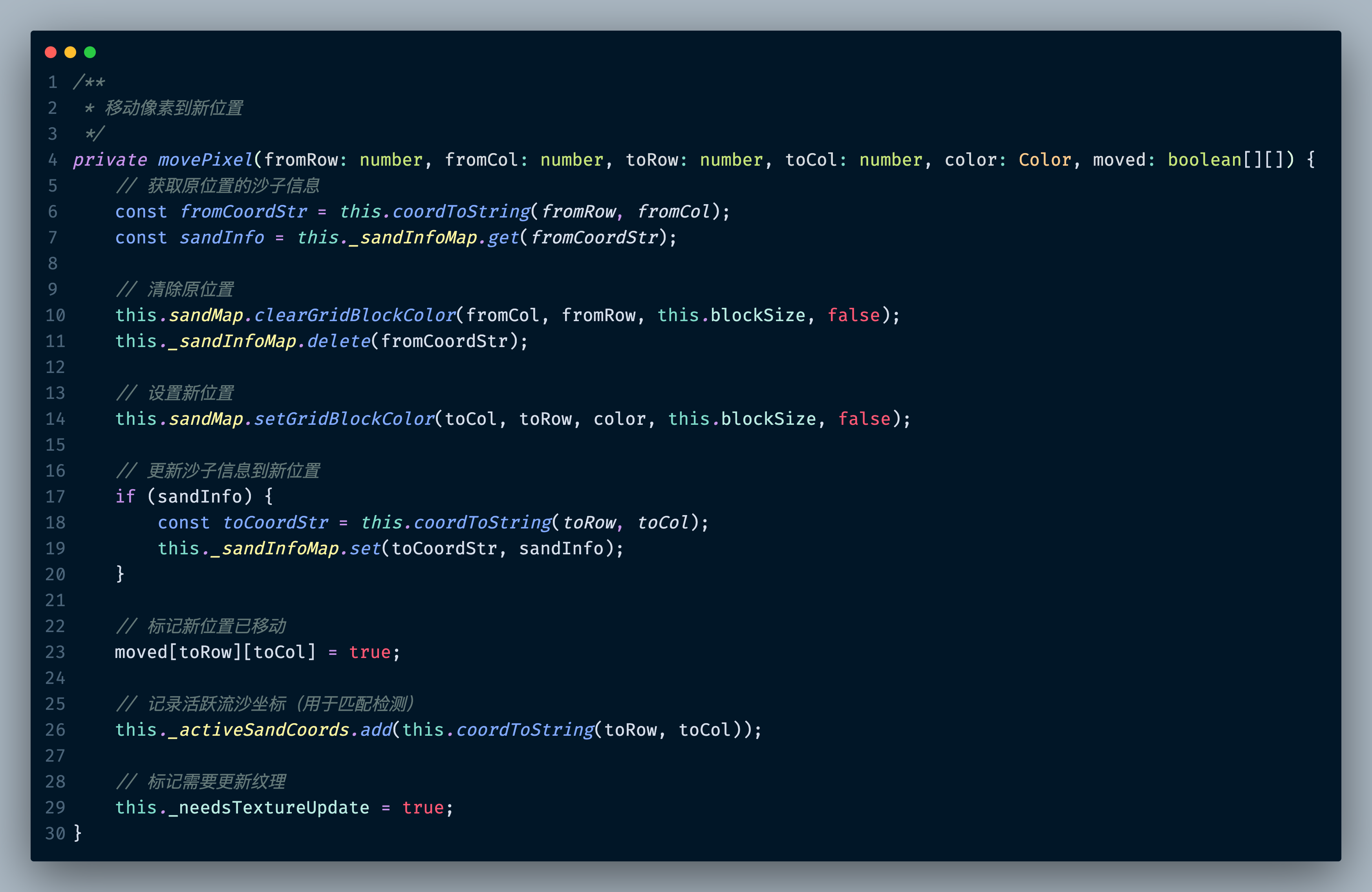
绘制形状
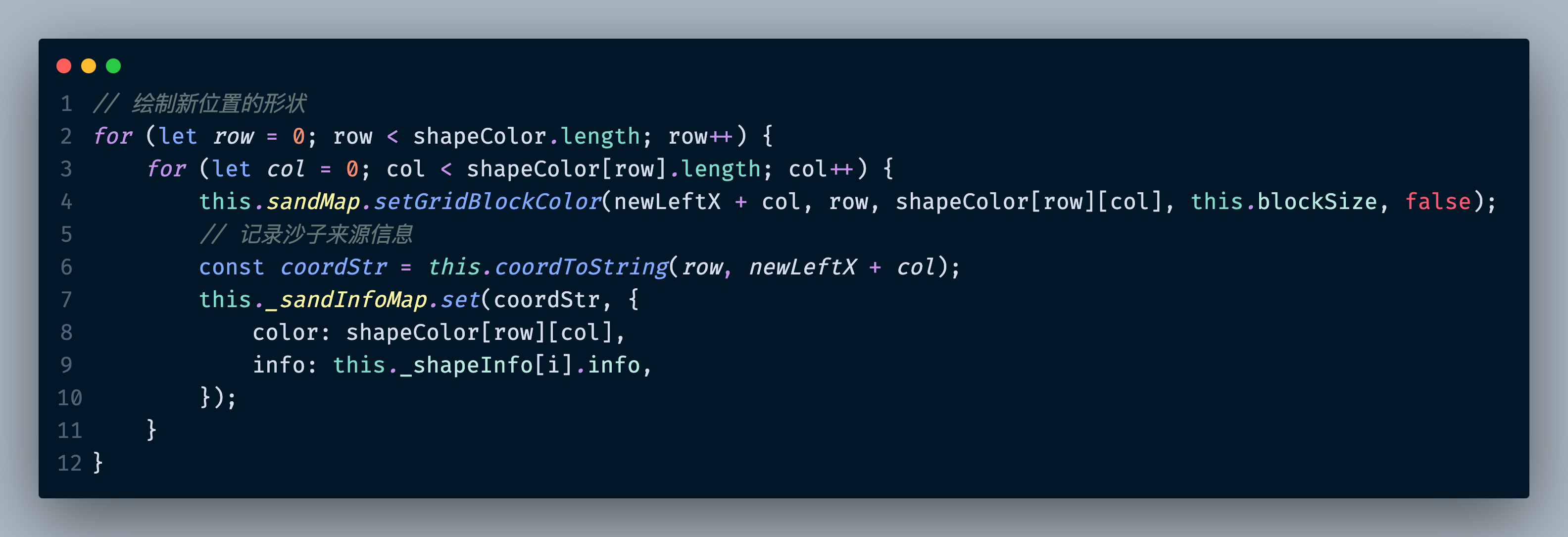
游戏的数字也是基于这个
import { _decorator, Color, Component, Director, director, Size } from 'cc';
import { PixelSprite } from "db://assets/scripts/util/PixelSprite";
import { debug } from '../../framework/tool/Log';
import { DEV } from 'cc/env';

const { ccclass, property, executeInEditMode } = _decorator;

/**
 * 像素数字显示组件
 * 基于PixelSprite实现像素风格的数字显示
 */
@ccclass('PixelSpriteNum')
@executeInEditMode()
export class PixelSpriteNum extends PixelSprite {

    @property
    _blockSize: number = 10; //单格子的像素大小
    @property({ displayName: DEV && '🔤 单像素格子大小' })
    get blockSize() {
        return this._blockSize;
    }
    set blockSize(value: number) {
        this._blockSize = value;
        this.showNumber(this._number);
    }

    @property
    _number: number = 0;
    @property({ displayName: DEV && '🔤 数字' })
    get number() {
        return this._number;
    }
    set number(value: number) {
        this._number = value;
        this.showNumber(this._number);
    }

    @property
    _digitSpacing: number = 1; // 数字之间的间隔(像素列数)
    @property({ displayName: DEV && '🔤 数字之间的间隔' })
    get digitSpacing() {
        return this._digitSpacing;
    }
    set digitSpacing(value: number) {
        this._digitSpacing = value;
        this.showNumber(this._number);
    }


    @property
    _useCommaFormat: boolean = false; // 是否使用逗号格式化(每三位一个逗号)
    @property({ displayName: DEV && '🔤 是否使用逗号格式化' })
    get useCommaFormat() {
        return this._useCommaFormat;
    }
    set useCommaFormat(value: boolean) {
        this._useCommaFormat = value;
        this.showNumber(this._number);
    }

    @property
    _digitColor: Color = new Color(255, 255, 255, 255);  // 数字颜色(白色)
    @property({ displayName: DEV && '🔤 数字颜色' })
    get digitColor() {
        return this._digitColor;
    }
    set digitColor(value: Color) {
        this._digitColor = value;
        this.showNumber(this._number);
    }

    // 数字像素模板(5x7像素网格)
    private digitTemplates: number[][][] = [
        // 0
        [
            [0, 1, 1, 1, 0],
            [1, 0, 0, 0, 1],
            [1, 0, 0, 0, 1],
            [1, 0, 0, 0, 1],
            [1, 0, 0, 0, 1],
            [1, 0, 0, 0, 1],
            [0, 1, 1, 1, 0]
        ],
        // 1
        [
            [0, 0, 1, 0, 0],
            [0, 1, 1, 0, 0],
            [0, 0, 1, 0, 0],
            [0, 0, 1, 0, 0],
            [0, 0, 1, 0, 0],
            [0, 0, 1, 0, 0],
            [0, 1, 1, 1, 0]
        ],
        // 2
        [
            [0, 1, 1, 1, 0],
            [1, 0, 0, 0, 1],
            [0, 0, 0, 0, 1],
            [0, 0, 0, 1, 0],
            [0, 0, 1, 0, 0],
            [0, 1, 0, 0, 0],
            [1, 1, 1, 1, 1]
        ],
        // 3
        [
            [0, 1, 1, 1, 0],
            [1, 0, 0, 0, 1],
            [0, 0, 0, 0, 1],
            [0, 0, 1, 1, 0],
            [0, 0, 0, 0, 1],
            [1, 0, 0, 0, 1],
            [0, 1, 1, 1, 0]
        ],
        // 4
        [
            [0, 0, 0, 1, 0],
            [0, 0, 1, 1, 0],
            [0, 1, 0, 1, 0],
            [1, 0, 0, 1, 0],
            [1, 1, 1, 1, 1],
            [0, 0, 0, 1, 0],
            [0, 0, 0, 1, 0]
        ],
        // 5
        [
            [1, 1, 1, 1, 1],
            [1, 0, 0, 0, 0],
            [1, 1, 1, 1, 0],
            [0, 0, 0, 0, 1],
            [0, 0, 0, 0, 1],
            [1, 0, 0, 0, 1],
            [0, 1, 1, 1, 0]
        ],
        // 6
        [
            [0, 1, 1, 1, 0],
            [1, 0, 0, 0, 0],
            [1, 0, 0, 0, 0],
            [1, 1, 1, 1, 0],
            [1, 0, 0, 0, 1],
            [1, 0, 0, 0, 1],
            [0, 1, 1, 1, 0]
        ],
        // 7
        [
            [1, 1, 1, 1, 1],
            [0, 0, 0, 0, 1],
            [0, 0, 0, 1, 0],
            [0, 0, 1, 0, 0],
            [0, 1, 0, 0, 0],
            [0, 1, 0, 0, 0],
            [0, 1, 0, 0, 0]
        ],
        // 8
        [
            [0, 1, 1, 1, 0],
            [1, 0, 0, 0, 1],
            [1, 0, 0, 0, 1],
            [0, 1, 1, 1, 0],
            [1, 0, 0, 0, 1],
            [1, 0, 0, 0, 1],
            [0, 1, 1, 1, 0]
        ],
        // 9
        [
            [0, 1, 1, 1, 0],
            [1, 0, 0, 0, 1],
            [1, 0, 0, 0, 1],
            [0, 1, 1, 1, 1],
            [0, 0, 0, 0, 1],
            [0, 0, 0, 0, 1],
            [0, 1, 1, 1, 0]
        ],
        // // +
        // [
        //     [0, 0, 0, 0, 0],
        //     [0, 0, 1, 0, 0],
        //     [0, 0, 1, 0, 0],
        //     [1, 1, 1, 1, 1],
        //     [0, 0, 1, 0, 0],
        //     [0, 0, 1, 0, 0],
        //     [0, 0, 0, 0, 0]
        // ],
        // // -
        // [
        //     [0, 0, 0, 0, 0],
        //     [0, 0, 0, 0, 0],
        //     [0, 0, 0, 0, 0],
        //     [1, 1, 1, 1, 1],
        //     [0, 0, 0, 0, 0],
        //     [0, 0, 0, 0, 0],
        //     [0, 0, 0, 0, 0]
        // ]
    ];

    // 逗号像素模板(3x7像素网格)
    private commaTemplate: number[][] = [
        [0, 0, 0],
        [0, 0, 0],
        [0, 0, 0],
        [0, 0, 0],
        [0, 1, 0],
        [0, 1, 0],
        [1, 0, 0]
    ];


    protected onEnable(): void {
        // 设置默认尺寸
        this.size = new Size(5 * 5 * this.blockSize, 7); // 默认显示1位数字
        // 在启用时渲染一次,编辑器和运行时都生效
        this.showNumber(this._number);
    }

    protected onLoad(): void {
        super.onLoad();
        // 设置默认尺寸
        this.size = new Size(5 * this.blockSize, 7); // 默认显示1位数字
        this.showNumber(this._number);
    }

    /**
     * 显示多位数字
     * @param number 要显示的数字
     * @param maxDigits 最大显示位数
     */
    public showNumber(number: number, maxDigits: number = 1): void {
        // debug("showNumber", number, maxDigits);
        let displayChars: (number | string)[] = [];

        if (this.useCommaFormat) {
            // 使用逗号格式化
            displayChars = this.getFormattedChars(number);
        } else {
            // 使用原来的数字显示方式
            const digits = this.getDigits(number, maxDigits);
            displayChars = digits;
        }

        const digitWidth = 5; // 每个数字的宽度
        const commaWidth = 3; // 逗号的宽度
        const digitHeight = 7; // 每个数字的高度

        // 计算总宽度:考虑数字、逗号和间隔
        let totalGridWidth = 0;
        for (let i = 0; i < displayChars.length; i++) {
            if (typeof displayChars[i] === 'string' && displayChars[i] === ',') {
                totalGridWidth += commaWidth;
            } else {
                totalGridWidth += digitWidth;
            }
            // 添加间隔(除了最后一个字符)
            if (i < displayChars.length - 1) {
                totalGridWidth += this.digitSpacing;
            }
        }
        const totalGridHeight = digitHeight;

        // 初始化一个二维颜色数组,用于表示所有数字的像素网格
        const allDigitsColors: Color[][] = [];
        for (let row = 0; row < totalGridHeight; row++) {
            allDigitsColors[row] = [];
            for (let col = 0; col < totalGridWidth; col++) {
                allDigitsColors[row][col] = new Color(0, 0, 0, 0); // 默认设置为透明
            }
        }

        // 遍历每个字符,将其模板转换为颜色并填充到总的颜色网格中
        let currentX = 0;
        for (let i = 0; i < displayChars.length; i++) {
            const char = displayChars[i];
            let template: number[][];
            let charWidth: number;

            if (typeof char === 'string' && char === ',') {
                // 绘制逗号
                template = this.commaTemplate;
                charWidth = commaWidth;
            } else {
                // 绘制数字
                template = this.digitTemplates[char as number];
                charWidth = digitWidth;
            }

            for (let row = 0; row < digitHeight; row++) {
                for (let col = 0; col < charWidth; col++) {
                    if (template[row][col] === 1) {
                        allDigitsColors[row][currentX + col] = this.digitColor;
                    }
                    // 如果模板中为0,则保持透明(已在初始化时设置)
                }
            }

            // 移动到下一个字符的位置
            currentX += charWidth;
            // 添加间隔(除了最后一个字符)
            if (i < displayChars.length - 1) {
                currentX += this.digitSpacing;
            }
        }

        if (totalGridWidth * this.blockSize != this.size.width ||
            totalGridHeight * this.blockSize != this.size.height) {

            // 根据总的像素网格尺寸和blockSize设置Sprite的实际尺寸
            this.size = new Size(totalGridWidth * this.blockSize, totalGridHeight * this.blockSize);

            // 重置尺寸
            this.reSize()
        }


        // 使用drawPixelGrid方法一次性绘制所有数字
        // 这里的backgroundColor参数是整个网格的背景色,对于showNumber,我们通常希望背景是透明的
        this.drawPixelGrid(this.blockSize, new Color(0, 0, 0, 0), allDigitsColors, true);
    }

    /**
     * 获取数字的各位数字数组
     * @param number 数字
     * @param maxDigits 最大位数
     * @returns 数字数组
     */
    private getDigits(number: number, maxDigits: number): number[] {
        const digits: number[] = [];
        let num = Math.abs(number);

        if (num === 0) {
            digits.push(0);
        } else {
            while (num > 0) {
                digits.unshift(num % 10);
                num = Math.floor(num / 10);
            }
        }

        // 补零到最大位数
        while (digits.length < maxDigits) {
            digits.unshift(0);
        }

        return digits;
    }

    /**
     * 获取格式化的字符数组(包含数字和逗号)
     * @param number 数字
     * @returns 字符数组
     */
    private getFormattedChars(number: number): (number | string)[] {
        const digits = this.getDigits(number, 0); // 不补零
        const result: (number | string)[] = [];

        for (let i = 0; i < digits.length; i++) {
            result.push(digits[i]);

            // 在每三位数字后添加逗号(除了最后一位)
            const positionFromEnd = digits.length - 1 - i;
            if (positionFromEnd > 0 && positionFromEnd % 3 === 0) {
                result.push(',');
            }
        }

        return result;
    }


    // /**
    //  * 填充背景色
    //  * @param color 背景颜色
    //  */
    // private fillBackground(color: Color): void {
    //     const width = this.size.width;
    //     const height = this.size.height;

    //     for (let y = 0; y < height; y++) {
    //         for (let x = 0; x < width; x++) {
    //             this.setPixel(x, y, color);
    //         }
    //     }
    // }
}
实现文字的也是同一个道理,但是只支持中文,代码太长就不贴了
在线体验:https://garyxuan.github.io/SandPuzzle-client-publish/
托管在github pages,打不开的话可能要fanqiang


