
-
Creator 版本: 3.8.2
-
目标平台: 微信小游戏
-
重现方式:进入小游戏,从屏幕底部向上滑到右上方形成悬浮窗,然后点开悬浮窗,恢复全屏小游戏,这时候分辨率就错了,界面被拉伸变形
-
手机型号: 华为 nova 13 (HarmonyOS版本6.0.0) (基本上是华为手机都会)
-
重现概率: 必现
-
微信开发者工具 版本: 1.06.2504060
-
微信调试基础库 版本: 3.12.1
-
Demo 在这

NewProject.zip (96.1 KB)
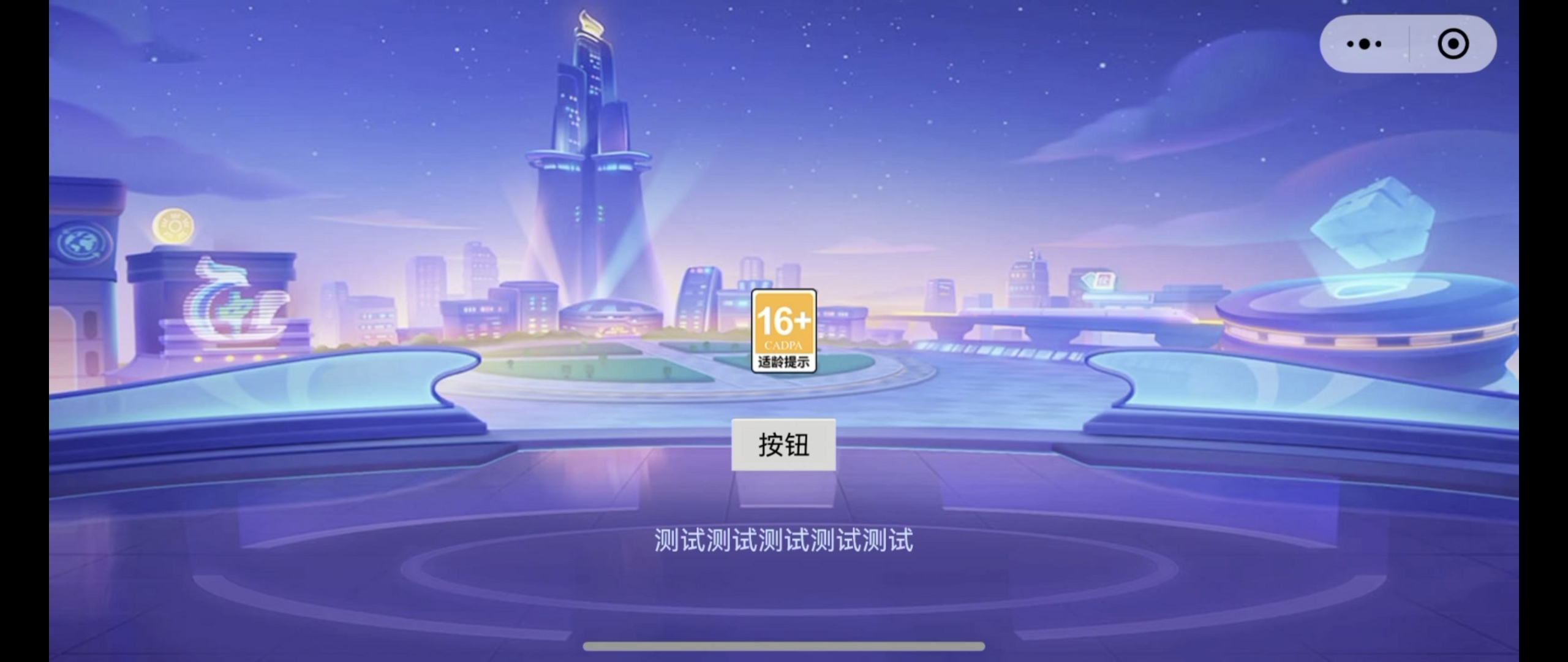

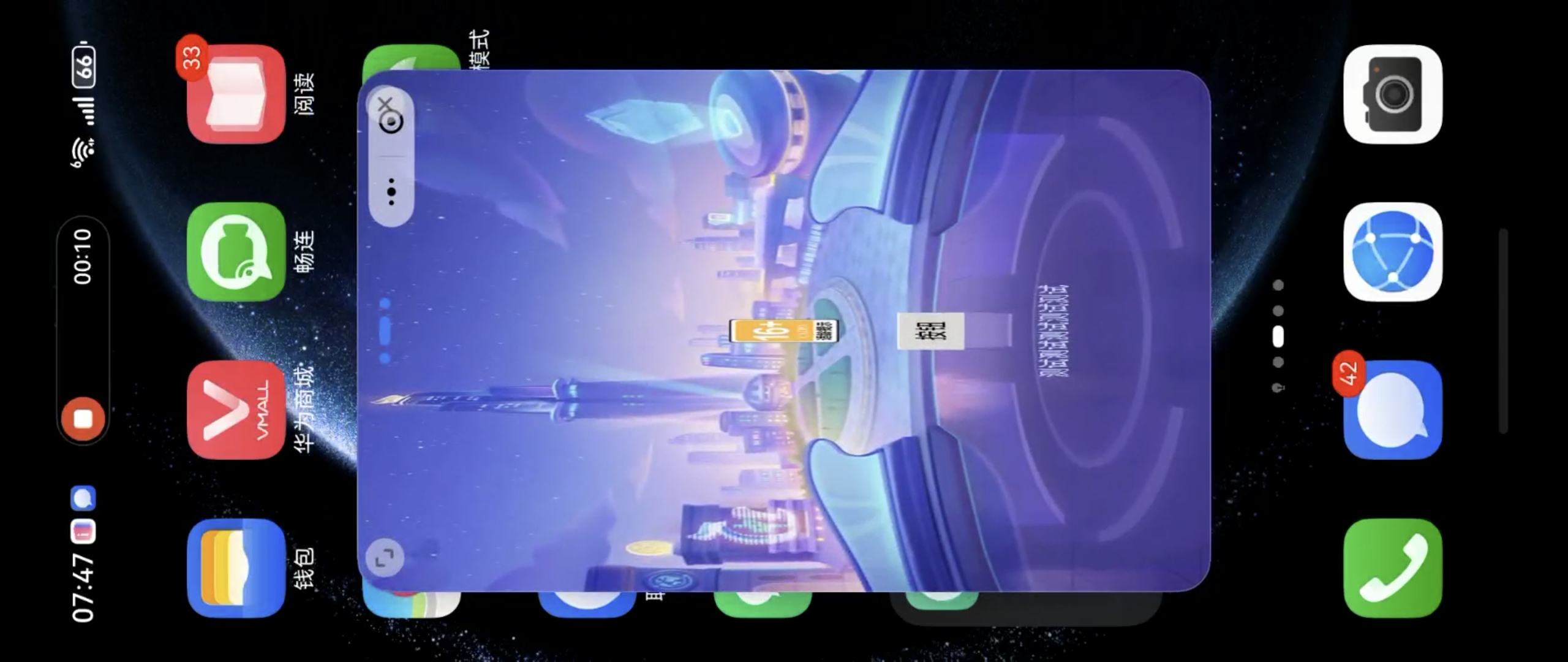
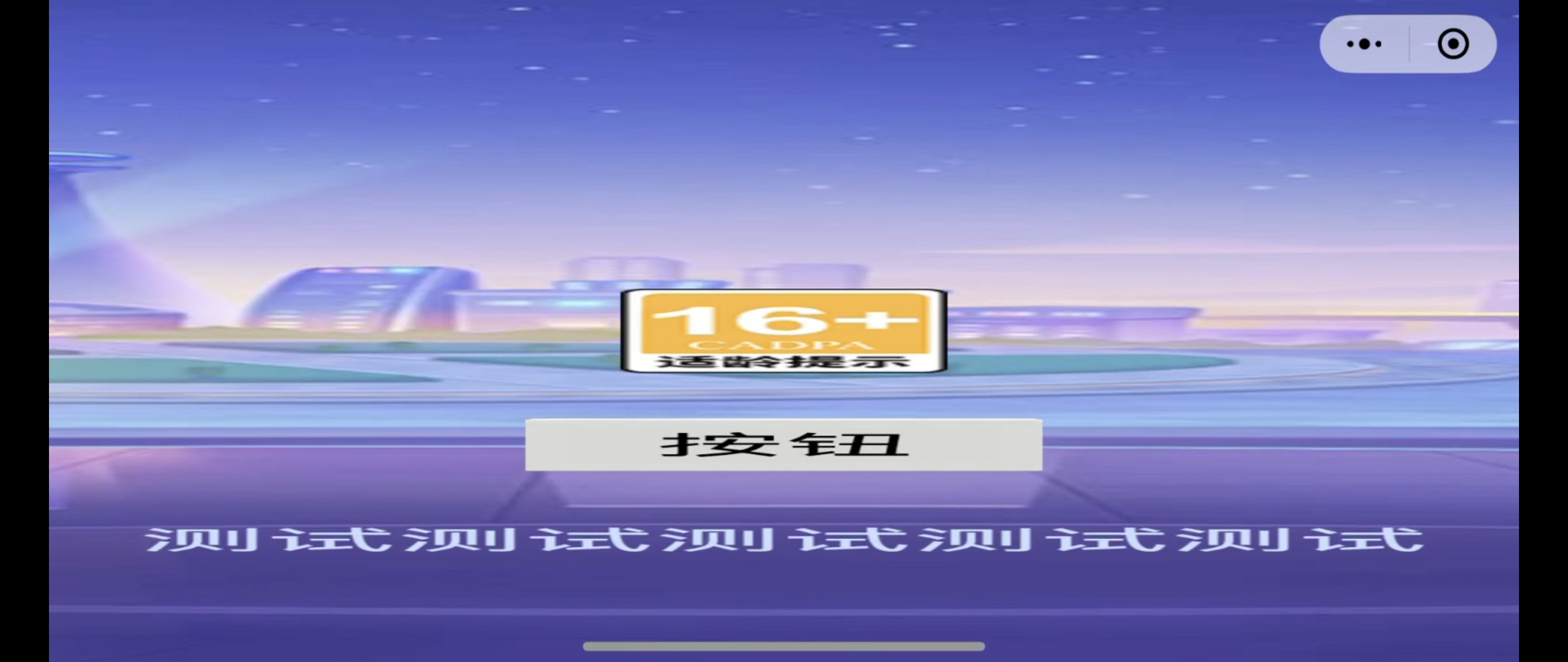
我在进入小游戏时打印了各种屏幕尺寸信息,然后用 wx.onWindowResize 注册了窗口尺寸变化事件,只要触发事件也会打印屏幕尺寸信息,以下是重现过程的日志
2025-12-17 9:38:24 [log] ["小游戏启动"]

2025-12-17 9:38:24 [log] ["view.getVisibleSize()",{"width":1692.6315789473683,"height":760}]

2025-12-17 9:38:24 [log] ["view.getVisibleSizeInPixel()",{"width":2412,"height":1083}]

2025-12-17 9:38:24 [log] ["view.getFrameSize()",{"width":804,"height":361}]

2025-12-17 9:38:24 [log] ["view.getDesignResolutionSize()",{"width":1360,"height":760}]

2025-12-17 9:38:24 [log] ["view.getCanvasSize()",{"width":2412,"height":1083}]

2025-12-17 9:38:24 [log] ["view.getResolutionPolicy()",{"name":"ResolutionPolicy","_containerStrategy":{"name":"EqualToFrame"},"_contentStrategy":{"name":"FixedHeight","_result":{"scale":[1.425,1.425],"viewport":{"x":0,"y":0,"width":2412,"height":1083}}}}]

2025-12-17 9:38:24 [log] ["view.getDevicePixelRatio()",3]

2025-12-17 9:38:24 [log] ["screen.windowSize",{"width":2412,"height":1083}]

2025-12-17 9:38:24 [log] ["screen.resolution",{"width":2412,"height":1083}]

2025-12-17 9:38:24 [log] ["screen.devicePixelRatio",3]

2025-12-17 9:38:24 [log] ["wx.getWindowInfo().pixelRatio",3]

2025-12-17 9:38:24 [log] ["wx.getWindowInfo().screenWidth",804]

2025-12-17 9:38:24 [log] ["wx.getWindowInfo().screenHeight",361]

2025-12-17 9:38:24 [log] ["wx.getWindowInfo().windowWidth",804]

2025-12-17 9:38:24 [log] ["wx.getWindowInfo().windowHeight",361]

2025-12-17 9:38:24 [log] ["Canvas.width",1692.6315789473683]

2025-12-17 9:38:24 [log] ["Canvas.height",760]

2025-12-17 9:38:24 [log] ["Canvas.scale",{"x":1,"y":1,"z":1}]

2025-12-17 9:38:24 [log] ["Camera.scale",{"x":1,"y":1,"z":1}]

2025-12-17 9:38:24 [log] ["Camera.rect",{"x":0,"y":0,"width":1,"height":1}]

2025-12-17 9:38:31 [log] ["wx.onWindowResize 监听窗口尺寸变化事件:",{"windowWidth":361,"windowHeight":591}]

2025-12-17 9:38:31 [log] ["view.getVisibleSize()",{"width":341.2437810945274,"height":760}]

2025-12-17 9:38:31 [log] ["view.getVisibleSizeInPixel()",{"width":1083,"height":2412}]

2025-12-17 9:38:31 [log] ["view.getFrameSize()",{"width":361,"height":804}]

2025-12-17 9:38:31 [log] ["view.getDesignResolutionSize()",{"width":1360,"height":760}]

2025-12-17 9:38:31 [log] ["view.getCanvasSize()",{"width":1083,"height":2412}]

2025-12-17 9:38:31 [log] ["view.getResolutionPolicy()",{"name":"ResolutionPolicy","_containerStrategy":{"name":"EqualToFrame"},"_contentStrategy":{"name":"FixedHeight","_result":{"scale":[3.1736842105263157,3.1736842105263157],"viewport":{"x":0,"y":0,"width":1083,"height":2412}}}}]

2025-12-17 9:38:31 [log] ["view.getDevicePixelRatio()",3]

2025-12-17 9:38:31 [log] ["screen.windowSize",{"width":1083,"height":2412}]

2025-12-17 9:38:31 [log] ["screen.resolution",{"width":1083,"height":2412}]

2025-12-17 9:38:31 [log] ["screen.devicePixelRatio",3]

2025-12-17 9:38:31 [log] ["wx.getWindowInfo().pixelRatio",3]

2025-12-17 9:38:31 [log] ["wx.getWindowInfo().screenWidth",361]

2025-12-17 9:38:31 [log] ["wx.getWindowInfo().screenHeight",804]

2025-12-17 9:38:31 [log] ["wx.getWindowInfo().windowWidth",361]

2025-12-17 9:38:31 [log] ["wx.getWindowInfo().windowHeight",804]

2025-12-17 9:38:31 [log] ["Canvas.width",1692.6315789473683]

2025-12-17 9:38:31 [log] ["Canvas.height",760]

2025-12-17 9:38:31 [log] ["Canvas.scale",{"x":1,"y":1,"z":1}]

2025-12-17 9:38:31 [log] ["Camera.scale",{"x":1,"y":1,"z":1}]

2025-12-17 9:38:31 [log] ["Camera.rect",{"x":0,"y":0,"width":1,"height":1}]

2025-12-17 9:38:32 [log] ["wx.onWindowResize 监听窗口尺寸变化事件:",{"windowWidth":361,"windowHeight":804}]

2025-12-17 9:38:32 [log] ["view.getVisibleSize()",{"width":341.2437810945274,"height":760}]

2025-12-17 9:38:32 [log] ["view.getVisibleSizeInPixel()",{"width":1083,"height":2412}]

2025-12-17 9:38:32 [log] ["view.getFrameSize()",{"width":361,"height":804}]

2025-12-17 9:38:32 [log] ["view.getDesignResolutionSize()",{"width":1360,"height":760}]

2025-12-17 9:38:32 [log] ["view.getCanvasSize()",{"width":1083,"height":2412}]

2025-12-17 9:38:32 [log] ["view.getResolutionPolicy()",{"name":"ResolutionPolicy","_containerStrategy":{"name":"EqualToFrame"},"_contentStrategy":{"name":"FixedHeight","_result":{"scale":[3.1736842105263157,3.1736842105263157],"viewport":{"x":0,"y":0,"width":1083,"height":2412}}}}]

2025-12-17 9:38:32 [log] ["view.getDevicePixelRatio()",3]

2025-12-17 9:38:32 [log] ["screen.windowSize",{"width":1083,"height":2412}]

2025-12-17 9:38:32 [log] ["screen.resolution",{"width":1083,"height":2412}]

2025-12-17 9:38:32 [log] ["screen.devicePixelRatio",3]

2025-12-17 9:38:32 [log] ["wx.getWindowInfo().pixelRatio",3]

2025-12-17 9:38:32 [log] ["wx.getWindowInfo().screenWidth",804]

2025-12-17 9:38:32 [log] ["wx.getWindowInfo().screenHeight",361]

2025-12-17 9:38:32 [log] ["wx.getWindowInfo().windowWidth",361]

2025-12-17 9:38:32 [log] ["wx.getWindowInfo().windowHeight",804]

2025-12-17 9:38:32 [log] ["Canvas.width",341.2437810945274]

2025-12-17 9:38:32 [log] ["Canvas.height",760]

2025-12-17 9:38:32 [log] ["Canvas.scale",{"x":1,"y":1,"z":1}]

2025-12-17 9:38:32 [log] ["Camera.scale",{"x":1,"y":1,"z":1}]

2025-12-17 9:38:32 [log] ["Camera.rect",{"x":0,"y":0,"width":1,"height":1}]已经尝试过的方案:
1、在监听到分辨率错误后执行
view.setResolutionPolicy(resolutionPolicyObj)
2、在监听到分辨率错误后执行
let size = view.getDesignResolutionSize();
view.setDesignResolutionSize(size.width, size.height, ResolutionPolicy.FIXED_HEIGHT);
或
view.setDesignResolutionSize(size.width, size.height, resolutionPolicyObj);
3、在监听到分辨率错误后执行
view.emit('canvas-resize');
4、在监听到分辨率错误后执行 (因为华为手机触发不了屏幕转向的监听,所以转竖屏后自己延迟1秒再转横屏)
if (wx.getWindowInfo().windowWidth < wx.getWindowInfo().windowHeight) {

    wx.setDeviceOrientation({ value: 'portrait' }); //切换竖屏

    this.scheduleOnce(()=>{

        wx.setDeviceOrientation({ value: 'landscape' }); //切换横屏

    }, 1);

}你这个看是图片被拉伸了吧
图片要自适应分辨率
不是单纯的图片被拉伸,用引擎的API获取界面宽高值都是错的
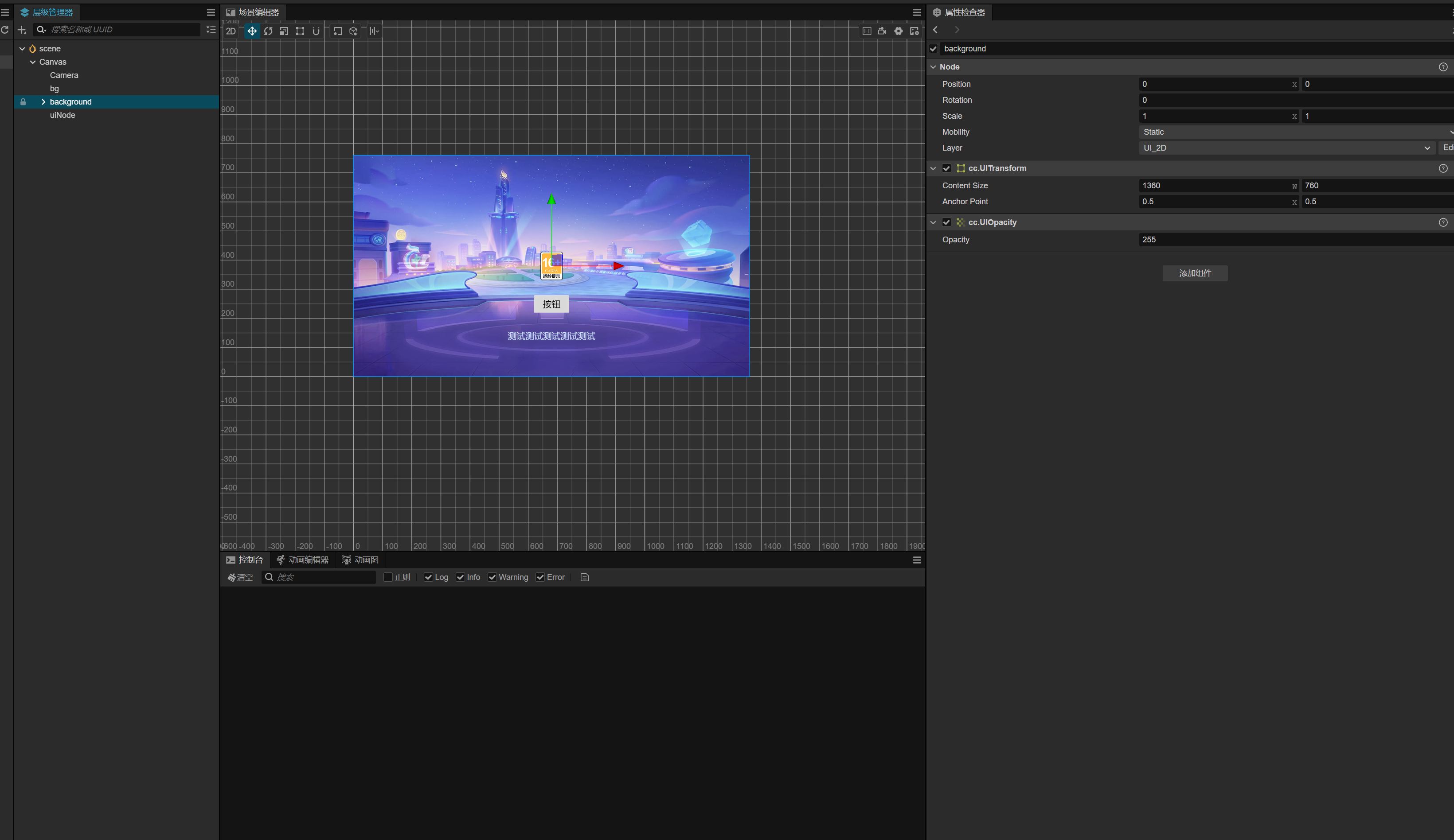
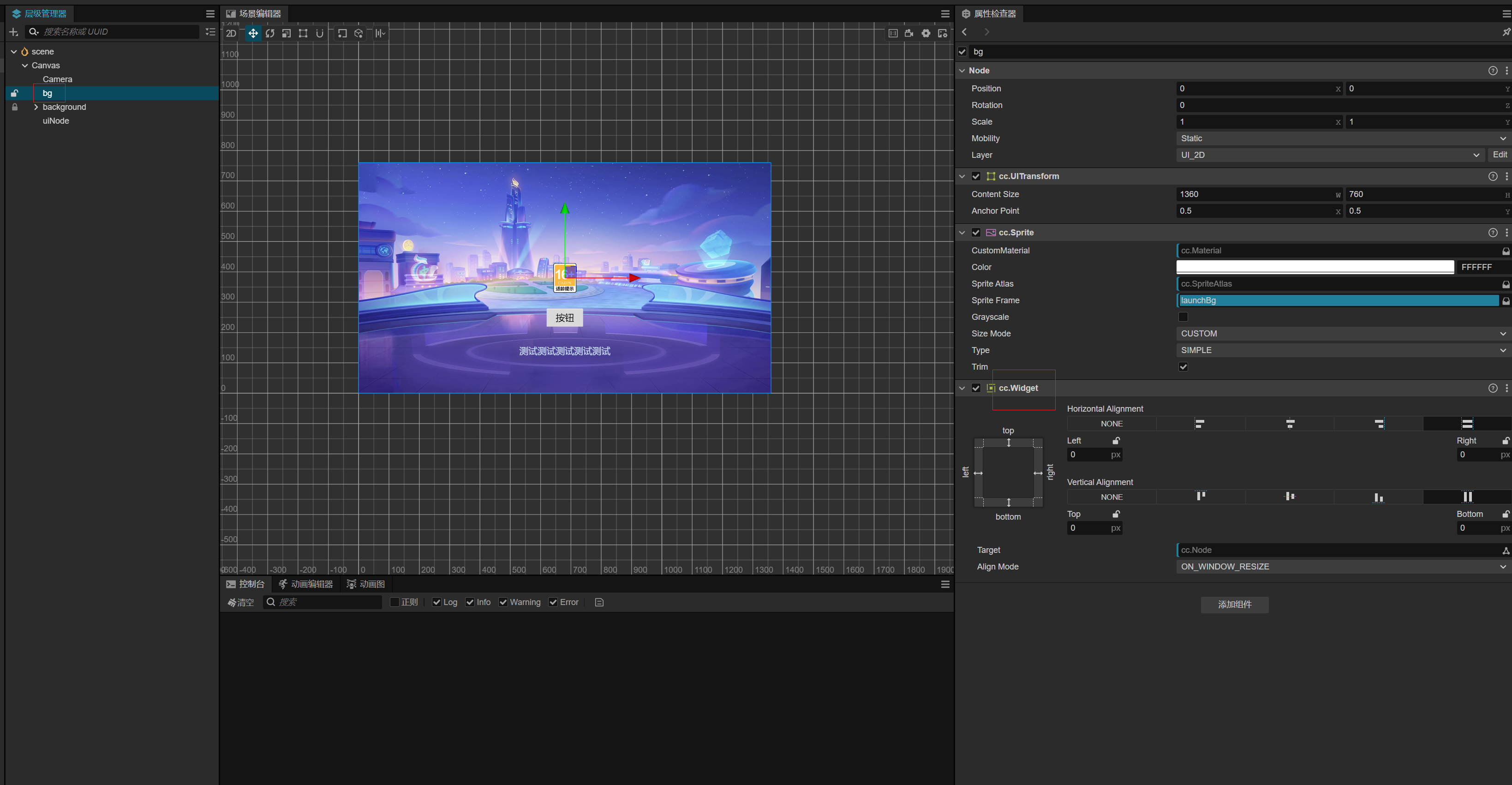
看你这个界面是怎么适配的。如果是需要监听横竖品适配,只要监听到屏幕尺寸变化能区分横竖屏即可。1、看你这个在小悬浮窗的时候里面的按钮和图标就已经变形了。应该是使用了对齐操作(widget)。
2、背景使用 widget对齐,屏幕尺寸变化肯定是会变形的,里面的小图标或按钮啥的就不需要在使用对齐操作了。
3、只需要做好背景随时适应屏幕变化就行。
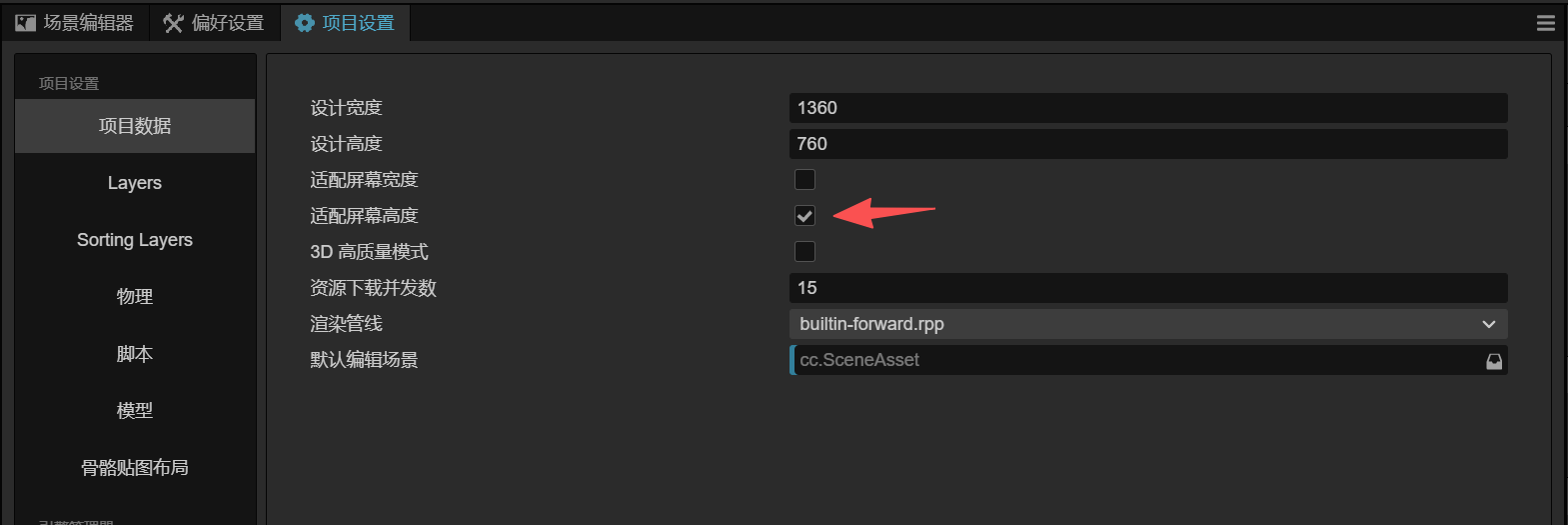
我感觉是引擎代码的问题,但是翻了一遍论坛都没发现相同案例,迷茫了 
翻了一遍官方文档,也没发现有什么接口能让底层重新计算窗口的宽度和高度
Demo 更新了嘛?没更新的话发我个最新demo我看看能解决不
Demo更新好了,可以直接下载
我这边有一个 web 监听变化的逻辑,可以试下:
// 监听屏幕尺寸变化
screen.on(“window-resize”, this.canvasChange.bind(this), this);
/**
 * @description: 屏幕适配: 背景用 Math.max,内容用 Math.min,这样既保证背景铺满,也保证内容不被裁切

 */

private canvasChange(): void {

    const windowSize: math.Size = screen.windowSize;

    const rate: number = windowSize.width / windowSize.height;

    if (rate <= 1) {

        // 竖屏 (宽高比 <= 1)

        // 计算适配比例

        const widthRatio = windowSize.width / 1080;

        const heightRatio = windowSize.height / 1920;

        // 取较小的比例,确保内容完全显示在屏幕内

        const scale = Math.min(widthRatio, heightRatio);

        // 根据比例调整设计分辨率策略

        if (widthRatio <= heightRatio) {

            // 宽度是限制因素,使用 FIXED_WIDTH

            view.setDesignResolutionSize(1080, 1920, ResolutionPolicy.FIXED_WIDTH);

        } else {

            // 高度是限制因素,使用 FIXED_HEIGHT

            view.setDesignResolutionSize(1080, 1920, ResolutionPolicy.FIXED_HEIGHT);

        }

        // 应用缩放

        this.gameBoard.scale = v3(1, 1, 1);

        this.initScreenData(true);

    } else {

        // 横屏 (宽高比 > 1)

        // 计算适配比例

        const widthRatio = windowSize.width / 1920;

        const heightRatio = windowSize.height / 1080;

        // 取较小的比例,确保内容完全显示在屏幕内

        const scale = Math.min(widthRatio, heightRatio);

        // 根据比例调整设计分辨率策略

        if (widthRatio <= heightRatio) {

            // 宽度是限制因素,使用 FIXED_WIDTH

            view.setDesignResolutionSize(1920, 1080, ResolutionPolicy.FIXED_WIDTH);

        } else {

            // 高度是限制因素,使用 FIXED_HEIGHT

            view.setDesignResolutionSize(1920, 1080, ResolutionPolicy.FIXED_HEIGHT);

        }

        // 应用缩放 - 使用更保守的缩放策略  确保不会放大

        const finalScale = Math.min(scale, 1.0);

        this.gameBoard.scale = v3(1, 1, 1);

        this.initScreenData(false);

    }

}382版本? 小窗后分辨率错乱?好像有点眼熟的问题, 有没有用到editbox
刷新下场景,重建场景试试。
可能是相机投影没有更新对
如果没有折叠屏/翻转屏幕的需求就少用代码设置尺寸,widget选上上ALWAYS可以解决大部分小游戏问题
楼主 这些方案解决了嘛