在论坛上想找下闪电链的效果,结果发现都是cocos2dx的版本,没有creator的。
刚好最近在玩c3d,就上网找了一下,发现u3d有个例子很相近,就搬运过来了。
先上效果图
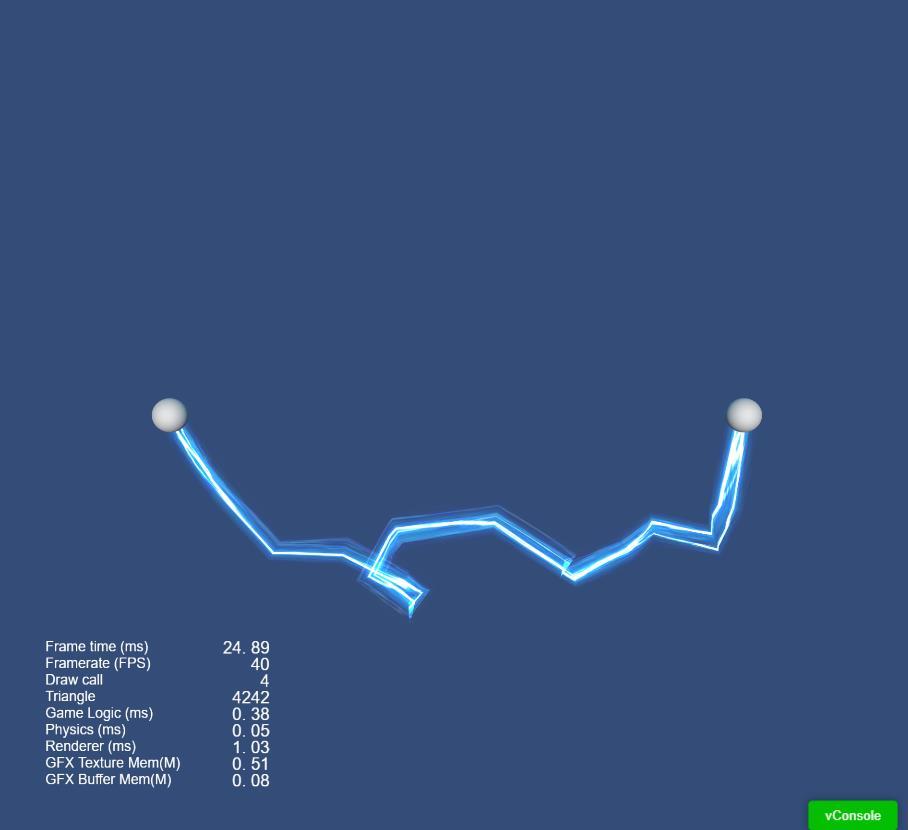
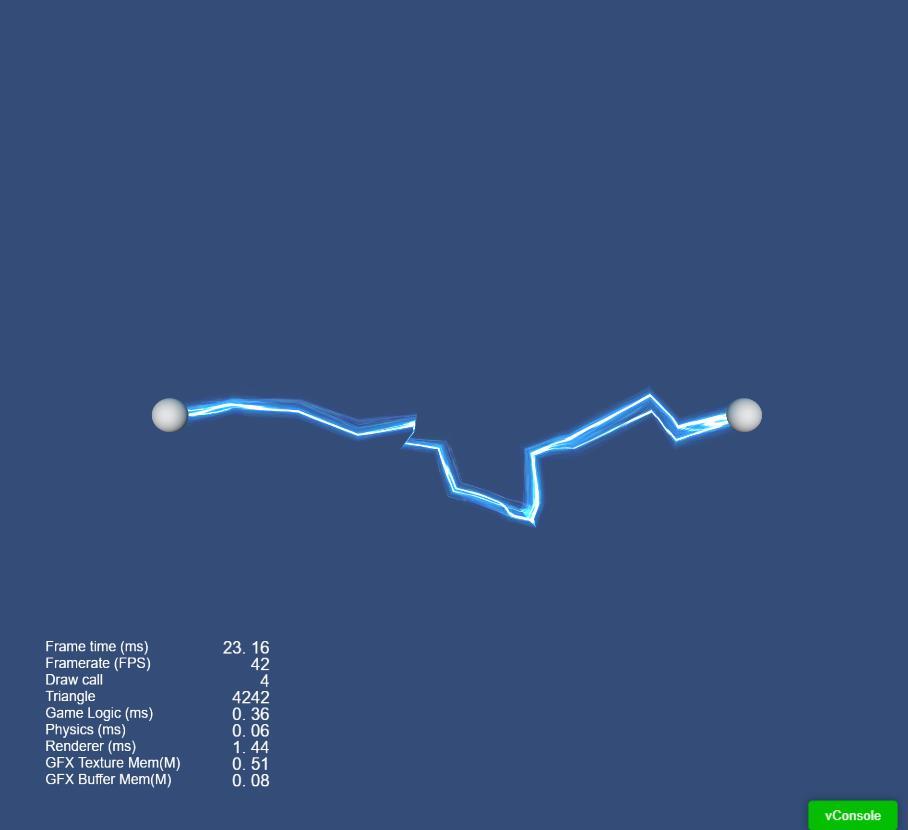
1.在场景里随便添加两个小球并把它们拉开一定距离,假如命名为(startball, destball),用表示为开始与结束两个位置。
2.添加一个node,然后在右边面板那里,对空node添加一个LineComponent的控件,并设置width=1,Tile的y值为0.25。并把材质图片拉到texture上面。(材质图片在下面)
3.node上再添加一个ts脚本,脚本内容下面会附上,然后把第1步骤里的两个小球,对应拉到脚本的StartNode跟TargetNode上面。
4.保存场景,其它的参数可以自己玩玩,然后就可以去看下闪电链到底有多闪了。。
附脚本
import { _decorator, Component, Node, LineComponent, Material, EffectAsset, Vec3,
    ModelComponent, Texture2D, CCFloat } from "cc";
const { ccclass, property } = _decorator;

const up:Vec3 = new Vec3(0, 1, 0);

@ccclass("Lignting")
export class Lightning extends Component {

    @property()
    detail:number = 1;
    @property()
    displacement:number = 15;
    @property()
    yOffset:number = 0;


    @property(Node)
    startNode:Node = null;
    @property(Node)
    targetNode:Node = null;

    line:LineComponent = null;
    points:Vec3[];


    onLoad () {
        this.line = this.getComponent(LineComponent);
        this.points = [];
    }

    start () {
    }

    update (deltaTime: number) {
        let startPos:Vec3 = Vec3.ZERO;
        let endPos:Vec3 = Vec3.ZERO;

        if(this.startNode) {
            startPos = this.startNode.position.add(up.multiplyScalar(this.yOffset));
        }
        if(this.targetNode) {
            endPos = this.targetNode.position.add(up.multiplyScalar(this.yOffset));
        }
        if(!startPos.equals(endPos)) {
            this.points.length = 0;
            this.collectLinPos(startPos, endPos, this.displacement);
            this.points.push(endPos);
            this.line.positions = this.points as never[];
        }
    }


    //收集顶点,中点分形法插值抖动
    collectLinPos(startPos:Vec3, destPos:Vec3, displace:number) {
        if (displace < this.detail) {
            this.points.push(startPos);
        }
        else {
            let midX:number = (startPos.x + destPos.x) / 2;
            let midY:number = (startPos.y + destPos.y) / 2;
            let midZ:number = (startPos.z + destPos.z) / 2;

            midX += (Math.random() - 0.5) * displace;
            midY += (Math.random() - 0.5) * displace;
            midZ += (Math.random() - 0.5) * displace;

            let midPos:Vec3 = new Vec3(midX,midY,midZ);

            this.collectLinPos(startPos, midPos, displace / 2);
            this.collectLinPos(midPos, destPos, displace / 2);
        }
    }
}
附资源图
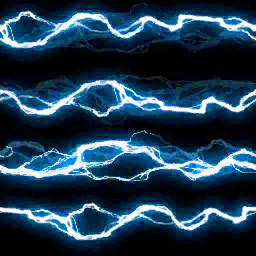
看着效果还行,就是感觉性能有点低,默认设置就占了4k来个面。