
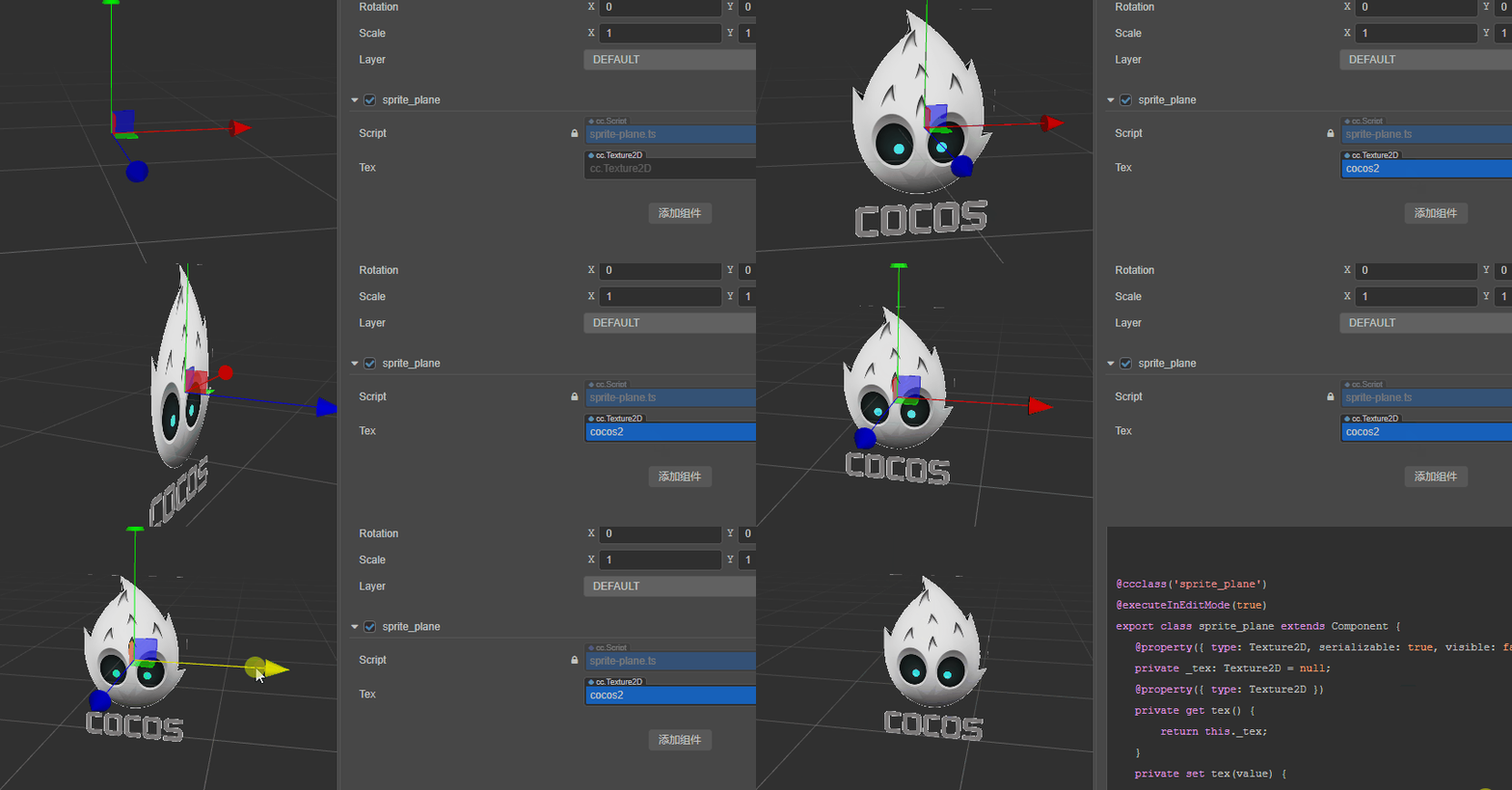
一个将精灵图直接变成3d板子的组件
解决问题:
-
类似billboard直接使用texture就可以在3维场景里显示
-
去掉billboard的自动朝向功能
-
自动设置尺寸
-
编辑器环境可以点击
效果如下
步骤
一、仿造billboard
复制billboard的源码到新的代码文件 
二、去掉自动朝向功能
源码里194行(createModel函数)copy了default-billboard-material材质,
我认为它是导致自动旋转的元凶。
if (this._material == null) {

    this._material = new Material();

    this._material.copy(builtinResMgr.get<Material>('default-billboard-material'));

}
然后找一个别的材质进行替换。
这个地方失败了一阵子。可提供的选项都不能达到效果。
所以追查源码,发现可以利用initialize和EffectAsset.get来构造新材质。不用copy。
于是改成如下代码:
if (!this.material) {

    this.material = new Material();

    this.material.initialize({

        technique:0,

        effectAsset: EffectAsset.get('unlit'),

        defines: { USE_TEXTURE: true, USE_ALPHA_TEST: true }

    })

}
为什么用unlit:因为针对的业务不需要光照。
然后需要加上两个定义用来满足使用纹理贴图和透明度检测。
三、自动设置尺寸
首先算出纹理宽度和设计尺寸的比值。
const { width, height } = this.tex;

const designRatio = width / view.getDesignResolutionSize().width;
然后算出节点高度相对于宽度的比值。
const { width, height } = this.tex;

const designRatio = width / view.getDesignResolutionSize().width;

const hRatio = designRatio * height / width;
最后在createMesh函数的配置参数里修改positions参数:
const mesh = utils.createMesh({

    positions: [

        -designRatio, -hRatio, 0,

        designRatio, -hRatio, 0,

        -designRatio, hRatio, 0,

        designRatio, hRatio, 0

        ],

    ...);
还有需要上下翻转一下,即改动uvs参数,并且重置indices(不然只能显示一半)。
const mesh = utils.createMesh({

    ...

    uvs: [0, 1,

        1, 1,

        0, 0,

        1, 0],

    indices: [

        0, 1, 2,

        2, 1, 3

    ]

}...);
然后把长宽渲染的属性去掉
四、编辑器环境可点击
不知道billboard为什么把点击去掉了。小的我也不大懂。
正常cc.MeshRenderer是可以点击的,然后看看它的源码,发现了createBoundingShape函数。
正好billboard组件相似位置没有调用这个函数。
猜测点击逻辑是需要创建包围形状的。然后将ceateMesh中的calculateBounds参数设置为true保证它可以被计算。
最后代码就是:
const mesh = utils.createMesh({

    ...

    { calculateBounds: true });

    this.model = director.root.createModel(renderer.scene.Model)

    this.model.node = this.model.transform = this.node;

    ...

    this.model.initSubModel(0, mesh.renderingSubMeshes[0], this.material);

    this.model.createBoundingShape(mesh.struct.minPosition, mesh.struct.maxPosition);
整个编写过程中,没有考虑性能方面的因素。也不知道会产生什么不好影响,所以:
欢迎大家使用和吐槽,拱手呈上:
sprite-plane.zip (1.1 KB)


