
3.5.0 怎么修改左下角调试信息字体大小的颜色和字体大小
把 drawcall 改为1嘛???
听说只能自己改引擎 
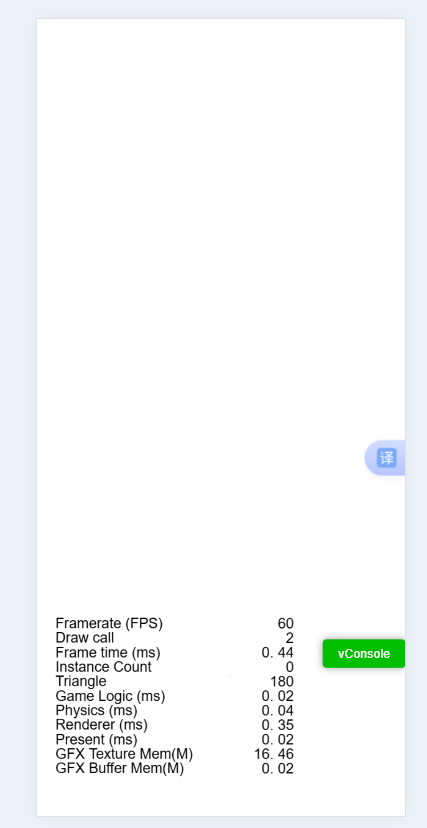
那个傻屌调试信息严重挡UI,导致调试信息也看不清,UI也看不清,最后只能自己写了个
1赞
你可以把调试信息给关掉啊,改这个颜色字体排版啥的,应该是在index.html里改的吧
我也觉得 我经常看不清那个左下角的信息
这几行字一般在cc.director.getScene()的节点下,找到修改label颜色就可以。有时候做白色背景的游戏,不修改颜色,确实啥也看不到…
/**
* 更改统计面板的文本颜色
* @param font 文本颜色
*/
public static setStatsColor(font: cc.Color = cc.Color.WHITE, background: cc.Color = cc.color(0, 0, 0, 150)) {
const profiler = cc.find(‘PROFILER-NODE’);
if (!profiler) return cc.warn(‘未找到统计面板节点!’);
    // 文字
    profiler.children.forEach(node => node.color = font);

    // 背景
    let node = profiler.getChildByName('BACKGROUND');
    if (!node) {
        node = new cc.Node('BACKGROUND');
        profiler.addChild(node, cc.macro.MIN_ZINDEX);
        node.setContentSize(profiler.getBoundingBoxToWorld());
        node.setPosition(0, 0);
    }
    const graphics = node.getComponent(cc.Graphics) || node.addComponent(cc.Graphics);
    graphics.clear();
    graphics.rect(-5, 12.5, node.width + 10, node.height - 10);
    graphics.fillColor = background;
    graphics.fill();
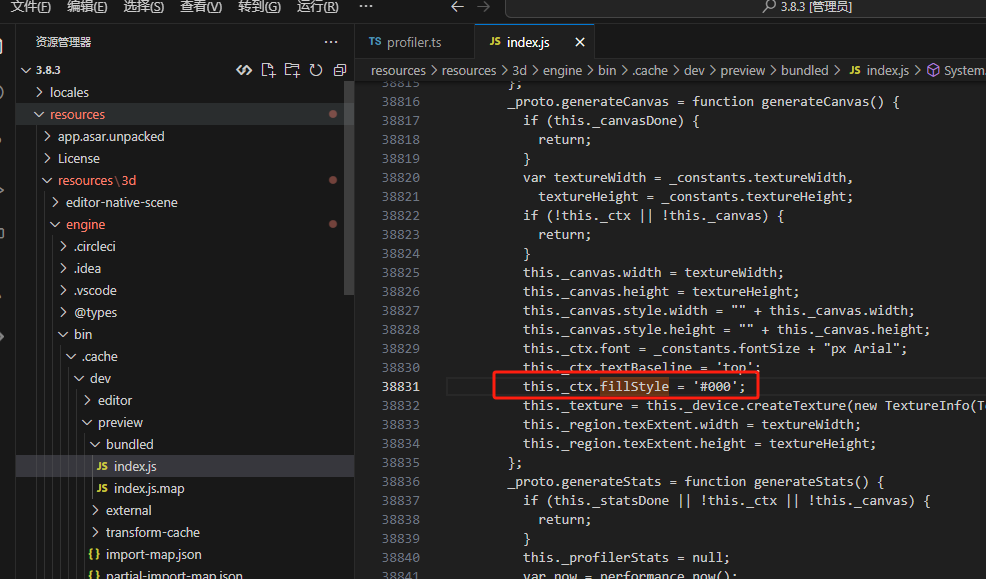
}3.8.3的邪典方案,导入profiler即可
this.scheduleOnce(() => {
    profiler["_ctx"].fillStyle = "#000000ff" //新颜色
    profiler["_ctx"].clearRect(0, 0, profiler["_region"].texExtent.width , profiler["_region"].texExtent.height);
    profiler["_statsDone"] = false
    profiler.generateStats()
},0.1)
1赞
nice. get it