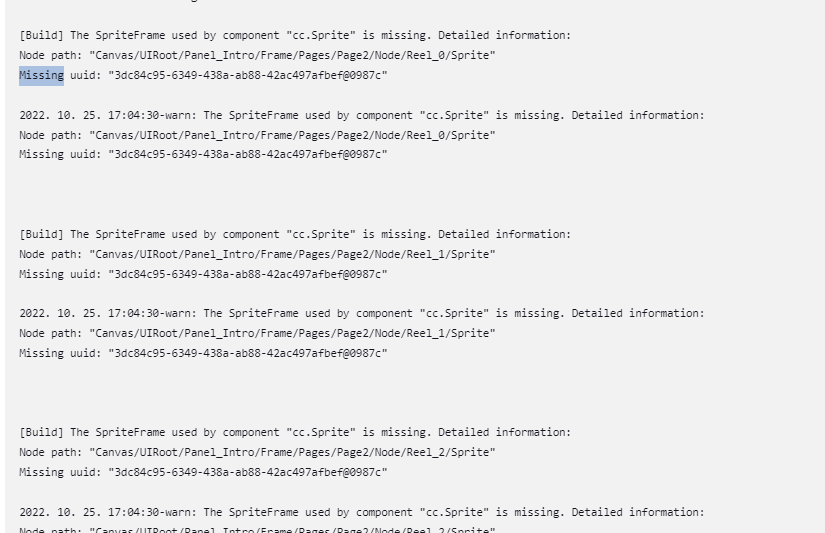
Try waiting longer, like 1 minute or more?
外国开发者呢,不愧是世界级的大引擎 

I did a 2 minute delay, but the error is still there.
What is the difference between manually running the editor and auto-build through Jenkins?
If you build manually via CMD, you will not get that error.
The above error only occurs through JENKINS.
- Run the editor or
- If manually run once via CMD
After going through one of the above two steps, JENKINS builds successfully.
Unfortunately, if the build fails even once in another project path, the build of all projects will also fail.
My guess is that the problem occurs with the first run on the first path from outside, such as Jenkins.
For reference, I am running Jenkins as Administrator.
With this error, I’m not automating the build.
Every time I build, there’s no point in automation if I have to check for errors.
Help me.

- BUILD with CMD is success. (no error)
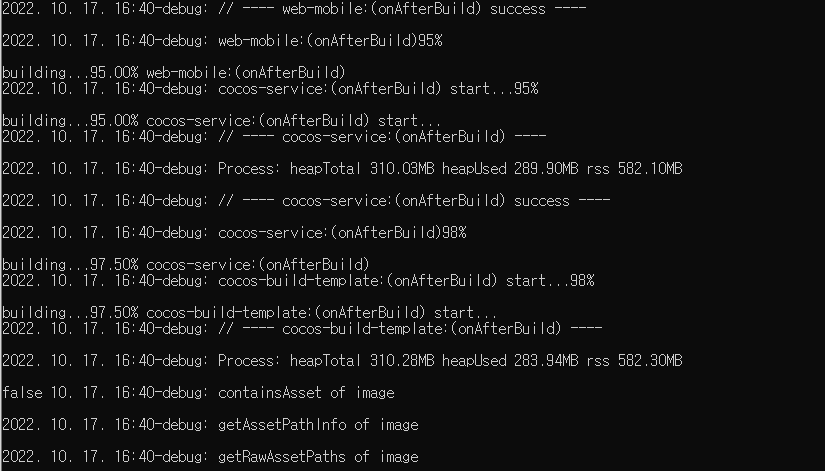
maybe same issue.
no jenkins. gitlab has same problem.
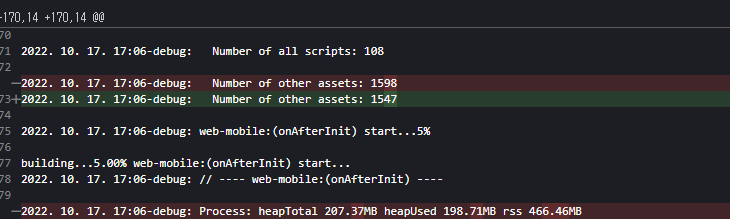
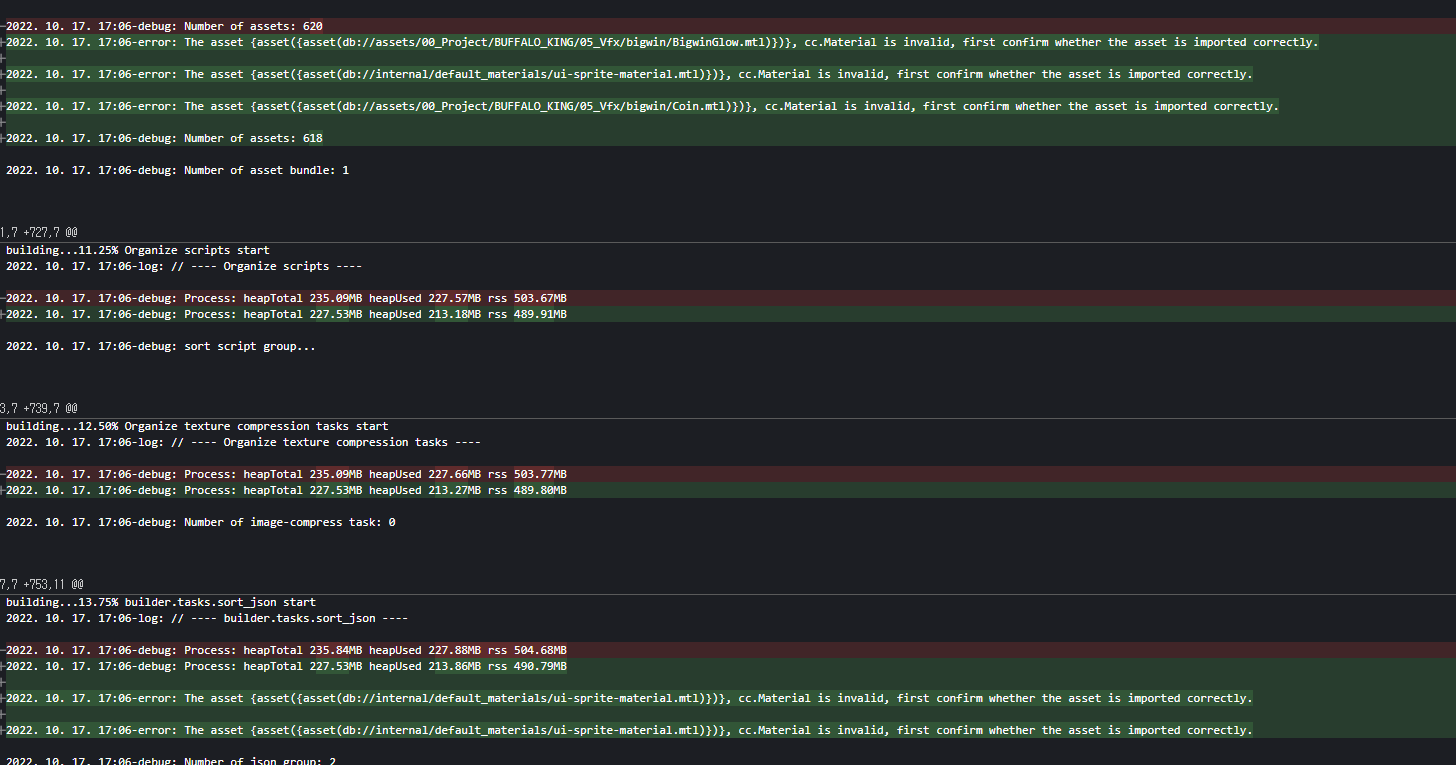
I’ve compared successful and failed builds.
Same Project. Same Build (with jenkins).
-
Number of other assets
-
Build Error Log
-
Asset Bundle(main) handle assets

Can you please provide the project logs? We would like to see if there are any import errors reported.
May I know where to look for the project log?

C:\Users\Administrator\AppData\Local\Jenkins.jenkins\workspace\TEMP\library\1b\1baf0fc9-befa-459c-8bdd-af1a450a0319.json: ENOENT: no such file or directory
The corresponding JSON name was found in a project in a different path.
C:\Users\Administrator\AppData\Local\Jenkins.jenkins\workspace\OTHER_PROJECDT_NAME\library\1b\1baf0fc9-befa-459c-8bdd-af1a450a0319.json
When building, the name of the specific JSON is not updated, but it seems to hold the name of the path of the previously built project.
Isn’t the editor being updated normally only when you actually turn on the editor or build it cmd manually?

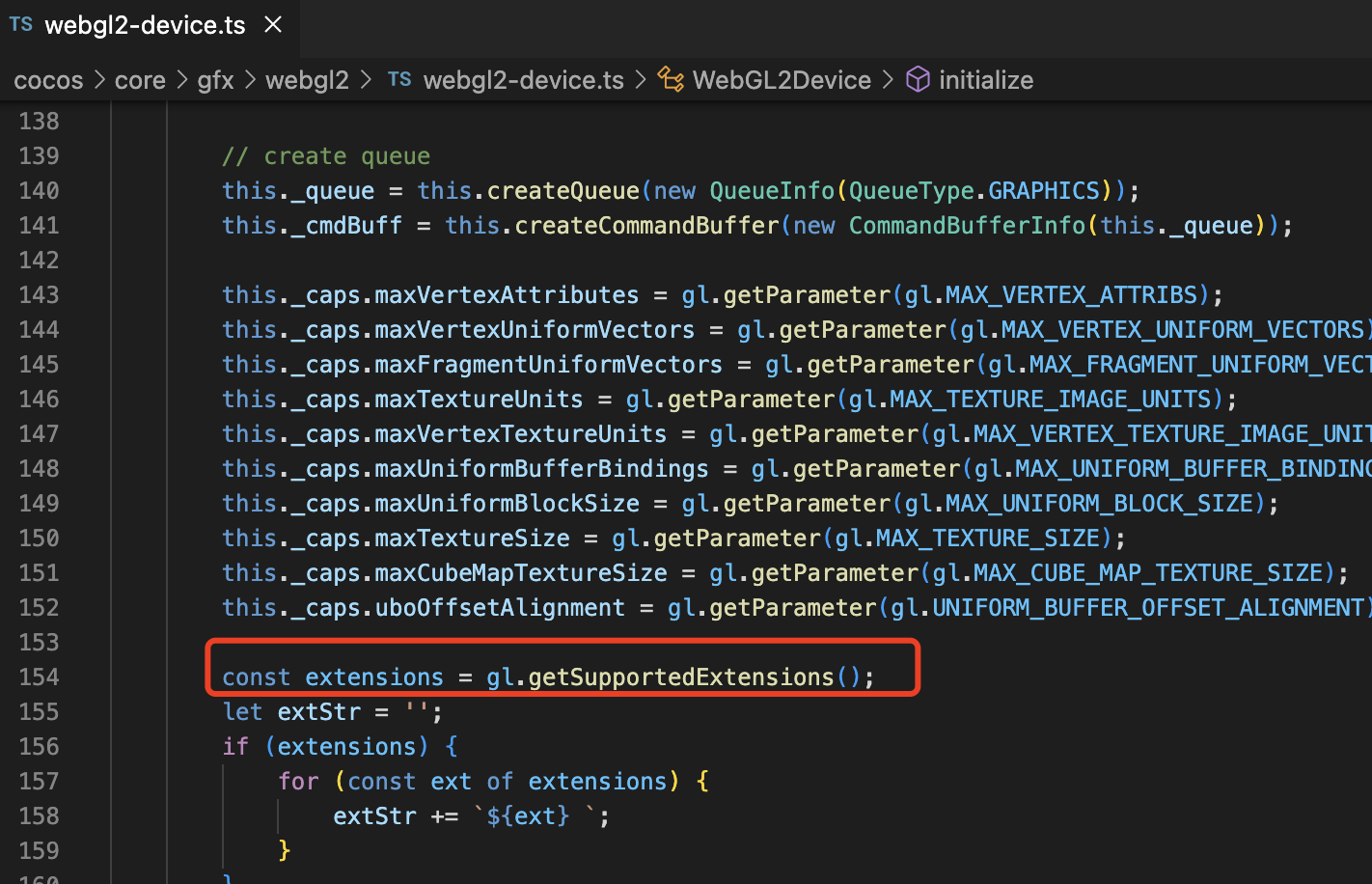
As you can see from the logs, this is caused by the absence of webgl objects in the editor runtime environment. We suggest you upgrade the editor to version 3.6.1 to solve this problem.
Why doesn’t this error appear after successful build?
The project is so massive that it currently requires an investment that is too large to move.
Is there a separate way to fix only that error?
Is the issue editor dependent?
I am using a custom engine, can’t it be solved by modifying the engine?
My god,my english不够用了 
Does your Jenkins environment support webgl?
This is because the cache is generated in the project after a successful build, so the next build will use the cache directly. So there will be no problem.
This issue can only be solved by upgrading the editor version used by the project.
Since JENKINS also works in a Windows environment, I think it is normal to support WEBGL.
However, I am not sure how to test whether JENKINS supports WEBGL build normally.
I know there is no such issue in Unity WEBGL build.
If there’s an issue with the environment, I think the same symptom should have happened with the manual build as well.
I’d like to find out if Jenkins has WEBGL support, but I can’t find any information about it anywhere.
In order to upgrade to 3.6.1, it is impossible to modify all dozens of projects that have been made so far.
I just updated to 3.6.1 and the keyboard input event doesn’t happen.
It is very difficult to update due to stability issues.
Thank you very much for your help.
If there is no way, let’s consider another way.
Is it already 3.6.2 overseas?
mistake.
3.6.1