
以下是这个需求的测试demo,请大佬们给个好方案。使用版本是3.8.2
preset.zip (19.2 KB)
功能需求:
想做一个资源加载智能切换,比喻我有option1、option2两种资源,在场景中使用了option1,然后在配置表中,我配置了使用option2,这个时候,场景加载的时候,在加载option1时,自动切换到加载option2与option2对应的依赖资源,达到智能切换。
处理代码如下:
// 在游戏初始化的时候加载配置表,提前知道要使用那个option
game.onPostProjectInitDelegate.add(async () => {
    const config = await new Promise<JsonAsset>(resolve => resources.load<JsonAsset>("presetConfig", (error, data) => resolve(data)));
    PresetConfigManager.initialize(config);
})
// 提前加载对应option资源的bundle
        PresetConfigManager._bundle = await new Promise<AssetManager.Bundle>(resolve => assetManager.loadBundle(PresetConfigManager.presetBundleName, (error: Error | null, data: AssetManager.Bundle) => {
            if (error != null) return warn(error);
            resolve(data);
        }));
// 核心函数,判断如果是加载option资源,并且切换成配置表所选项的option资源。
    private static replacePresetAsset(task: AssetManager.Task) {
        const input = task.output = task.input;
        const bundle = PresetConfigManager.bundle;
        const preset = PresetConfigManager.presetConfig;
        for (let i = 0; i < input.length; i++) {
            const item = input[i] as AssetManager.RequestItem & { config: any, overrideUuid: string };
            const config = item.config;
            // 如果不是preset bundle的资源,则跳过
            if (config == null || config.name != PresetConfigManager.presetBundleName) continue;
            // @ts-ignore
            const path: string = item.info?.path;
            if (path == null) continue;

            const dirnames = path.split("/");
            if (dirnames.length < 2) continue;
            const optionName = dirnames[0];
            // 如果是加载同一个选项的内容,则跳过
            if (preset.value == optionName) continue;

            // 换成新路径
            const newPath = path.replace(optionName, preset.value);
            const info = bundle.getInfoWithPath(newPath);
            if (info == null) return console.warn(`preset asset ${newPath} is not exist.`)

            item.info = info;
            item.overrideUuid = info.uuid;
        }
    }
效果如下:
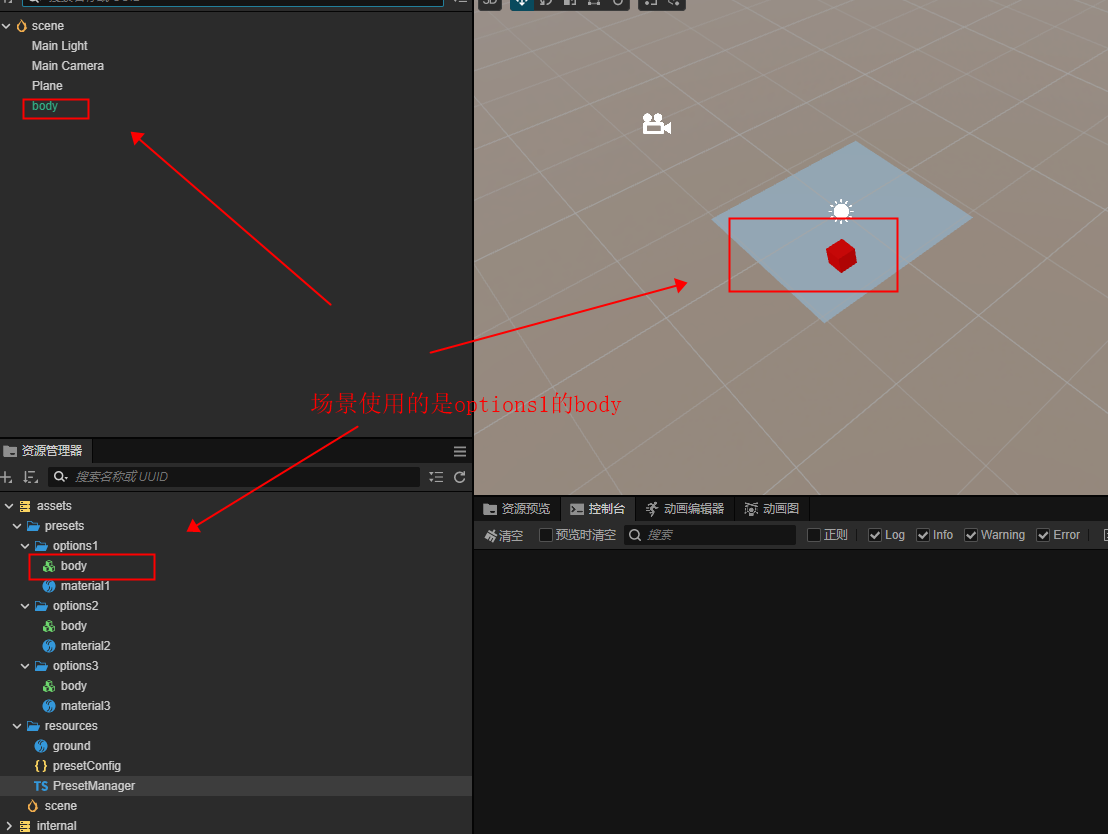
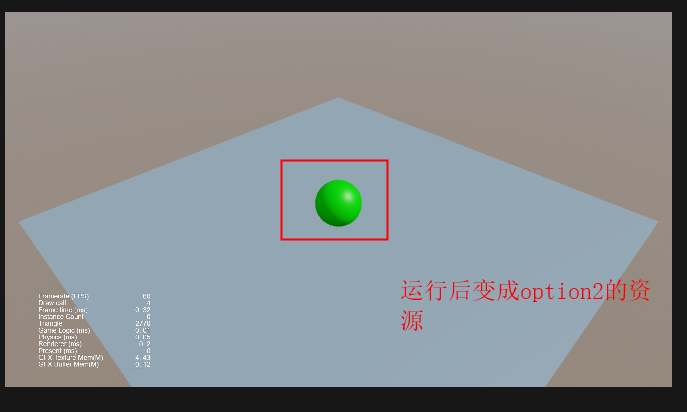
到这里为止,功能都如期所想,但出现了个问题:option1的这个红色方块我是在场景中修改了坐标的,切换成这个绿色的球后,坐标丢失了。
原因是:
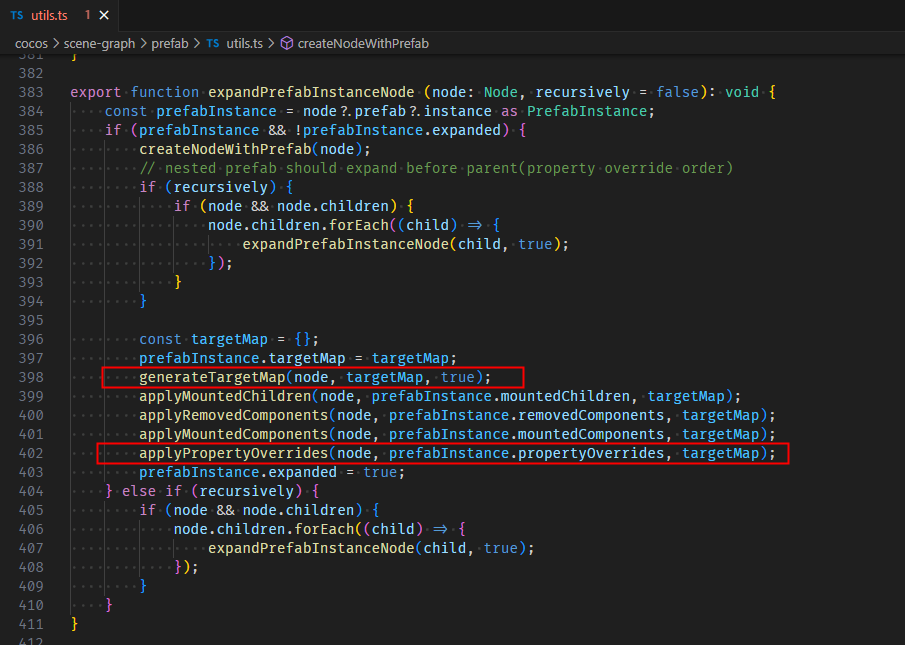
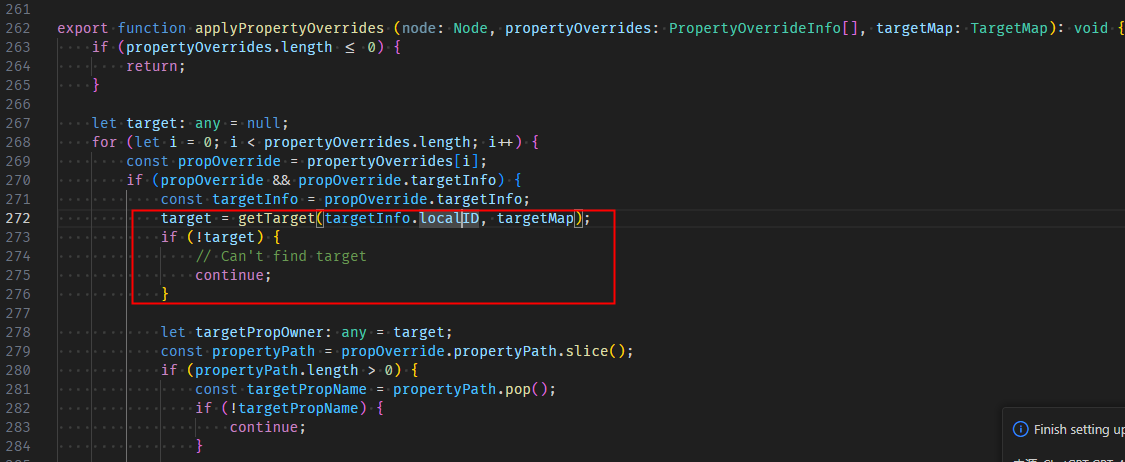
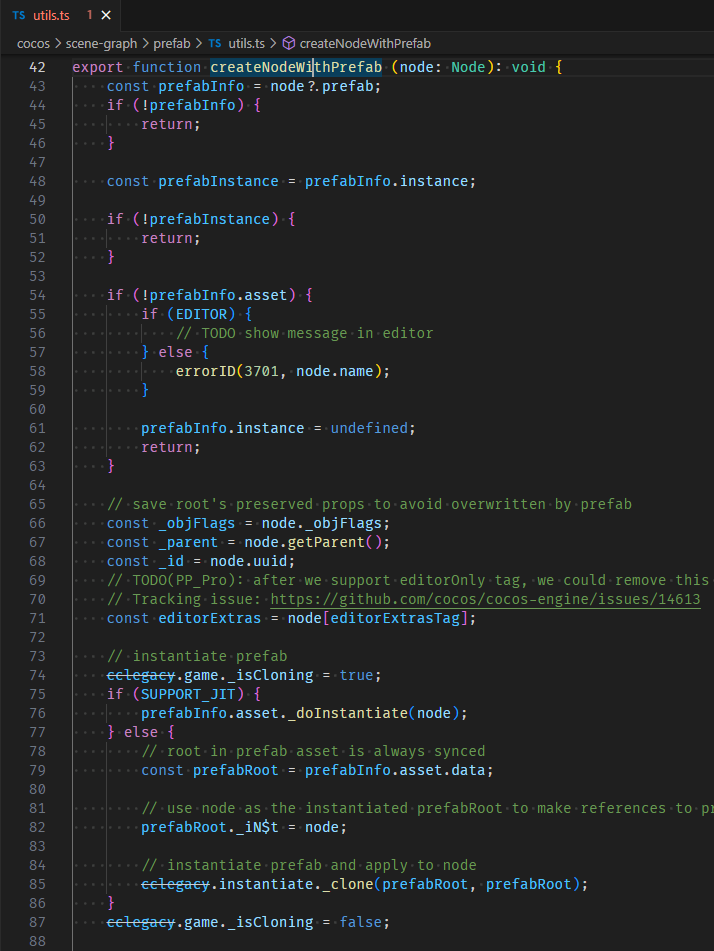
场景中记录保存位置修改的是红色方块的fileId,当我切换成绿色球后,两个fileId不匹配,导致位置修改信息无法应用到绿色球上面。对应代码在引擎的这个地方:
需求是:(个人随便说的方案)
方案一:引擎可以识别如果我使用的是item.overrideUuid,就表示说我这个资源是覆盖的,就自动帮我切换红色方块的fileId。
方案二:在不自定义引擎的情况下,让我可以参与Prefab._utils.createNodeWithPrefab这个函数的数据处理,我自己来修改红色方块的fileId
方案二:引擎大佬有更好的方案。