
-
Creator 版本:3.7.0
-
目标平台: iOS / Android
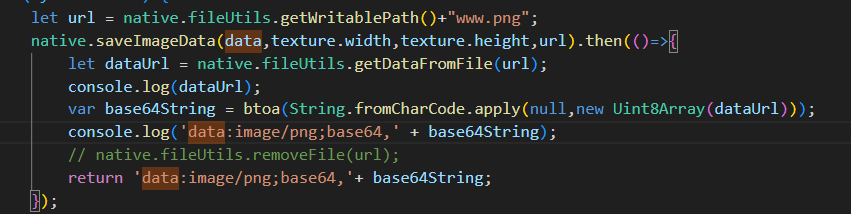
这个方法,但是获取到的base64数据百度的接口识别不出来,就是证明还是没获取到正确的数据
项目需要实现一个手写板功能,然后现在的实现逻辑是绘制然后截图,调用百度的手写文字识别接口,但是百度的接口需要传ImageBase64数据,web端可以通过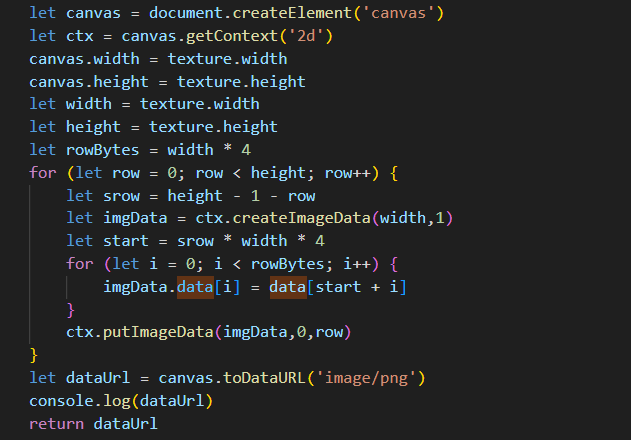 这个获取到数据,但是在Android和IOS上是获取不到document.createElement(‘canvas’)的,所以原生平台上怎么实现同样的效果啊,尝试了用
@官方 @大佬
有没有大佬懂这个啊!!!
import { _decorator, Component, RenderTexture } from ‘cc’;
const { ccclass, property } = _decorator;
@ccclass(“RenderReadPixels”)
export class RenderReadPixels extends Component {
@property(RenderTexture)
public renderTexture: RenderTexture;
start() {
const width = this.renderTexture.width;
const height = this.renderTexture.height;
const texPixels = new Uint8Array(width * height * 4);
this.renderTexture.readPixels(0, 0,
this.renderTexture.width, this.renderTexture.height,
texPixels);
}
}
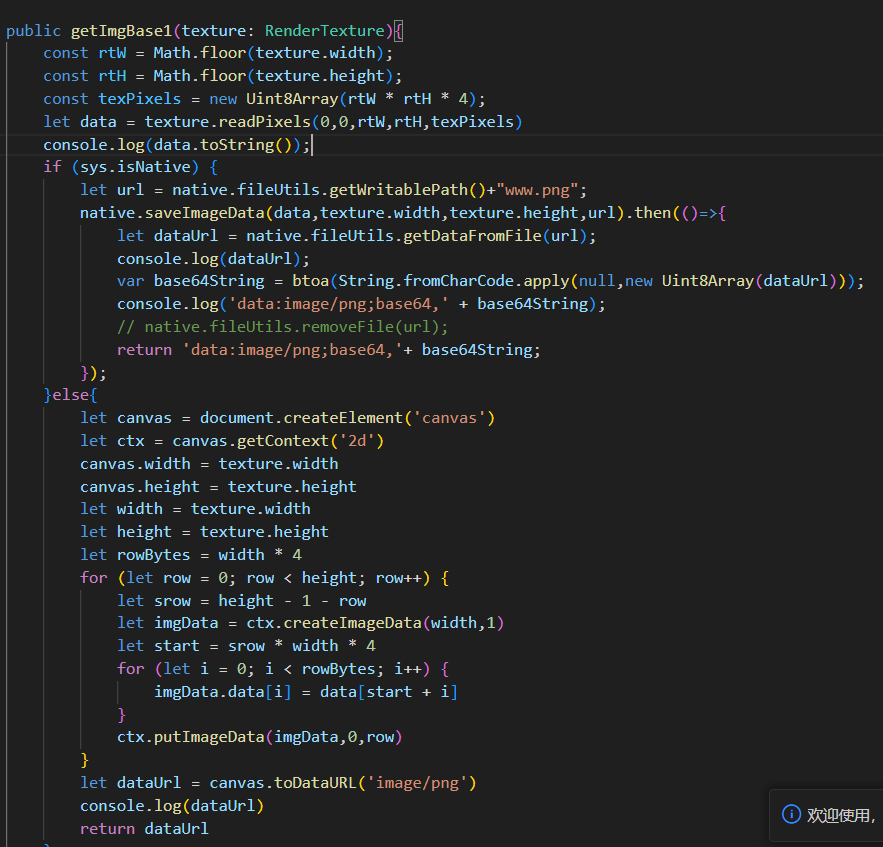
您发的这个步骤是有写的,输出的data数据是一个Uint8Array,并不是我需要的ImageBase64数据,然后把这个数据用native.fileutils.saveImageData保存图片到本地后,再取出来的二进制数据转成的base64数据也并不正确。放到百度的接口里无法识别
我顶,有没有大佬答疑解惑啊
要看百度那边是否需要头,有些不需要头
是需要头的
把www.png这个文件拷贝出来看看是不是正确的png图
在安卓手机上这个应用的路径下没有找到保存的图,这个图片不知道保存到哪里了。手机上的资源管理器里也搜不到www.png这个文件
在/data/data/你的包名/目录下,你可以打印一下这个路径。至于怎么从data路径下拷贝文件,有多种方法
楼主。请问解决了吗。能贴下解决方案吗