
ScreenEvent 是你自己写的类?
你是如何引入screen的?
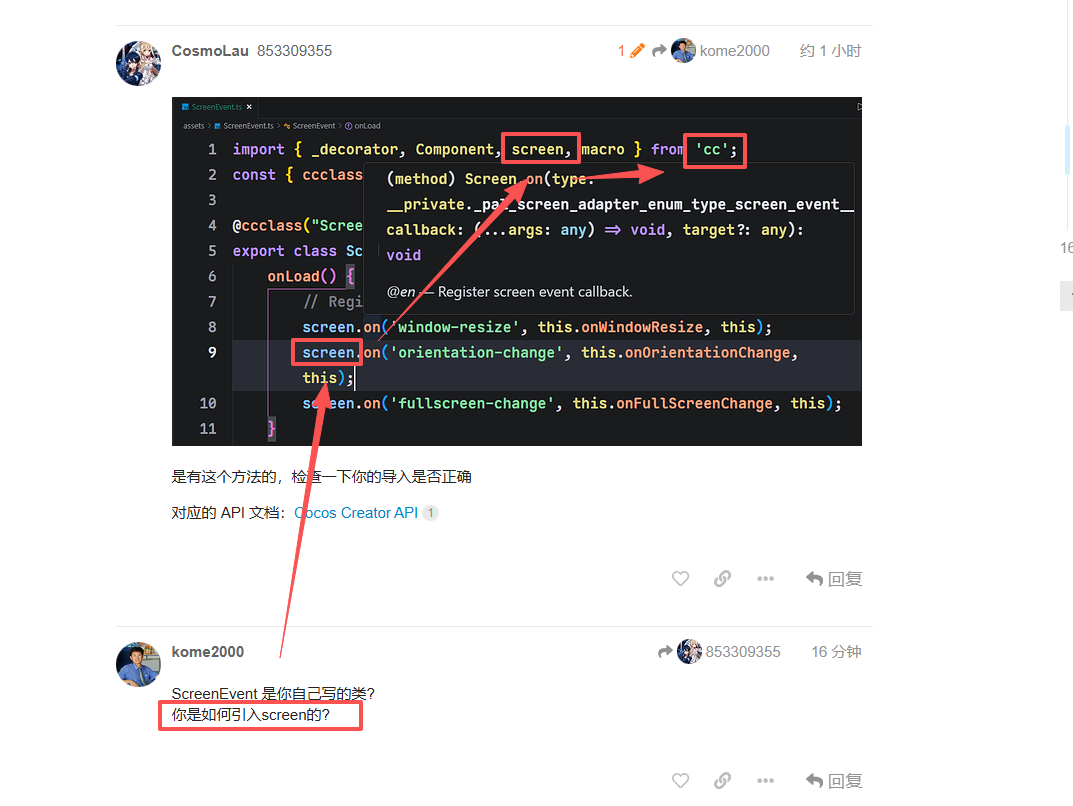
从 cc 引入,使用 Trae 的自动生成代码,可能无法自动导入模块,你在 Trae 中手动键入 screen,使用编辑器的补全,才能自动导入,如下:
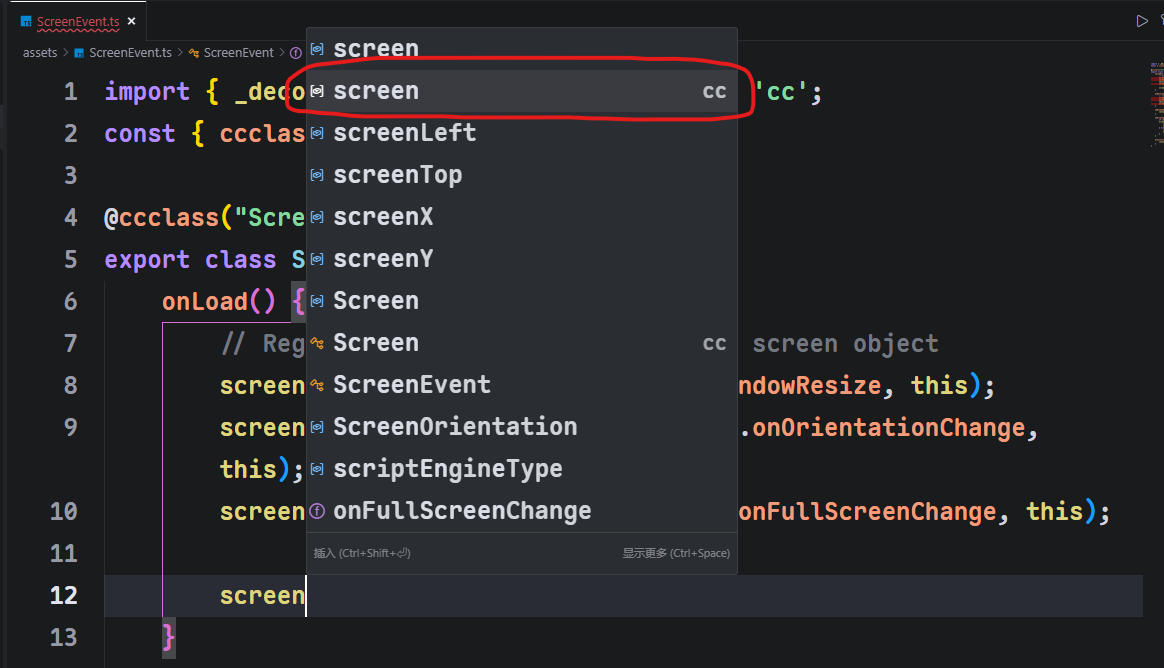
否则你需要手动导入模块:

参考文档:引擎模块 | Cocos Creator
还真是, 手动写上screen的引入 就正确了
那么如何获取当前屏幕朝向呢?
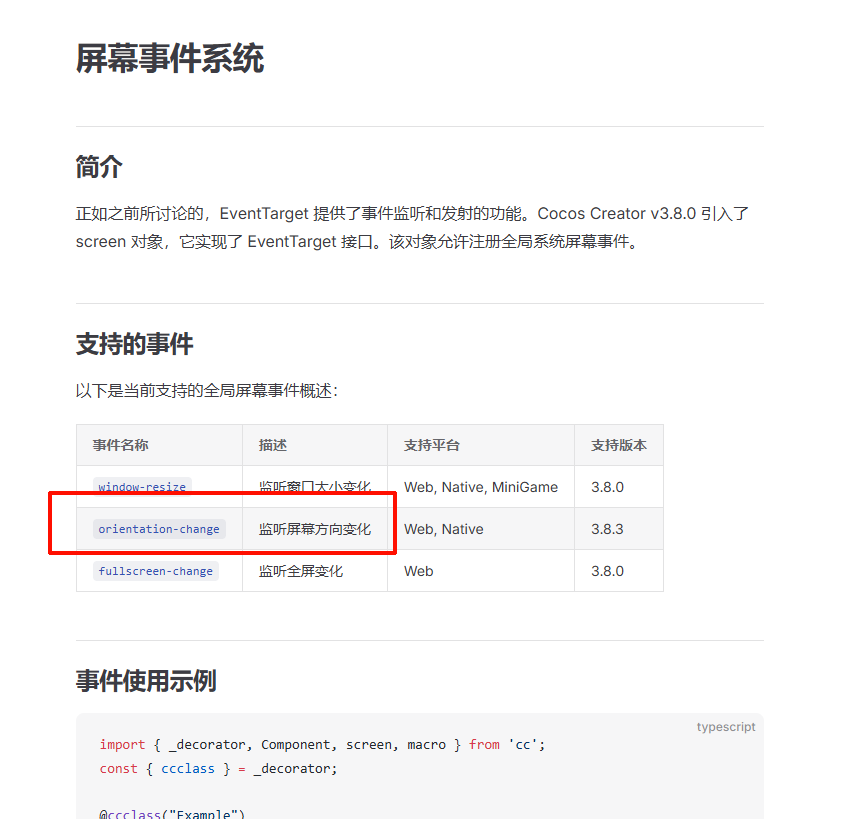
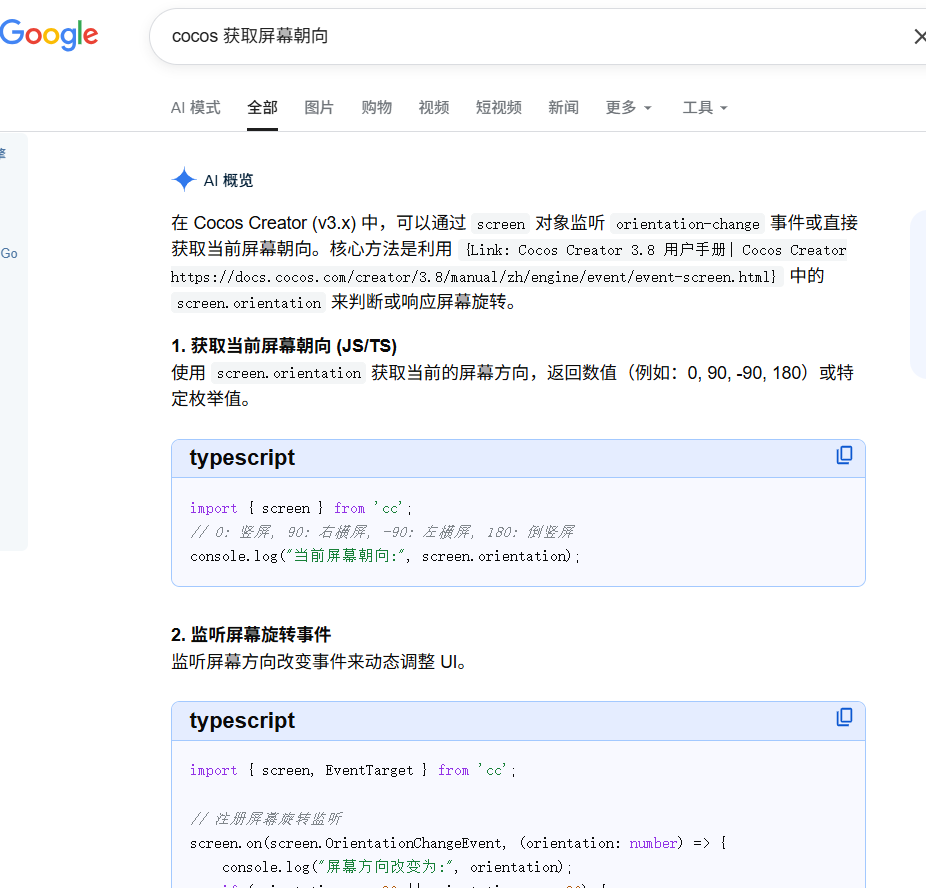

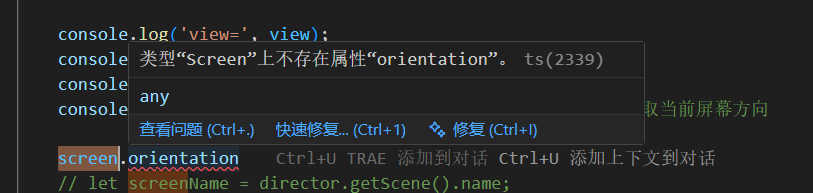
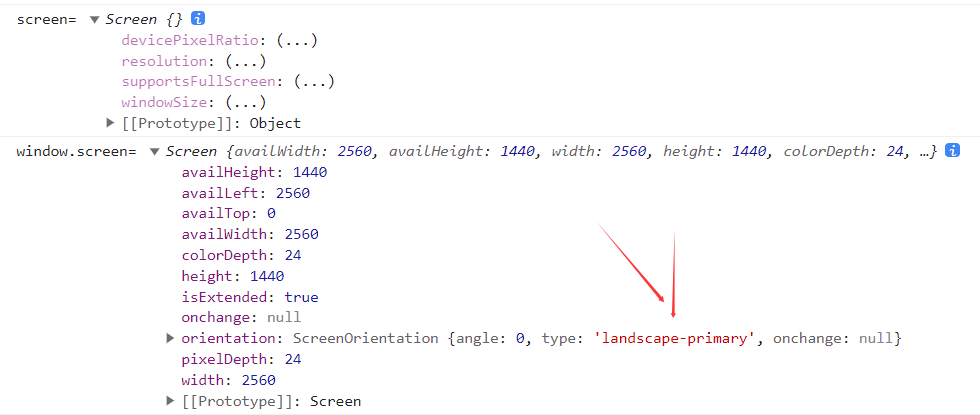
这个文档里面应该没有,实际值要看
screen.on("orientation-change",(orientation:number)=>{

                console.log(orientation);

            }, this);
去推断,下图是值对应的接口
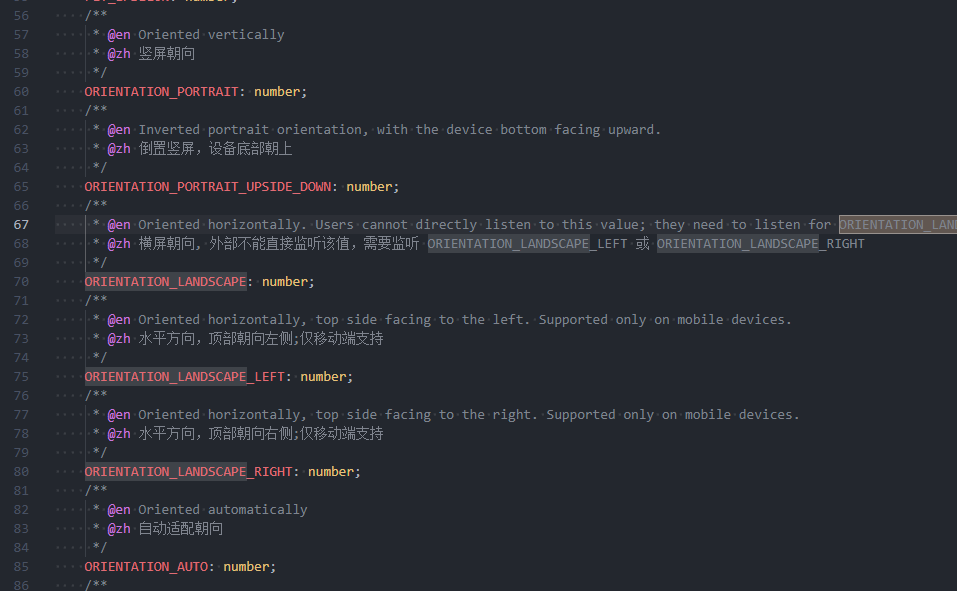
并且,在View类(cc.View)内有方法可以主动修改适配类型,注释也是指向cc.macro
export class View extends __private._cocos_ui_view__View_base {
/**

         * @en

         * Sets the orientation of the game, it can be landscape, portrait or auto.

         * When set it to landscape or portrait, and screen w/h ratio doesn't fit,

         * `view` will automatically rotate the game canvas using CSS.

         * Note that this function doesn't have any effect in native,

         * in native, you need to set the application orientation in native project settings

         * @zh 设置游戏屏幕朝向,它能够是横版,竖版或自动。

         * 当设置为横版或竖版,并且屏幕的宽高比例不匹配时,

         * `view` 会自动用 CSS 旋转游戏场景的 canvas,

         * 这个方法不会对 native 部分产生任何影响,对于 native 而言,你需要在应用设置中的设置排版。

         * @param orientation - Possible values: macro.ORIENTATION_LANDSCAPE | macro.ORIENTATION_PORTRAIT | macro.ORIENTATION_AUTO

         */

        setOrientation(orientation: number): void;
}是的,似乎不能主动获取到当前手机屏幕状态, 只能通过 screen.windowSize 的宽高比来自行计算
可以啊,我的回复可能不够明确;
HiStory1wlh991007
这个文档里面应该没有,实际值要看
screen.on("orientation-change",(orientation:number)=>{
               /// orientation这个值就是屏幕方向,需要用cc.macro去推断当前是否是横屏或竖屏
               // 我测试是符合的 横屏是4,竖屏是1,
               // 匹配cc.macro.ORIENTATION_LANDSCAPE_LEFT(左横屏,测试值=4)
               // cc.macro.ORIENTATION_PORTRAIT(竖屏,测试值=1)
                console.log(orientation);

            }, this);
orientation这个值就是屏幕方向,需要用cc.macro去推断当前是否是横屏或竖屏
我测试是符合的 横屏是4,竖屏是1,
匹配cc.macro.ORIENTATION_LANDSCAPE_LEFT(左横屏,测试值=4)
cc.macro.ORIENTATION_PORTRAIT(竖屏,测试值=1)
这个是在屏幕变化时才回调, 如果是app启动时 是没有回调的, 比如手机横屏时启动app, 此时程序如何得知屏幕情况?
而且
screen.on(‘orientation-change’, this.onOrientationChange, this);//监听屏幕方向变化 Web/Native
调用view.setOrientation() 才会触发该事件
如果仅旋转手机 这个onOrientationChange是不会被回调的
你测试了吗,没经过测试不要无的放矢,我测试可以啊,你不会是简单的在浏览器内点那个rotate吧
你都app了,还依赖ts层的逻辑去判断吗,肯定用java原生逻辑去判断然后传给ts去做判断啊
我是在浏览器内点那个rotate测试的 
比较方便,这个测试过了在出apk上模拟器 再上手机

还是想尽量在TS层完成,否则 android 和 ios都要搞一下
我测试是用实机测试的,只是没打包为apk,所以应该是可信的
