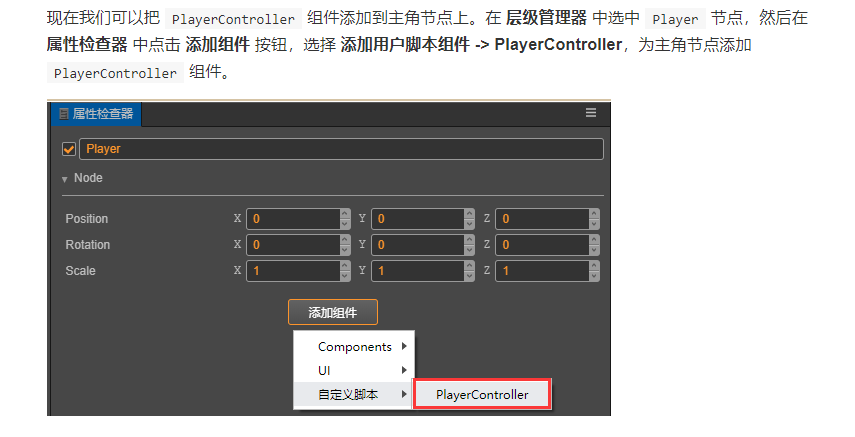
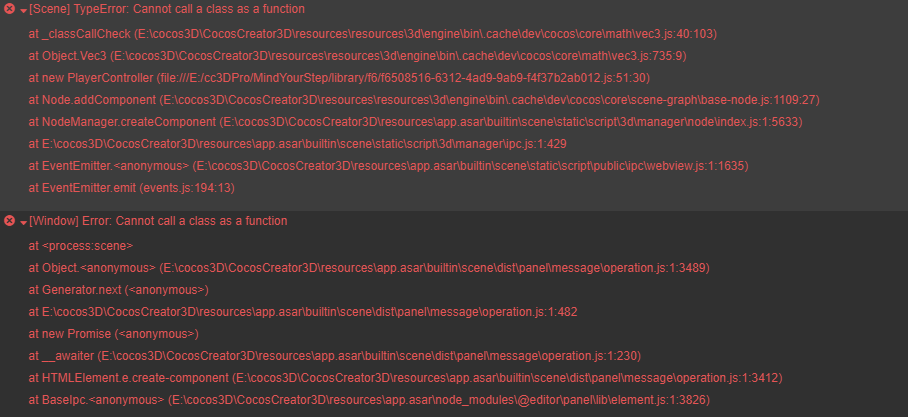
[Scene] TypeError: Cannot call a class as a function
[Window] Error: Cannot call a class as a function
请问这是什么问题,demo是按照文档的一步两步做的…真叫人不省心啊…

[Scene] TypeError: Cannot call a class as a function
[Window] Error: Cannot call a class as a function
请问这是什么问题,demo是按照文档的一步两步做的…真叫人不省心啊…
这个描述太不清晰了,跟你的代码使用应该有一定的关系,可能是某个 Class 被直接当做函数调用了,而没有写 new
import { _decorator, Component, Node, Vec3, systemEvent, SystemEvent, EventMouse } from "cc";
const { ccclass, property } = _decorator;

@ccclass("PlayerController")
export class PlayerCr extends Component {
    private _startJump:boolean = false;
    private _jumpStep:number = 0;
    private _curJumpTime:number = 0 ;
    private _jumpTime:number = 0;
    private _curJumpSpeed:number = 0;
    private _curPos:Vec3 = cc.V3();
    private _deltaPos:Vec3 = cc.V3(0,0,0);
    private _targetPos:Vec3 = cc.V3();
    private _isMoving:boolean = false;

    start () {
        systemEvent.on(SystemEvent.EventType.MOUSE_UP,this.onMouseUp,this);
    }
    onMouseUp(event:EventMouse):void{
        if(event.getButton()===0){
            this.jumpByStep(1);
        }else if(event.getButton()===1){
            this.jumpByStep(2);
        }
    }

    jumpByStep (step:number):void{
        if(this._isMoving){
            return;
        }
        this._startJump = true;
        this._jumpStep = step;
        this._curJumpTime =0;
        this._curJumpSpeed = this._jumpStep/this._jumpTime;
        this.node.getPosition(this._curPos);
        Vec3.add(this._targetPos,this._curPos,cc.V3(this._jumpStep,0,0));

        this._isMoving = true;
    }

    onOnceJumpEnd():void{
        this._isMoving= false;
    }

    update (deltaTime: number) {
        if(this._startJump){
            this._curJumpTime +=deltaTime;
            if(this._curJumpTime >this._jumpTime){
                this.node.setPosition(this._targetPos);
                this._startJump = false;
                this.onOnceJumpEnd();
            }else{
                this.node.getPosition(this._curPos);
                this._deltaPos.x =this._curJumpSpeed*deltaTime;
                Vec3.add(this._curPos,this._curPos,this._deltaPos);
                this.node.setPosition(this._curPos);
            }
        }
    }
}
j代码是这样的,在单位的这个电脑上不行,晚上到家里又做了一个确没问题…
不一定是这个脚本本身的问题,可能是其他地方引起的,从已有信息还看不出来
今天在单位删除后又重新安装一遍,重新写了代码,问题得到解决,谢谢!
另外3d的一步两步游戏中有段代码是不是缺了东西,还请各位大神测试…
set curState (value: GameState) {
switch(value) {
case GameState.GS_INIT:
this.init();
break;
case GameState.GS_PLAYING:
this.startMenu.active = false;
this.stepsLabel.string = ‘0’;
setTimeout(() => {
this.playerCtrl.setInputActive(true);
}, 0.1);
_this.generateRoad();_是不是少了这行代码???????????????
break;
case GameState.GS_END:
break;
}
this._curState = value;
}
这个代码不是在init里调用了吗?用于生成道路~
已经找到了…哈哈,多谢。
还有一个问题,编辑器中资源管理器的文件后缀名怎么调出来?
如图我的电脑中: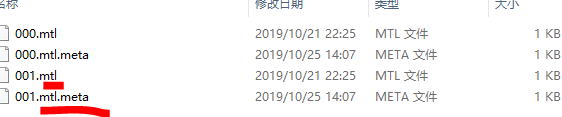
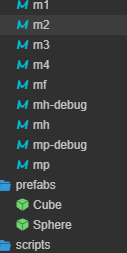
要显示后缀是为了看到资源类型么?